Archive for the ‘Software’ Category
Editing Video in Adobe Lightroom 4 Beta: Canon’s Cinestyle Color Profile
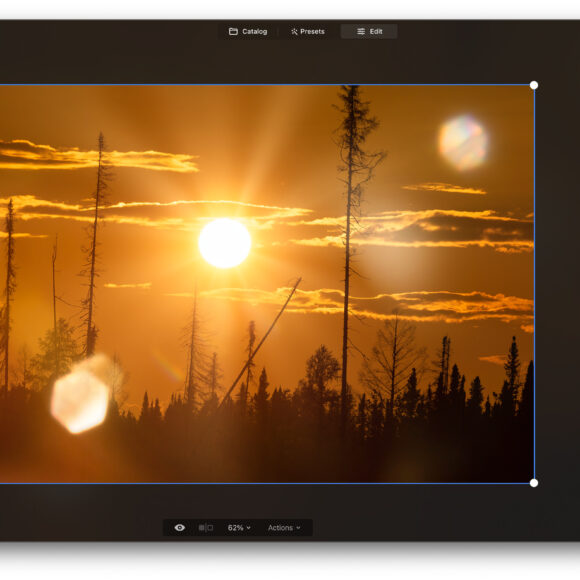
Various rundowns and impressions have been posted over the internet on the impressions of Adobe Lightroom 4 Beta so far. For me, I wanted to see how the new video editing interface worked. This came after downloading the Technicolor Cinestyle Color Profile for my Canon 5D Mk II. To be quite honest with you, I don’t see why I couldn’t have just manually set the color, saturation, contrast, and sharpness settings myself. However, I do see how it allows the user to have more latitude with their editing providing you’ve got a working knowledge of color theory.
Review: Perfectly Clear Lightroom Plug-In
I had heard of Perfectly Clear before and have also seen very positive reviews of the software, but it was only when I got to try it myself was I actually able to make any concrete decisions about it. Perfectly Clear is a plug-in for Lightroom 3, Photoshop, and also exists as a stand-alone software. The aim is to make editing as simple as possible for consumers and it does so by using more vernacular terminology and by giving in-depth explanations as to what each setting does.
But will simplifying things still help you to accomplish your tasks?
Quick Review: Camera Bag 2.0 (Beta) Editing Software
Camera Bag is an editing software program primarily centered around the use of presets with levels of adjustment: similar to the way that many mobile phone applications like Instagram work. While Adobe Lightroom 3 and Photoshop all have presets that allow users to get images with a cross-processed, plastic camera type of look (amongst others) not many people still know how to accomplish these look or understand color theory.
So does Camera Bag worth your time?
Fun Review: Pixlr-O-Matic for Android Phones
Sometimes we don’t want to bring a point and shoot, mirrorless camera, film camera, or DSLR with us. And at those times, we’ve often been good enough with the results from our phones. Indeed, when we tested the Apple iPhone 4′s camera, it performed very well. While the iPhone users have their fun with Instagram and Hipstamatic, the closest thing that us Android users have had is Retro Camera (which has undergone many changes since our review.) Enter Pixlr-O-Matic for Android: hands down the single app that is killing my battery due to my absolute addiction.
Three Free Preset Packages To Emulate Film in Lightroom 3
Do you love the look of film but don’t want to have to shoot and scan? Luckily, Adobe Lightroom 3 has presets that allow you to emulate that look very closely. After searching around the web for a while and shooting with the likes of Portra, Fuji Professional, and looking at Kodachrome prints, I’ve found a couple of free presets that can get the job for you on the cheap. Here are a couple of my favorites and what they look like.
Read the rest of this entry »
Apple Aperture 3: Importing & Managing Images
As you import your images from your camera, it is important to organize them. This makes it easier in the future when you want to edit, store, and eventually archive photos. This is especially important when you have clients. You never want to be in a situation where you’ve lost or can’t find a client’s images. This article and tutorial video will show you how to import files, and help you decide where your files will “live” on your computer or storage media.