

Last Updated on 05/31/2026 by Chris Gampat
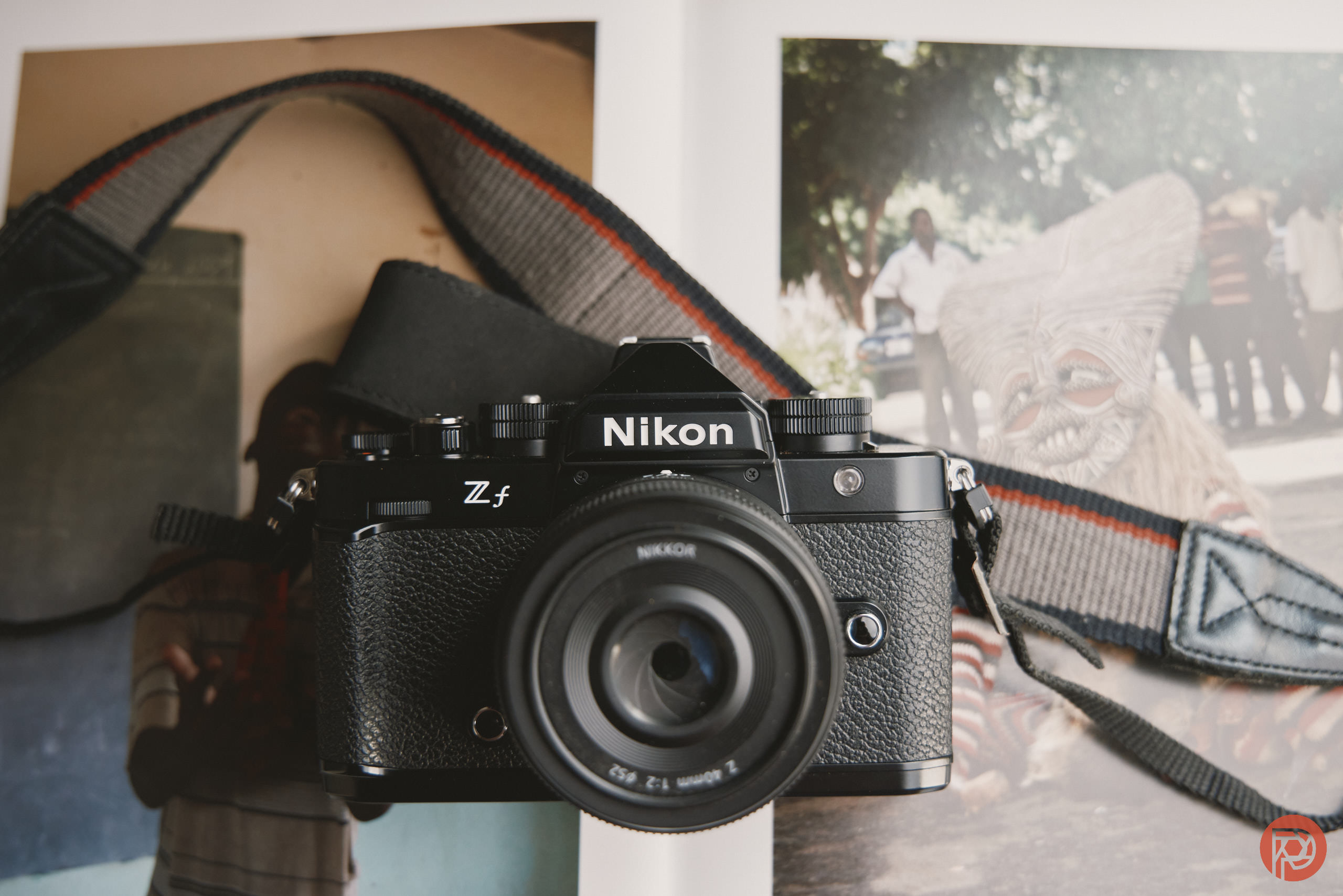
The Nikon Zf was worth the wait. And the company picked the best time to launch it: amidst the monotony and boring features that every other manufacturer has been producing. All cameras feel the same. They’re all good, but they’re not fantastic. Well, very few are fantastic and stand out from one another. But the Nikon Zf is completely different. It embraces the retro looks that we’ve wanted for a very long time. And more than anything else, it needs to be held to truly be understood.
Table of Contents
The Nikon Zf a Good Camera in 2026?
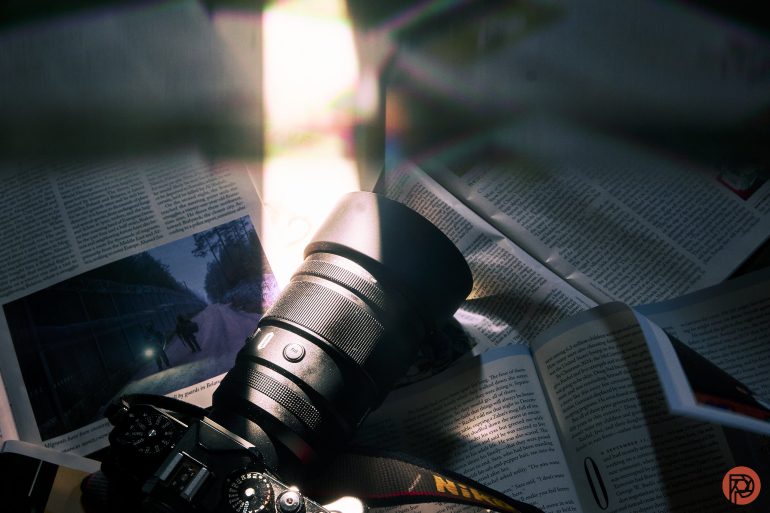
The other day, my buddy who owns a Nikon ZR tried the 7Artisans 135mm f1.8 on my Zf. “How is your autofocus so fast?,” he asked. “What settings are you using?” And that, to me, helped to solidify my decision that the Nikon Zf has to still be one of the absolute best cameras that the company made in years. It has gone through autofocus upgrades, Picture Control profile updates, and so much more. Sure, it’s still lacking a joystick. But it’s still very capable and I’ve used it still on gigs. Let alone, my buddy was surprised by how it performs with a Chinese third-party lens. He was using the Tamron 28-75mm f2.8 on his Zr, for reference.
I’m writing this section of the review article on a Sunday at the end of May. And just now, I’ve realized something insane: the Nikon Zf is a far more capable camera for photography than even the Canon R3. Sure, it came out like two years later, but if I had actually spent money on a Canon R3 and I looked at this little retro thing coming from Nikon and how capable it is, I’d be livid.
Granted, I’ve also done a lot of upgrades to my Nikon Zf in the way of a sensor shield (sensor clip-in filter) from Kolari Vision and a good third-party metal grip that helps when needed.
The staff and I have also really started to conclude our investigation into what’s wrong with flash and the Nikon Zf. It works just fine with the Flashpoint Nano R2 and XPLOR 100 Pro II TTL flash when you go into HSS and set the transmitter to do that. I even torture tested it, and had zero issues here. This really leads us to believe our final findings: which is that the Zf’s flash issue is a combination of both the flash hot shoe, mechanical settings, and the transmitters.
The camera also has things like pre-shot burst capabilities.
So is the Nikon Zf still a good camera in 2026? Absolutely. Honestly, all it needed was a joystick, a bit more heft, a grip that can come with the camera for using more serious lenses, a fix to the mechanical interface with the hot shoe, and a sensor shield. And if I’m being even more nitpicky, I’d move some of the buttons to be more in-line with the Nikon Z8 series of cameras because the Zf is insanely powerful and I currently even use it alongside the Nikon D850 still.
This otherwise is one of the most perfect cameras on the market for pure photography.
I highly doubt that Nikon is going to issue anymore firmware updates for this camera going forward. But if they do, we’ll update this review.
Still, this review has had at least three journalists work on it over the years and we’ve got the most exhaustive test of anyone out there.
The Big Picture: Nikon Zf Review Conclusions

There’s a lot to love about the Nikon Zf. We can talk about the image quality, then go into the retro ergonomics, and we can wax poetically for a long time about how the camera feels in your hand. It’s also very reliable to be able to do most of what you want. Of any Nikon camera you get, this might be the one that you adapt lenses onto the most. It’s a pleasurable experience that has to be experienced to be understood and that leaves you speechless because you’re in love with the camera each and every time you pick it up.
I really haven’t felt an affinity like that for a camera in a long time.
We’re giving this camera four out of five stars. It’s the closest thing to perfect that we’ve seen all year. Want one? Check them out on Amazon
Pros
- Exemplary high ISO output at 51,200.
- Fast autofocus
- This is the first camera that made using the touch screen to get the focusing point pretty simple when the camera is to my eye.
- Great for street photography with colors that make everyone fall in love with your images
- The best ergonomics I’ve ever felt on a Nikon camera
- Pretty affordable
Cons
- No sensor shield
- I still miss having a joystick or a D-pad that was shifted up higher.
- Autofocus with people of color in low light moving very quickly suffers.
- Image stabilization is good, but still behind the Panasonic S5 II.
Innovations
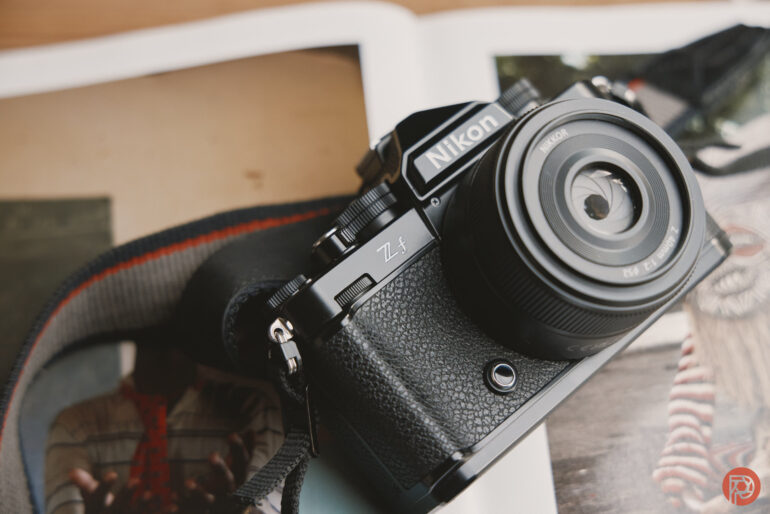
The Nikon Zf does a few things that are innovative. It’s the first full-frame retro-style camera body. And for the most part, Nikon nailed the ergonomics of this camera perfectly. The exterior is all metal, which is something that we’ve only seen from Leica otherwise. It’s also the company’s first 24MP sensor camera with access to all of the company’s scene detection modes.
Gear Used
The Nikon Zf and 40mm f2 that we primarily tested were loaner units. We adapted our own Sony lenses to the camera, and Artralab sent us lenses to keep for the Nikon Z mount previously.
Ergonomics
These are taken from our first impressions reports.
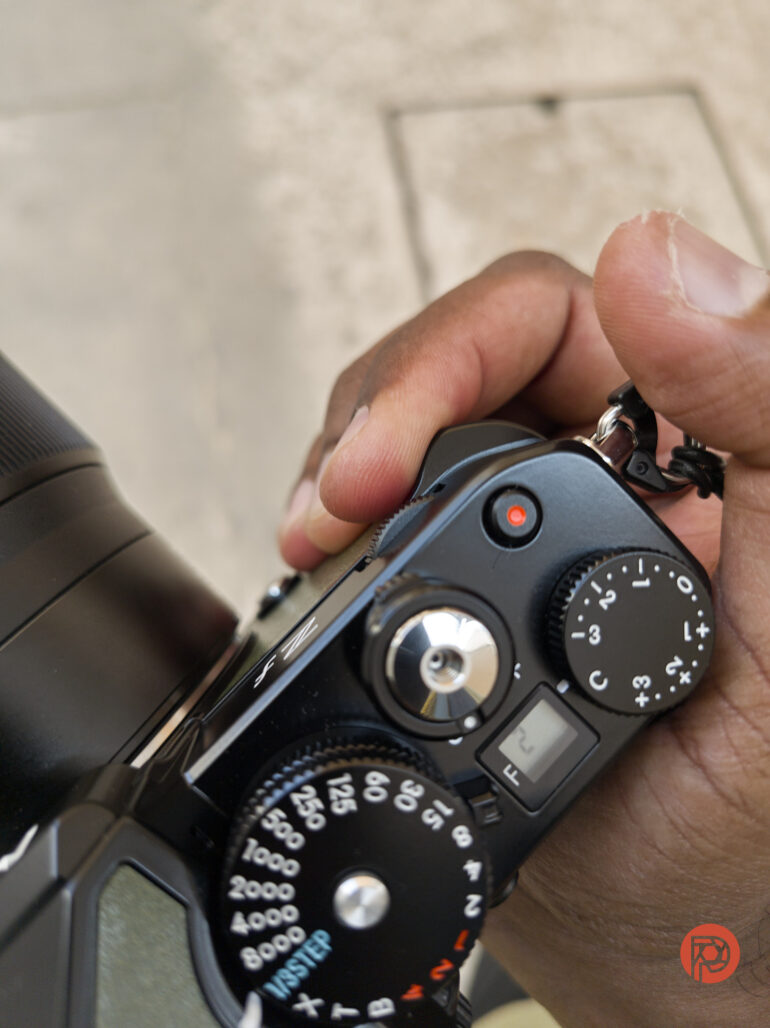
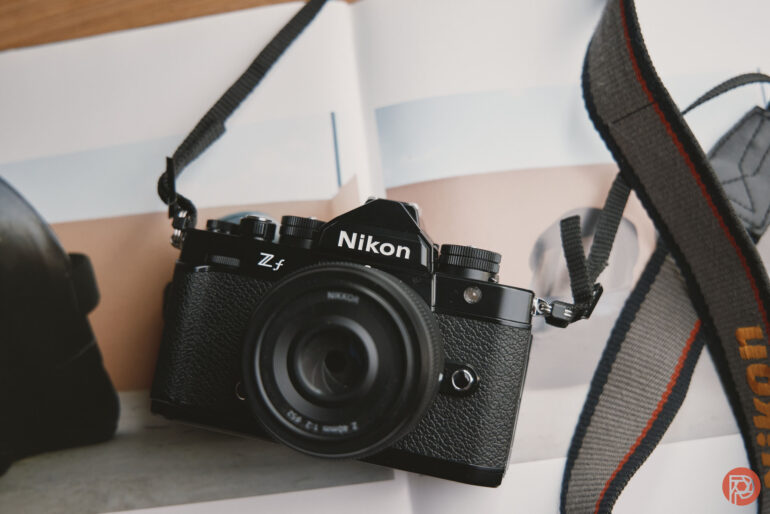
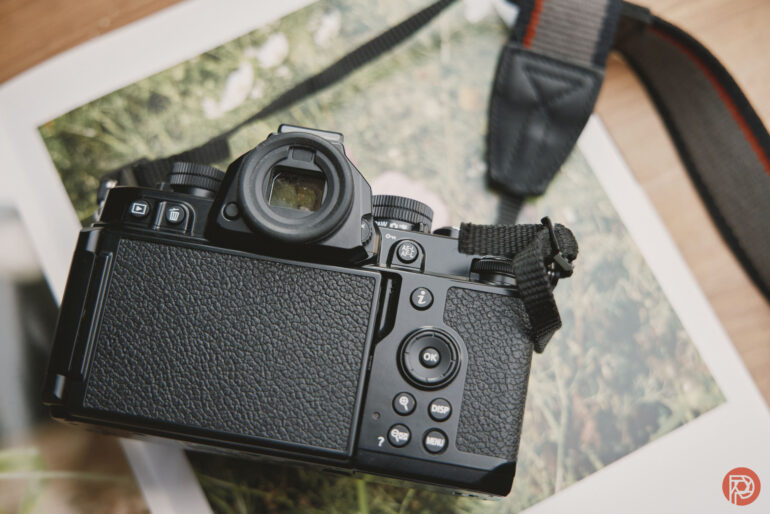
Cameras were styled quite differently around the 70s and 80s. Forty years ago, the Nikon FM2 didn’t come with any kind of noticeable hand grip. It would have been super odd for the Nikon Zf to have a pronounced grip like on the Z6. That would totally have killed the aesthetics of the camera. But unlike the Zfc, which has no hand grip, a very subtle one has been added to the Nikon Zf. Not so noticeable that it takes away from the vintage styling, but enough to allow you to comfortably and safely hold the camera. I wasn’t clutching at the camera for fear of dropping it like I did with the Zfc. The inbuilt grip is a lot like the one on the Nikon F3 SLR.
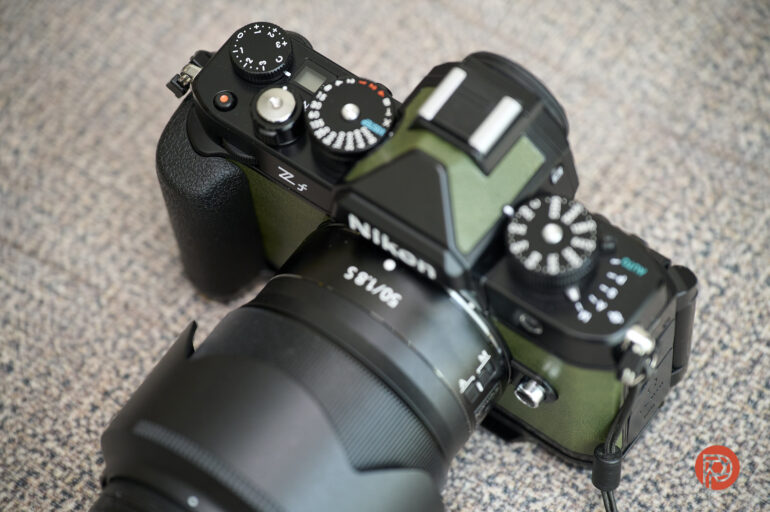
If you’re someone who hangs your camera on your side rather than on your neck, the Smallrig grip (an add-on to the Zf in some countries) would be a welcome addition to the camera body for you. It’s much more pleasant to grab this and swing your camera to your eyes when you want to take a photograph. But otherwise, it’s easy to get used to the slimmer grip that the Nikon Zf sports. For all the images you see in the gallery below, I didn’t use the grip. I genuinely didn’t feel the need to have it on to be able to use the camera. The base of the grip is a thin plate with Arca Swiss quick-release compatibility.
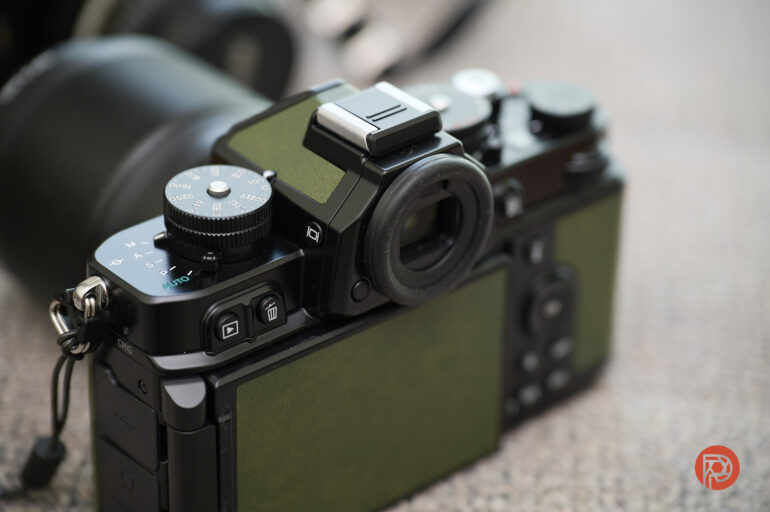
If you’ve used Nikon digital cameras for some time now, you’d know that they almost always reserve the round viewfinder for what they consider professional cameras, not even prosumer ones. This would put the Nikon Zf a notch above the Z6 and Z7 series of cameras.
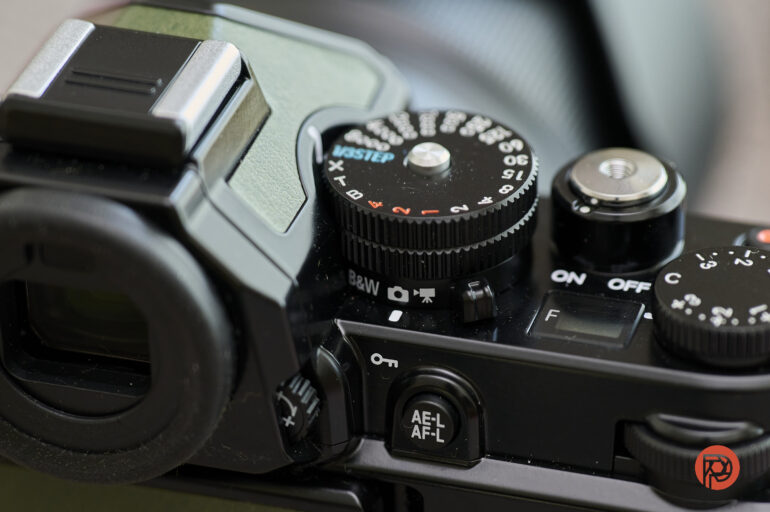
The switch that allows you to toggle between video and photo mode has a new addition in the Nikon Zf – a black-and-white mode. You can also choose between Flat Monochrome and Deep Tone Monochrome in addition to the standard Monochrome setting for this mode. It takes a while to get used to using this without looking at it, such as when you have your eye up to the viewfinder and want to switch between monochrome and color mode.
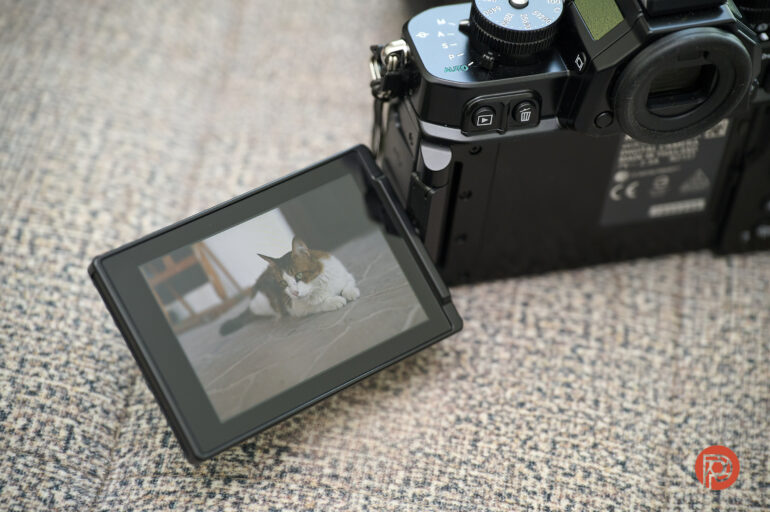
For the first time, full-frame Nikon mirrorless camera users have a fully articulating LCD.
Build Quality
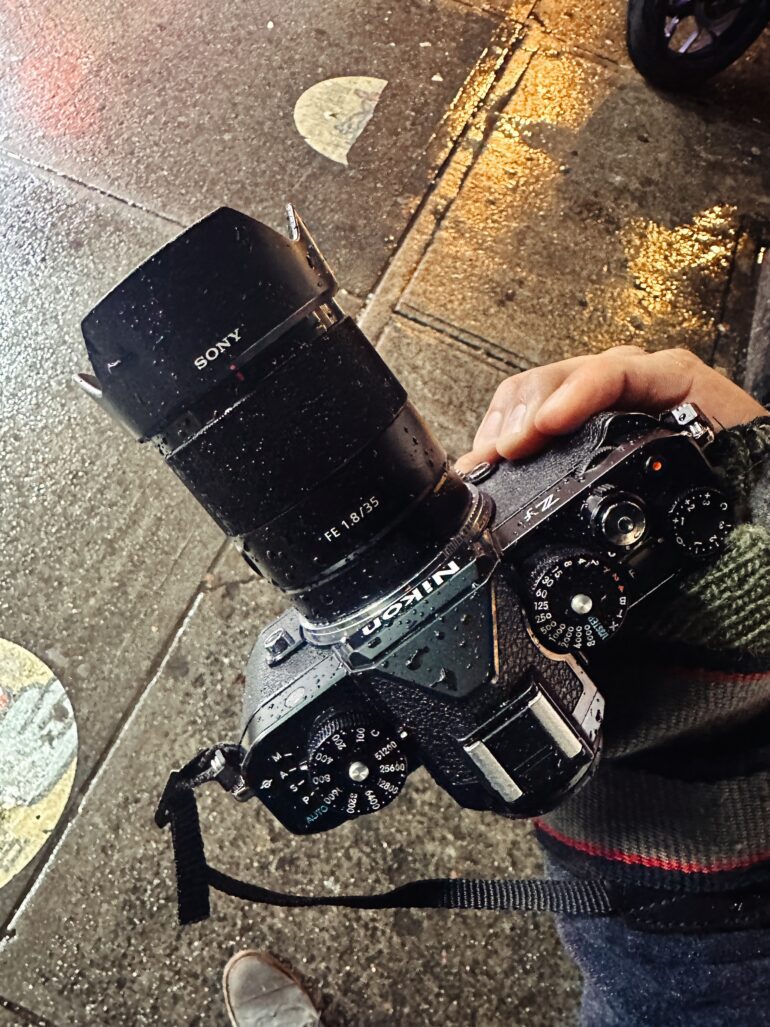
The Nikon Zf is a weather-resistant camera. With that said, it’s incredibly durable, and didn’t once show us signs of failure. In fact, even with Sony’s lenses attached, it seemed to be even more durable than said lenses would be on Sony cameras. That’s saying something! However, it lacks a sensor shield. So, if you’re changing lenses, do it fast and make sure that the camera is powered down.
My favorite thing about the Nikon Zf is that when it’s cold outside and you hold onto it, the camera itself is also very cold. This reminds me that I’m holding onto a camera and it feels like I’m gripping a Nikomat or other vintage Nikon body. I love the feeling.
Quite honestly, this is the only camera that came out all year that I’d ever want to carry around all day. It even beats wanting to bring my Fujifilm X Pro 3 around all the time.
Ease of Use
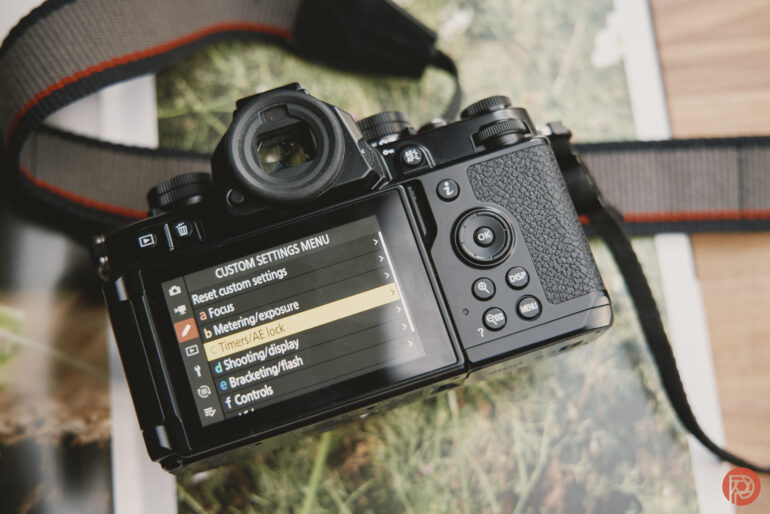
Nikon’s menu system is as simple as it has ever been. There isn’t much to it here as you can navigate the entire thing via touch screen or through the D-pad. If you’re a seasoned Nikon user, then it will be pretty simple to use. I set the front function button to change up the autofocusing types. The back AF-L button was set to access the top part of the My Menu function, which was set to scene detection. That’s really my only gripe here — I wish that Nikon would’ve added a few more buttons in or moved some stuff around. The D-Pad being a bit higher would’ve been a great alternative to adding in a Joystick.
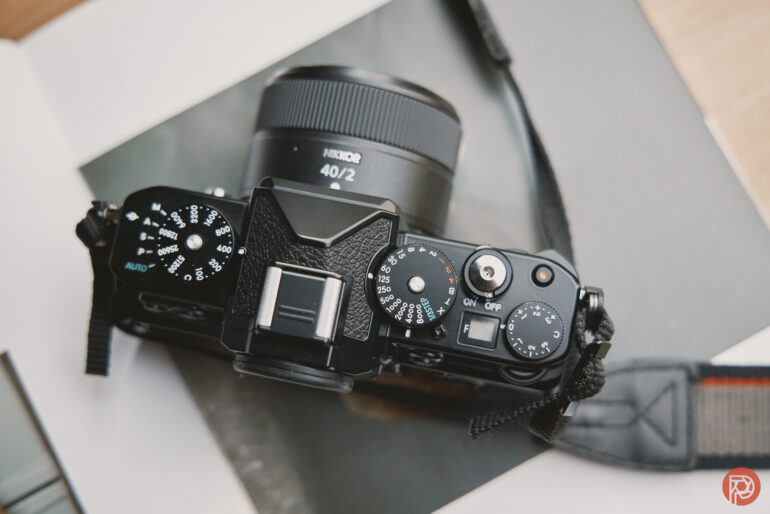
What users should also be aware of is the fact that there’s a dedicated shutter and ISO dial. Personally, I feel this is the most brilliant implementation of this format of camera. The aperture can be set with your index finger and so too can the shutter speed. The ISO is on the other side of the viewfinder. While these dials can’t be easily locked in, they don’t turn without some effort. It doesn’t feel like a chore, but instead like something that was carefully engineered.
Honestly, I’m not just saying it. This camera’s design and functionality are nearly the most perfect camera that I’ve ever used.
Ease of Use Update December 2024

Here’s a history of the Nikon Zf’s firmware updates according to Nikon’s website:
Changes from “C” Firmware Version 1.20 to 1.21
| • Fixed an issue that sometimes caused overexposure in the viewfinder and monitor shooting displays (live view) when the standby timer had expired then reactivated. |
Changes from Previous VersionsChanges from “C” Firmware Version 1.10 to 1.20
| • The color temperature for the first shot will now be applied to the rest of the series of photos taken in pixel shift photography when the white balance is set to [Auto] or [Natural light auto].• Changed the default values for the following settings displayed when connecting wirelessly:- Encryption keys- The password displayed after the camera’s default settings are restored• Fixed the following issues:- The camera would sometimes stop responding when [ON] is selected for [Photo flicker reduction] and bursts are taken in the [Continuous H (extended)] release mode.- The camera would sometimes stop responding if connected to an HDMI compatible device while the monitor was in the storage position.- Releasing the shutter with the monitor in the storage position sometimes would not darken the viewfinder if [Silent mode] was set [ON] and an NEF (RAW) or RAW + JPEG/HEIF option was selected for [Image quality].- “Noise” could sometimes be noticeable in the live view display during photography and video recording, as well as in the shadows of pictures taken and videos recorded when:▸ [Set Picture Control] was set to [Deep Tone Monochrome] or [Flat Monochrome]▸ A positive value or [A] (auto) was selected for [Contrast]▸ A negative value was selected for [Brightness]- The camera would sometimes stop responding after a time-lapse video was recorded.- The camera would sometimes stop responding when videos recorded under certain conditions were operated with actions such as rewinding or advancing during playback. |
Changes from “C” Firmware Version 1.00 to 1.10
| • Added slow-motion video recording.• Fixed an issue, which the viewfinder live view display may not show correctly under some conditions. |
Frankly, none of these have majorly affected the performance for anyone that wants to shoot photos. They’re all very minor. In fact, they’re so minor that I barely even noticed a change with the camera’s performance at all from when I first got it. Instead, those changes came to the way the Nikon Zf focuses.
Ease of Use Update April 2024
The other day, I tried using my Nikon Zf with my Profoto lights. Specifically, I own the Profoto B10 and the Profoto TTL-N transmitter. I was trying to do product photography for the site when I turned the shutter dial to high-speed sync mode. Immediately, something weird started to happen. The Nikon Zf wouldn’t trigger the Profoto TTL-N transmitter to fire consistently. Instead, it only intermittently happened. The camera has a sync speed of 1/200th — which isn’t even an option on the shutter speed dial. So, to get to 1/200th, you need to turn the dial to the 1/3 step setting and then use the camera’s standard front and back exposure dials accordingly.

This was odd, so I used all my knowledge of both Nikon and Profoto to see what was going on. I also did a quick Google search and found users on Reddit, DPReview forums, Youtube, and other places that have reported having this or similar issues. The most commonly reported issue is banding of some sort and not being able to set the view to not change when using a flash. That latter has been fixed and was an issue that has had some sort of fix since 2022 with the Nikon Z5. But in this case, the high speed sync (which Nikon calls Auto-FP) isn’t working.
The Nikon Zf also has an “X” mode on the dedicated shutter dial which locks the shutter speed to whatever you set it to in one of the flash menus.
I called the Phoblographer’s Nikon rep who took me through various settings to try to fix it:
- The camera was set to manual mode
- Auto FP was enabled
- The camera recognized that a flash was connected
- When the flash was triggered, we could see the effects of the flash on the scene. But the camera couldn’t set the flash off consistently.
- I changed the transmitter’s batteries because Profoto’s TTL transmitters have always had issues when the batteries run low
- My rep recommended that I use the electronic front curtain method. And that still didn’t solve the problem.
Granted, both of those Profoto units haven’t recieved firmware updates in years. But my lights and transmitters work with every other Nikon camera that has come into the Phoblographer’s offices for prolonged stays.
During the second day of trying to figure this out, I called Profoto. Our Profoto rep, who is well known and respected thoroughly throughout the industry, tried contacting two other people within the company. They didn’t have an answer either.
So after this, I went back to searching YouTube — and was treated with a video of a man absolutely wasting my time for 8 minutes.
There are many people who would say that I should be using a Nikon strobe; but frankly, I get the impression that Nikon cares about their flashes the way that health insurance companies in America care about their paying customers. This shouldn’t be happening. The camera is designed to be a type of photojournalism tool, and photojournalists, without a doubt, use high speed sync in various situations. To hammer that in even further, it shouldn’t be happening.
Ease of Use Update January 2025
In theme with the classic nature of the Nikon Zf, I decided to dive into the early digital camera trend. And so using Nikon PC, I ended up downloading their Nikon D3s camera profile and installing it on the Nikon Zf. You can read more about the website in our interview. When I took the glimmerglass off my 40mm f2, the colors seemed to line up with the stuff I’d seen and made from this camera many years ago.
In 2010, when I first fully reviewed the camera, folks were really just getting into using Lightroom. But I, as a poorer college student, used Photoshop elements instead. And often all that I’d do is contrast, sharpness, clarity, and saturation adjustments. This is what everyone else did who didn’t want to make everything into an HDR the way Trey Ratcliff was telling us to do.


The big difference here though is how much Nikon’s auto-white balance settings have changed. For several years, they were really awful. But in the past few years, they’ve improved and the images don’t look like they’ve got an odd shade of green over them at all times.
The sensors back then looked something like Micro Four Thirds cameras do today. In fact, I’d state that M43 does a better job with making images appear more color rich. But I surely remember how Panasonic’s cameras often put out images that felt bland and stale. This is part of what gave way to the idea that we had to enter the digital darkroom (post-production) to make the images appear all magical.
Fast forward so many years later, and we’re trying to do less post-production.
Today, the cameras like the Nikon Zf are capable of doing pretty much everything that you’d need to do. What’s more, the lenses are just so good and highly capable. So to get the fuller effect of how the Nikon D3s renders images, I used a classic Zeiss lens and paired it with the Nikon F to Z II adapter.
This was a time, much like today, where photographers would never want to stop the lens down of certain optics on the market. It’s widely accepted that many photographers perhaps forgot that the Zeiss 50mm f1.4 had other apertures. Back in 2010, I tested this lens on the Canon 5D Mk II and made my own edits. And back then, it was beautiful. Today, it surely still is too. The colors, when combined with the D3s profile in-camera look really lovely. To add to that more, we used our upcoming early digital presets for Capture One.
To be sure, we checked to see if something like this wasn’t already in Nikon’s camera. And when using the natural or other color profiles built in already, we couldn’t get it to look the same. So if you really want those classic looks, upload the profile to your camera or check out our presets when they launch in early 2025.


Ease of Use Update April 2025

Firmware 2.0 was issued, and you can download it from here. But here are the relevant notes of the update.
Note: Users of the following software will need to update to the latest versions.
- • NX Studio version 1.7.1 or later, NX Tether version 2.2.0 or later, IPTC Preset Manager version 1.3.0 or later, SnapBridge version 2.12.0 or later, NX MobileAir version 1.2.0 or later
Note: The changes listed below under “Still Photography”, “Video Recording”, “Playback”, “Controls”, “Displays”, and “Network” are detailed in the Supplementary Firmware Update Manual.
Note: Due to the addition of new menu items, some Custom Settings menu items have been renumbered.
■ Still Photography
- • Added support for the Nikon Imaging Cloud service.
- – Importing imaging recipes (image editing settings published on Nikon Imaging Cloud) to the camera is now available.
- – Uploading images taken with the camera to Nikon Imaging Cloud and automatically transferring them to other cloud services is now available.
- • Added support for importing Custom Picture Controls based on “Flexible Color” created in NX Studio.
- • Added [Birds] to [AF/MF subject detection options] > [Subject detection] in the photo shooting menu.
- • Added [Large] to the size options available for [Secondary slot function] > [JPEG primary – JPEG secondary] in the photo shooting menu.
- • Added new bracketing increments for use during auto bracketing with [AE & flash bracketing], [AE bracketing], or [Flash bracketing] selected for [Auto bracketing set]. This change also applies to [Interval timer shooting] > [Options] > [AE bracketing] > [Increment].
- • Long exposure noise reduction is now enabled when the following menu items are set to [ON]:
- – [Interval timer shooting] > [Electronic shutter options] > [Electronic shutter]
- – [Time-lapse video] > [Electronic shutter options] > [Electronic shutter]
- – [Focus shift shooting] > [Electronic shutter options] > [Electronic shutter]
- • Flash mode is now set to off when [Focus shift shooting] > [Interval until next shot] is set to [0] during focus shift.
■ Video Recording
- • Added support for the Nikon Imaging Cloud service.
- – Importing imaging recipes (image editing settings published on Nikon Imaging Cloud) to the camera is now available.
- • Added support for importing Custom Picture Controls based on “Flexible Color” created in NX Studio.
- • Added [Birds] to [AF/MF subject detection options] > [Subject detection] in the video recording menu.
- • Added low ISO sensitivity options to [ISO sensitivity settings] > [ISO sensitivity (mode M)] for use during N-Log video recording.
- • Added [Hi-Res Zoom] to the [VIDEO RECORDING MENU].
- • Added a [Hi-Res Zoom speed] item to the [CUSTOM SETTINGS MENU] in position of g7.
- • Added options for customizing the brightness information display to g15 [Brightness information display] in the [CUSTOM SETTINGS MENU].
- • Added a function to include file names used in the camera when recording videos to an external recorder that supports file name transmission via HDMI. The following Atomos external recorders support this function (as of March 2025).
- – Ninja V *
- – Ninja V+ *
- – Ninja (2023 models)
- – Ninja Ultra
- – Shogun (2023 models)
- – Shogun Ultra
- – Shogun Connect *
* Some recorders may require an ATOMOS OS upgrade or paid activation of the recorder. Contact ATOMOS for details.
■ Playback
- • Added [Customize retouch options] to [Retouch] in the playback “i” menu.
- • Added [Auto image rotation] in the playback menu.
- • Added [Auto series playback options] to [Series playback] in the playback menu.
- • Added a width of 4608 pixels to the size options available for [Resize (current picture)] and [Resize (multiple pictures)] for [Retouch] in the playback “i” menu when RAW images are displayed.
■ Controls
- • Separate settings are now available for [ISO sensitivity settings] > [Auto ISO sensitivity control] in the photo shooting menu when the ISO sensitivity dial is set to C or to a value of 100 to 64000.
- • Added [Save and load power zoom position]* to f2 [Custom controls (shooting)] and g2 [Custom controls] in the [CUSTOM SETTINGS MENU].
- • Added a [Zoom ring control (PZ lens)] item to the [CUSTOM SETTINGS MENU] in position of f11.
- • Custom Settings f12 and g8 in the [CUSTOM SETTINGS MENU] is now [Assign power zoom]. In addition, [Power zoom speed] has been divided into two items: [Power zoom speed (zoom buttons)] and [Power zoom speed (zoom switch)]*.
- • Added [Focus point border width] to a10 [Focus point display] in the [CUSTOM SETTINGS MENU].
- • Added an [Easy ISO] item to the [CUSTOM SETTINGS MENU] in position of b3.
- • Added an [Exposure delay mode] item to the [CUSTOM SETTINGS MENU] in position d5.
- • Added [Half-press to cancel zoom (MF)] items to the [CUSTOM SETTINGS MENU] in positions d18 and g16.
- • Added to the custom control roles assignable via the following items in the [CUSTOM SETTINGS MENU]. New reset options have also been added.
- – f1 and g1 [Customize i menu]
- – f2 [Custom controls (shooting)] and g2 [Custom controls]
- – f3 [Custom controls (playback)]
Note: Added an advanced feature of [Exposure setting (mode M)] to Custom Setting f2 [Custom controls (shooting)] > [Command dials] > [Exposure setting] and exposure compensation and ISO sensitivity can now be set using the command dials in photo shooting in mode M.
Note: The command dial roles in mode S can now be switched using Custom Setting g2 [Custom controls] > [Command dials] > [Exposure setting] when recording video.
- • Added [Double-tapping operation] to f4 [Touch Fn] > [Assign touch Fn] > [Move focus point] in the [CUSTOM SETTINGS MENU].
- • Made updates to [Non-CPU lens data] in the [SETUP MENU].
- • Increased the character limit from 3 to 256 for “Category” entries in IPTC presets.
- This feature is available with NIKKOR Z 28-135mm f/4 PZ lenses (as of March 2025).
■ Displays
- • Added focus-distance information to the focus distance indicator displayed during manual focus.
- • Live view display zoom is now up to 400%.
- • The option selected for [Viewfinder display size] (formerly [Finder display size (photo Lv)]) in the [SETUP MENU] now also applies in video and playback modes.
■ Network
- • Added a [Nikon Imaging Cloud] item to the [NETWORK MENU].
- – Firmware can now be downloaded directly from Nikon Imaging Cloud.
- • Added features to [Connect to FTP server] in the [NETWORK MENU].
- • ATOMOS AirGlu BT accessories and MC-N10 remote grips can now be used together.
- • A warning now appears when the connection to an ATOMOS AirGlu BT accessory is unstable or disrupted.
■ App-Related Changes
With NX MobileAir:
- • the camera live view display for photo mode now shows NX MobileAir status, and
- • camera settings saved to a memory card using [Save/load menu settings] can now be downloaded to the smart device or copied from the smart device to the camera memory card using NX MobileAir.
■ Other Changes
- • Changed the video low-capacity warning so that it is now displayed in white on a red background when there is less than one minute remaining. The warning is now also displayed when recording is not in progress.
- • The RGB histogram is now easier to view when [Mode 1] or [Mode 2] is selected for d12 [Warm display colors] in [CUSTOM SETTINGS MENU].
- • Fixed the following issues:
- – Some operations would prevent the focus points from being displayed or cause delays in monitor display.
- – The monochrome option would not be available in the “i” menu when B&W (black-and-white photo mode) was selected.
- – The exposure compensation icon appeared in the settings display for g2 [Custom controls] > [Command dials] in the [CUSTOM SETTINGS MENU].
- – Files could not be uploaded if the destination folder name contained half-width spaces when an FTP server was added in the connection wizard in [Connect to FTP server] > [Network settings] in the [NETWORK MENU].
- – The camera would sometimes stop responding if the monitor was closed while zooming in the image during playback when connected to an external monitor or recorder via HDMI.
- – The displayed images would be corrupted when zooming in during playback with the camera monitor closed and the camera connected to an external monitor or recorder via HDMI.
- – The values on the control panel would remain on after the camera was turned off and the lens was removed while the camera was connected to SnapBridge via Wi-Fi and upload of pictures to smart devices was enabled even when the camera was off.
- – Renamed d13 [Display on during burst] in [CUSTOM SETTINGS MENU].
Now here’s what’s relevant for photographers:
- Nikon Imaging Cloud services for presets
- Birds only autofocus
- Long exposure noise reduction with electronic shutter
- Retouch customizations in playback mode
- Focus point border width in a10 menu item
- Double tapping operation
- Live view display zoom with manual focus lenses that can go to 400%. Half press the shutter to cancel the zoom in.
- Exposure delay mode
- ISO can be added to the command dials. But this kind of defeats the point of the camera.
Something that I’m really happy about is the new retouch functionality. The Nikon Zf adds this cool thing called overlay which basically lets you make a multiple exposure photo in-camera after you’ve shot the images. It’s really, really fun. However, it only does it as a JPEG file.

A note, I couldn’t get this to work:
- Added [Double-tapping operation] to f4 [Touch Fn] > [Assign touch Fn] > [Move focus point] in the [CUSTOM SETTINGS MENU].
Setting up Nikon Imaging Cloud is only a pain in the ass if you’ve forgotten your Wifi password and sometimes it can tell you that the encryption key is too long or too short – even when you know that you’ve gotten it right. Next you have to enter a user code. It’s really easier to do this from a computer than it is from a phone. When you select a recipe, you then need to sync your camera to download the new picture control. Now if you go back to the camera and into the Nikon imaging cloud menu, you can sync the connection and then the camera will download the recipes. They’ll appear in picture controls after that.
This is a major pain to learn and a million times more difficult than it is with LUMIX Lab with Panasonic, for example.
Ease of Use Update May 2025

Firmware 2.01 addresses the following:
- Fixed an issue where, after setting any of the following Picture Controls and then operating the camera with [Multiple exposure mode] set to anything other than [Off], the camera would no longer respond to operations or an error message would be displayed.
- Custom Picture Controls adjusted and saved in NX Studio based on Flexible Color and loaded into the camera
- Cloud Picture Controls downloaded to the camera from recipes on Nikon Imaging Cloud
This may seem like a smaller update to lots of photographers because they don’t know how to use or experiment with multiple exposure modes. But if you’re the type of photographer who prefers to create images in-camera and doesn’t want to use lots of post-production, then you’ll love this. And if you’re not making multiple exposures, then you truly should start getting more intentional with the stuff you want to create.

As it is, we never saw this issue happen to us. However, we’ve only tested the camera with one of the new Picture Controls. Transparently, I don’t like most of the ones that I’ve seen and Nikon’s ease of use with utilizing these options is way more annoying than it is with other brands. To me, it’s almost like the person who created the whole feature didn’t want to do it in the first place.
Either way, this is a big enough issue that Nikon took it seriously enough to do a firmware update. This is pending their very slow response on the high speed sync flash issues that we’ve been reporting on regularly.
Ease of Use Update Jul 2025

Firmware 2.02 does the following:
- Updated some guidance texts displayed on the camera when connecting to the Nikon Imaging Cloud service (the connection procedure itself remains unchanged).
The 2.02 firmware update to the Nikon Zf isn’t going to blow your socks off. There’s no powerful new AF mode. No increase in the imaging recipe count from 10. No extra monochrome simulation modes for your black-and-white switch. Just one main thing – better instructions when connecting to Nikon Imaging Cloud.
Ease of Use Update September 2025
The newest firmware, 2.02c, offers different wording on some menu items. Specifically, the firmware page states, “Updated some guidance texts displayed on the camera when connecting to the Nikon Imaging Cloud service (the connection procedure itself remains unchanged).” So overall, if you know how to use the Nikon Imaging Cloud service, then you won’t have a problem at all.
Originally, in my review of the Nikon Zf, I complained about the camera not having a sensor shield. My new way around this is to use a clip-in filter over the sensor that I bought from Kolari Vision. In my review of that product, I note how it’s easy for Sony cameras. But with Nikon cameras, you have to do a bit more work in the form of attaching some magnetic strips. Since then, though, I’ve noticed that my Nikon Zf images are overall much cleaner with a few exceptions and problems that cleaning the sensor fixes pretty easily.
Recently I bought the Nikon 24-120mm f4 S lens and took it with me to a paid gig. To refresh here, my day job is running the Phoblographer as the Editor in Chief and Publisher. On the side, I’m paid taxable income for my photography services. To clarify that even more, I’m paid to shoot photos — not share content on platforms. This gig was Pig Island out in Staten Island.
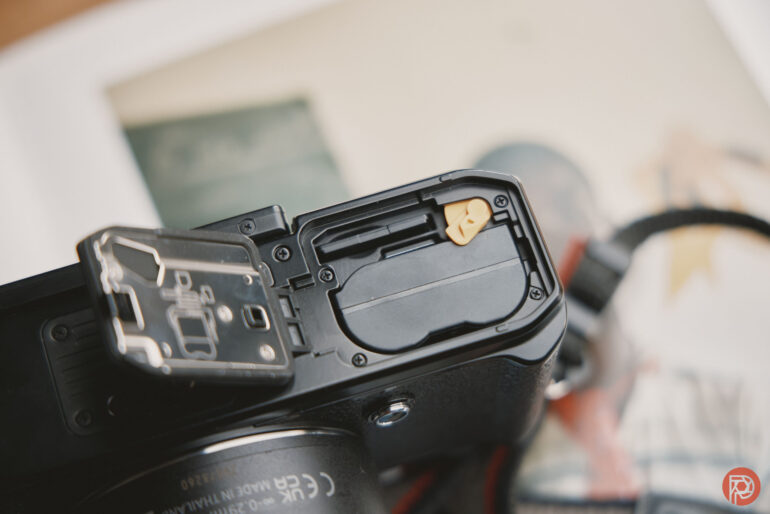
I chose to use the Nikon Zf and the new Hasselblad X2D II because they share the same flash interface. Each camera had its own lenses and own batteries. The Zf needed a battery swap around 3/4 way through the gig, but it otherwise worked fine. Where it had problems though, is with flash sync.
With both Nikon and Profoto flashes, the Nikon Zf just couldn’t give me consistent results when doing high speed sync — which Nikon otherwise calls Auto-FP. By that I mean that the camera wasn’t always syncing with the flashes, which is a problem that I’ve been reporting on for a while and Nikon hasn’t formally addressed a fix for in conversations with me. However, they are aware of it and in messages back and forth, even acknowledge that it exists.
To recap the problem:
- Set your Nikon Zf to a shutter speed faster than 1/125th using the dedicated shutter dial. When you shoot with a flash of some sort, it won’t always sync up.
- Change the shutter dial to the 1/3rd step setting and control the shutter as you normally would with any Nikon camera. The problem still happens.
- Try this with both Nikon and Profoto flashes and it will happen.
The Nikon Zf has a dedicated setting on the shutter dial marked with an “x”. This is for flash sync and fixes the shutter to 1/200th. In bright light during the daytime, this will mean that you’re going to need to use a very low ISO setting and stop your lens down quite a bit in order for the camera and flash to overpower the sun. For the record, I’m using my Profoto B10. This is a strobe that I’ve used for many gigs and across various camera systems. It has never once failed me, and it works just fine with the Nikon Z8 and Z9. So in my findings, and those of fellow staffer Feroz Khan, it’s an issue with how the shutter dial works.
Generations of reviewers before me would make up excuses for this, but I refuse to let billion-dollar companies make up excuses like this. The camera’s flash sync doesn’t work properly. But it works just fine with the Nikon Z5 and Z5 II — which is a lower-end product.
On top of this, and I don’t believe that I’m saying this, the lack of a grip can make it hard to work with one-handed unless you’re clever about how you’re holding the camera. I got the shots I needed and my clients were happy. But as I like to say, I love humanity, but I hate humans. I don’t expect most humans who are buying cameras these days to understand or know how to properly hold a camera.
Nikon is supposed to issue another firmware update offering up film grain soon. I wonder if they’ll fix flash issues too.
More importantly, I wonder what’s taking them so long. Nikon is a company I truly want to root for. But when stuff like this happens, I’m reminded why they nearly completely fell apart several times over the past 20 years.


Ease of Use Update October 2025
Nikon has released firmware 3.0. I tried updating it via the Snapbridge app, but instead, it ended up reinstalling the same previous firmware. So instead, I recommend that you download the firmware via Nikon’s website.
Here are the details of Firmware 3.0:
—
Note: The changes listed below under “Still Photography”, “Video Recording”, “Playback”, “Controls”, “Displays”, and “Network” are detailed in the Supplementary Firmware Update Manual.
Note: Due to the addition of new menu items, some Custom Settings menu items have been renumbered.
■ Still Photography
- • Added [Film grain options] to the photo shooting menu. You can use it to take grainy pictures that simulate the look of traditional film photography.
- • Added a [C15] high-speed frame capture + release mode option.
■ Video Recording
- • Added [Film grain options] to the video recording menu. You can use it to take grainy videos that simulate the look of traditional film photography.
- • Selecting [ON] for [Hi-Res Zoom] in the video recording menu now displays a focus point on the detected subject in the shooting display.
■ Playback
- • The [Record camera orientation] item in the playback menu now has separate options for [Photos] and [Video]. The camera orientation for video recording and time-lapse video recording can also be saved.
■ Controls
- • Added a [Maximum aperture Lv] item to the [CUSTOM SETTINGS MENU] in position of a13.
- • Added a [Focus limiter setting] item to the [CUSTOM SETTINGS MENU] in position of a15.
- • Added a [Minimum] option to Custom Setting c2 [Self-timer] > [Interval between shots] in the [CUSTOM SETTINGS MENU].
- • Added assignable roles to the custom controls via the following items in the [CUSTOM SETTINGS MENU].
- – f2 [Custom controls (shooting)]
- – g2 [Custom controls]
- • Exposure compensation and ISO sensitivity can now be assigned to the command dials in mode M using g2 [Custom controls] > [Command dials] > [Exposure setting] in the [CUSTOM SETTINGS MENU].
- • Added [Automatic monitor display switch] to the [SETUP MENU].
- • Contents of [Camera sounds] in the [SETUP MENU] have been changed. Now you can select whether the camera makes an electronic shutter sound during high-speed frame capture + or pixel shift shooting. The electronic shutter sound volume can also be adjusted.
■ Displays
- • Added an [Only during zoom] option to a12 [Focus peaking] in the [CUSTOM SETTINGS MENU].
- • Added a framing grid option of 4:3 to d16 [Grid type] in the [CUSTOM SETTINGS MENU].
- • Added a framing grid option of 9:16 to g14 [Grid type] in the [CUSTOM SETTINGS MENU].
■ Network
- • Added [USB streaming (UVC/UAC)] to [USB] in the [NETWORK MENU].
- • Changed some messages and the default values related to Nikon Imaging Cloud.
- • A new method for adding Picture Controls from Nikon Imaging Cloud is now available.
- • Added [Wi-Fi connection (STA mode)] which allows you to connect the camera to the smart device via a wireless LAN access point.
■ Other Changes
- • [Pixel shift shooting] options can now be set when the self-timer mode is selected.
- • Pre-Release Capture is now available from compatible Bluetooth remote controllers.
- • Aperture is no longer restricted when recording videos in mode S (Shutter-priority auto).
- • The tonal characteristics have been changed when [ON] is selected for Custom Setting g13 [View assist] in the [CUSTOM SETTINGS MENU].
- • The headphone volume level can now be adjusted in the “i” menu during video recording.
- • Voice memo recording is now available with external microphones.
- • Changed the specifications for uninterrupted video output to HDMI devices such as external monitors when recording ended.
- • Fixed the following issues:
- – The camera displayed the message “The shutter is closed. To start shooting, press the shutter-release button.” in rare circumstances, when single frame shooting was repeated with the monitor closed.
- – The [Maximum aperture] values set for [Lens number] at positions 18 and 19 in the non-CPU lens data feature were not correctly applied when shooting.
I’ve been an owner of the Nikon Zf for a long time now. It’s really one of my favorite cameras in my office. But wow, this is a super weird update. In this section below, I’m going to touch on all the important things that photographers will care about as well as my findings:
- Film grain: This is a very fun addition — if not really flawed. When you combine it with film looks like those on NikonPC then you’ll be able to adore the classic look that is otherwise hard to get. At least that’s what I thought would be the case. I did all the things needed to really make my images look like film: like shooting in the Ektachrome render that I’ve got loaded onto it and shooting at ISO 100. Additionally, I only shot in mechanical shutter mode. Despite this, I have to be very frank here: this is some of the ugliest film grain that I’ve ever seen.
- High speed frame capture under c15: this is electronic shutter only. It’s alright I guess. Honestly, I rarely ever need to use shutter speeds this fast.
- Exposure compensation and ISO can be assigned to command dials: defeats purpose of the camera. I don’t understand why this was added but the brand couldn’t fix the hot shoe issues.
- Setup menu automatic menu display switch: There are two options: on or when the screen is docked. Docked, in this case means that when it is clicked in all the way or nearly all the way. Tilt the screen out and that will change. It’s a weird update, and I’m not sure why it was added
- Camera sounds: Not much has really changed here at all.
- Flash problem is still occurring
- New method of adding picture controls from Imaging cloud: Imaging Cloud is still a pain to use and I almost never want to access it. It’s nowhere as simple as something like Panasonci’s Lumix Lab.
Honestly, I don’t think that this firmware was really needed. The brand needed to fix the flash issues more than anything else.
Here are some renders of the new film grain effect. I like film grain, but this isn’t it. This is a digital simulation that lacks the soul of the real thing. I even tried changing intensities and grain size but each and every time I was disappointed. I’m sure it’ll look fine in black and white mode, but otherwise I’d never bother using it.


Ease of Use Updated April 2026
As of April 2026, Nikon updated the firmware for the Nikon Zf. Here are the latest additions with Nikon Zf firmware 3.01:
• Changed the way the aperture was adjusted on a lens when the standby timer expired.
• Fixed an issue where the “i” menu touch control would sometimes not be available in the [Prioritize viewfinder (1)] and [Prioritize viewfinder (2)] monitor modes.
This firmware can be downloaded from Nikon’s website.
The very curious change to me is the first statement on how the aperture was adjusted on the lens. So I went to the Custom Settings Menu and then C3 and changed the power off delay setting to 10 seconds. With the 40mm f2, nothing seemed to change in regards to the firmware that would’ve caused alarm. That’s to say that I tried changing the aperture via the camera’s dials, and nothing changed. I had to wake the camera up for that to happen.
Then I tried it with the Nikon 24-120mm f4 S lens. The same thing happened. So far so good. I stopped the lens down to f11, let the camera go to sleep, manipulated the dials, and it stayed at f11.
That’s when I got really curious.
So I tried it with my 7Artisans 50mm f1.1 and the Nikon Zf set to the Non-CPU lens setting. From there, I dialed in an aperture. Then the camera went to sleep, I tried changing the aperture, woke the camera up, and the aperture stayed the same.

After this, I adapted the Nikon 28mm f1.8 G lens from my Nikon D850 onto it using the official Nikon F to Z adapter. I stopped the lens down to f5.6, let the camera go to sleep, tried changing the aperture, and upon waking the camera up, the aperture had stayed the same.
Thankfully, I also still have the Tamron 35-100mm f2.8 for Nikon Z-mount still around. So I tried that. The Tamron lens worked just as perfectly as Nikon’s native lenses did.
Curiously, I realized that something seems odd here — I’ve owned the Zf for a long time, so why would Nikon issue this update? And then I remembered that Nikon is in a lawsuit with Viltrox. The lawsuit is regarding Viltrox making lenses for the Nikon Z mount without paying the appropriate licensing fees. Sounds nuts, right? As it is, Viltrox lenses work perfectly fine on L-mount cameras and they’re even part of the L-mount alliance.
This also isn’t the first time we’ve seen this happen. Sony’s new a7V has issues with Viltrox lenses too. In our tests, some really crazy stuff happened. Thankfully, the lenses work just fine with older cameras that Sony doesn’t issue firmware updates for. Viltrox even tried updating many of their lenses to work with the Sony a7V, and the issues still persisted.
Could that be the problem?
Nikon’s lenses don’t have native aperture rings: and the only ones that do are Viltrox’s offerings.
One of the coolest things available is the Fotodiox Pro Fusion adapter that helps photographers use Sony E mount lenses on Nikon Z mount bodies. So I adapted a Viltrox 85mm f1.4 for Sony E mount onto the Nikon Zf. The Viltrox lens has an aperture ring. When the aperture ring was engaged and not set to the “A” setting, the camera and the lens conflicted. When I told the camera to stop the lens down to f8, but the lens was set to f1.4, I’d try to set the lens to f2.8 but the camera only recognized it at f8.
When the lens was set to the “A” mode, the problem didn’t appear at all. However, let’s remember that this is with an adapted lens.
The same issue happened with the Viltrox 50mm f1.4 for E mount, and I don’t ever remember this happening before. However, I’ve stated several times before that if you moved from Sony to Nikon and decided to become a real photographer instead of a content creator, you could bring all your lenses with you. If you’re using Viltrox lenses, that’s tougher. But if you’re using native Sony and Tamron lenses, then you’ll be just fine.
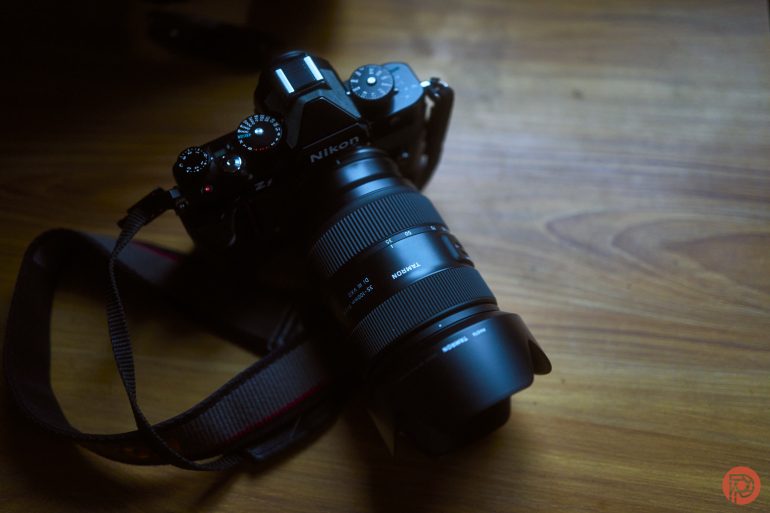
I decided to put in extra effort here. So I tried the Viltrox 14mm f4 for E mount adapted to the Nikon Zf. It worked exactly the same way that the Tamron and Nikon lenses worked. But that lens doesn’t have an aperture ring at all.
Still, things got even stranger. I tried the Viltrox 35mm f1.2 for E mount adapted to the Nikon Zf. The lens didn’t even receive power. To make sure the lens wasn’t busted, I tested it on my Sony a7r III — it worked just fine.
Even more odd: the Viltrox 135mm f1.8 for E mount received power from the camera, but it wouldn’t autofocus and it wasn’t even recognized. When I changed the aperture on the lens, the camera didn’t recognize what was going on.
Essentially, the camera is screwing with the aperture settings and conflicting with the dedicated Viltrox aperture ring. But so far, I realized that it could’ve been an issue with the adapter ring.
The whole situations, however, brings up concerns of mine. It’s for reasons like this that I’ve advised so many of my friends to not buy the Nikon Zf — because Nikon may try to mess with third party lenses. Reviews Editor Alberto Lima purchased the Nikon Z7 II, which hasn’t had a firmware update since the middle of 2025. So too did one of my very good friends who lives in my neighborhood. Using Viltrox lenses with his camera is straight forward and everything worked as you’d expect it to. But when Alberto started using the Viltrox 85mm f2 EVO in E mount with the Sony E to Nikon Z adapter on the Nikon Z7 II, something odd happened.
“So when I use the Viltrox adapter and am manually adjusting the aperture via the control ring, the camera automatically switches to Shutter Priority,” he tells me in a discussion. “Switching to A on the lens allows you to control aperture from the camera dial.” He added that the camera doesn’t always seem to recognize the correct f-stop when using the adapter. This leads us to believe that the problem has either has to do with Nikon or the adapter. And considering the history of the big three photography companies, I was willing to bet that the problem is Nikon.
The next day, Alberto swung by my office and brought two unannounced Viltrox lenses that we’re currently testing and the 85mm f2 I previously spoke of. Both of the new lenses have aperture rings and that problem didn’t occur. But when I adapted the 85mm f2 E mount to Nikon Z, the problems occurred.

So ultimately, we’re concluding that this new firmware messes with folks who probably might’ve come from Sony cameras, brought their lenses to Nikon via an adapter, and still use them. I plan on trying to find a way to update the firmware of the adapter soon as I’ve misplaced the dock that’s needed for me to do this.
To recap on my previous statement, during the DSLR days, third party lenses would often have lots of issues with autofocus performance on DSLRs. When the world switched to mirrorless, those largely went away — save for the Micro Four Thirds alliance that we’re convinced always finds subtle ways to screw each other over. So everything just needed to be fixed via firmware over and over again until the brands ended up in these kind of crazy firmware wars.
The same problems seem to be on the horizon and the camera industry seems to be transporting itself back to 2007. And if Nikon is currently doing this with adapted lenses, it’s probably only a matter of time before they do it to Viltrox lenses made natively for the Nikon Z mount.
Ease of Use Update April 2026 II
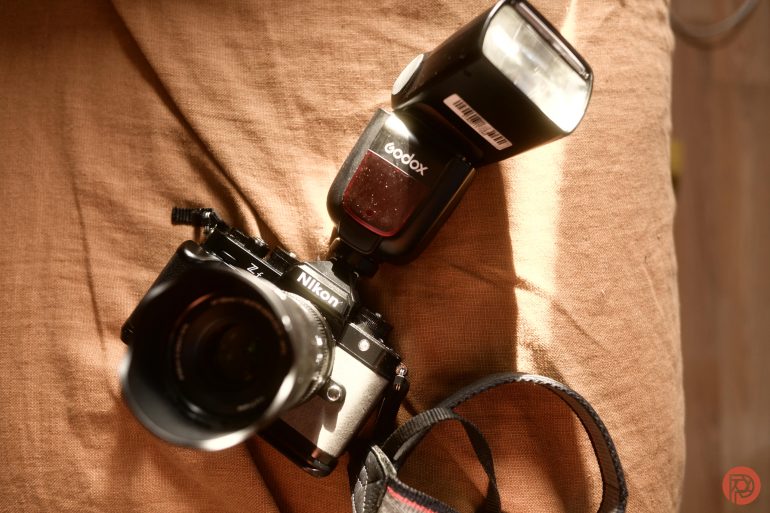
Quite a bit has happened since Nikon came out with the Nikon Zf. They’ve added in extra Picture Control functionality, there have been autofocus enhancements, it has come out in Silver, and Nikon has entered a lawsuit with Viltrox — a company that’s arguably one of their biggest supporters. We’re in crazy times, for sure.
And something that the Phoblographer has been reporting on that others haven’t is the fact that Nikon’s hot shoe has weird errors with flash transmitters.
Of any of the actual journalists left in this industry, I’m probably the one who uses and tests cameras with flash the most. I’ve previously reported on problems with Profoto’s transmitters that haven’t been addressed by Nikon. And it was only recently that the rest of the staff here brought up other issues. So Reviews Editor Alberto Lima and Gear Editor Feroz Khan have all decided to join me in continued tests with the camera. Before the end of the year, we’ll probably conclude all the problems that we’ve found.
Essentially, there’s an odd problem with both the firmware and the hardware of the Nikon Zf that doesn’t allow all flash transmitters to work properly with the camera. This doesn’t just go for Profoto, Yongnuo, Godox, and Flashpoint flashes — it even happens with some of Nikon’s own older lights that were part of the Creative Lighting System.
Thankfully though, this problem rarely happens when you’re using a flash in the hot shoe itself. And the issue rears its ugly head when you’re using radios.
Recently, I brought the old Godox TT685IIN to a gig using the Nikon Zf. I haven’t reviewed or even really touched that flash in years. But when it was attached to the camera, high speed sync had no issues at all. That’s to say that the flash fired pretty much every time unless it had to recycle energy. And each and every time, the shutter curtains synced up with the flash. Essentially, the images came out as you’d expect them to.


Why is this worth an update then? Because we’ve been consistently having issues with this and Nikon hasn’t given us a lot of feedback or even really addressed the issues with us. Further, as you can find in other parts of this review, the problem is well documented online.
Sadly for real photographers, it seems like Nikon stopped caring a lot about the creative lighting system in preference for creators who try to become Youtube stars and then drop out of the sky like flies.
There have been several updates to the Nikon Zf, but I highly doubt that they’re ever going to fix this one. The rest of the staff will share more on this in future updates, so please stay tuned.
Focusing
Focusing is where things get a bit dicey. In good lighting and most low-lighting situations, the Nikon Zf is fast and capable. It can also track POCs in low light. But once those POCs are in very low light or moving very fast, the Nikon Zf has issues. So, for street photography, we really recommend instead using zone focusing. But the Zf is pretty mid for that. Adapt some lenses to it, and you’ll be fine. In fact, it’s even a bit better using a few Sony lenses if you have an autofocus adapter. We talk about that at length within this article. But what’s more is that if you’re adapting Zeiss Loxia lenses to the Nikon Zf, it’s really a street photographer’s go-to camera. All the problems those lenses have on Sony cameras aren’t happening when adapted to the Nikon Zf.
Focusing Update December 2024
Something odd happened from the time between my first tests with the Nikon Zf to now. First off, you should know that I found the Nikon Zf so charming and appealing that I purchased one in the gray color. So my findings are being reported on using the camera that I bought.


Originally, I reported that the Zeiss Loxia lenses worked just fine with the Nikon Zf when using the Megadap ETZ21 Pro. Unfortunately, that’s not the case anymore. Loxia lenses have a big issue with Sony cameras where the aperture will randomly change for no good reason. That problem now happens with Nikon cameras when using the adapter too. The workaround is to slightly unscrew the lens so the contacts don’t totally meet. But I’d much rather have the aperture information transmitted through to the camera.
Focusing Update April 2025
Bird only autofocus is a nice addition, and it’s really useful in case a squirrel happens to walk into the scene. But personally speaking, I’ve always just used the direct focusing point with animals because you get the best results. The bird-only setting is probably best used with full-area autofocus mode — at least in practice. However, it also offers a boost to standard bird photography.

The focus border width increase is one of the best and nicest new additions. The world is becoming more and more visually impaired because we’re staring at screens all day. So with a thicker focusing point, it becomes easier to see against the background of the scene.
With manual focus lenses, the 400% zoom-in effect is a very nice addition. To enable the camera to get out of that by half-pressing the shutter, go to setting D18 in the custom functions menu. Thanks so much to our Nikon reps for helping with this.
Image Quality


There’s a lot going for the Nikon Zf’s image quality. First off, this has the cleanest high ISO above the Sony a7s III that I’ve seen. With Sony, the details disappear after a while. But at 51,200 ISO, the Nikon Zf is a shining example for how the industry should be doing. Combine this with the cool black and white JPEG output and vivid JPEG output otherwise, and there’s a lot to love.
JPEG Output
Truly, I wish that the Nikon Zf had the ability to have something like Fujifilm film simulations. If it did, then the camera would be the most perfect thing on the market, or at least closer to it. But the black-and-white option is fun. Also, the colors, even at higher ISOs, hold together very well.
RAW File Versatility
In our tests, we were able to recover a whole lot of detail from the highlights and the shadows accordingly. But part of this comes from how beautiful Nikon’s colors can be in the right situations. Lots of Nikon’s image quality tends to be really green sometimes. I didn’t experience that this time around. Instead, it was just really vivid and felt like the Nikon D700 all over again.
Raw File Versatility Update February 2024
Capture One Pro supports the Nikon Zf now. And wow! As if I didn’t need another reason to buy this camera just to adapt manual focus lenses to it. We’ve always stated that Capture One Pro is a much better photo editor than Lightroom is. But in this case, it really hits home. In Capture One, you can access the Nikon image profile curves such as Vivid, Monochrome, Flat, etc. Then you can combine this with the ProStandard ICC profile to make something really gorgeous. On top of all this, Capture One has a few great presets of their own. In this case, I used their film presets.
Lots of these images were shot with the Zeiss 35mm f2 Loxia or the Sony 35mm f1.8 FE adapted to Nikon Z. Then they were edited in Capture One.
Truly, this feels almost like I’m shooting with a Leica. With that in mind, I really wonder what the point is of using Nikon’s small primes when their autofocus isn’t all that great to begin with. To clarify that statement, the autofocus on the lenses feels like the sadness and shame you experience after getting hyped up for the McRib every single year. The ZF’s autofocus is pretty decent.


Truly, it’s easy to see why the Nikon Zf was one of the most in-demand cameras of 2023. They’ve nailed it where Fujifilm has simply just forgotten its identity.
The Nikon Zf has a sensor that is very much like several other cameras these days. That’s to say that it won’t recover much detail from the highlights. Instead, you’re supposed to underexpose the scene, and push it back in post-production. This is kind of a disappointment because it means that I really need to edit in post-production unless I’ve got the HDR settings in-camera perfectly optomized. Then you have to do things like set the picture control to add film simulations to the camera. This way you won’t really have to do edits; and in Capture One you can most likely set the curve to auto to have it render the scene you need.
High ISO Output
Even when printing at 51,200 ISO at 17×22, I was able to get beautiful images. But when posting photographs to social media at 3000 pixels on the long side, the images also still held up with no issues. Sure, there’s some color noise in the blue areas. But it’s forgivable and can be edited with some patience in Capture One or Lightroom.
Image Quality Update April 2025
Some photographers might also really be a fan of the long exposure noise reduction with the electronic shutter. Personally speaking, all of that sounds very odd to me. First off, the Nikon Zf has some of the best high ISO output of any camera on the market right now. On top of that, one of the reasons why you buy this camera is for the mechanical shutter. I wouldn’t bother shooting in electronic shutter mode with it.
On top of that, the only picture control recipe that I wanted was from Vincent Versace. So truly, this service needs more photographers on it to give better presets. At the same time, I tend to use NIKON PC instead for this.
Image Samples
From day one, The Phoblographer has been huge on transparency with our audience. Nothing from this review is sponsored. Further, lots of folks will post reviews and show lots of editing in the photos. The problem then becomes that anyone and everyone can do the same thing. They’re not showing what the lens can do. So we have a section in our Extra Image Samples area to show edited and unedited photos. From this, you can make a decision for yourself.
Unedited


Edited


Who Should Buy the Nikon Zf?
If you’re jaded with modern cameras the way that I am, then go for the Nikon Zf. It’s a beautiful camera inside and out. And it’s quite capable of doing almost everything that the Nikon Z8 and Nikon Z9 can do. It doesn’t have the Z9’s low-light autofocus abilities. But it’s still more capable than Sony’s and Canon’s competition.
Also, get it if you love retro ergonomics, then get this thing.
Tech Specs
These specs are taken from Lensrentals.
| Brand | Nikon |
| Camera Type | Mirrorless |
| Environmental | Operating Temperature32 to 104°F / 0 to 40°C5 to 85%Operating Humidity |
| Exposure Control | Shutter TypeElectronic Shutter, Mechanical Focal Plane ShutterShutter Speed – Mechanical1/8000 Up to 30 Seconds in Manual Mode1/8000 Up to 4 Seconds in Shutter Priority ModeShutter Speed – Electronic1/8000 Up to 30 Seconds in Manual Mode1/8000 Up to 4 Seconds in Shutter Priority ModeBulb Mode, Time ModeBulb/Time ModeISO Sensitivity Range – Photo100 to 64,000 in Manual Mode (Extended: 50 to 204,800)ISO Sensitivity Range – Video100 to 51,200 in Manual Mode (Extended: 100 to 204,800)Center-Weighted Average, MatrixAperture Priority, Auto, Manual, Program, Shutter Priority-5 to +5 EV (1/3 EV Steps)-4 to 17 EV2500 to 10,000KAuto, Cloudy, Direct Sunlight, Flash, Fluorescent, Incandescent, Manual, Neutral White, ShadeYesMetering MethodExposure ModesExposure CompensationMetering RangeWhite BalanceWhite-Balance PresetsInterval Recording |
| Flash | Built-In Flash/LightNoFirst-Curtain Sync, Off, Rear Curtain Sync/Red-Eye Reduction, Rear Curtain/Slow Sync, Rear Sync, Red-Eye Reduction, Slow Sync1/250 Second-3 to +1 EV (1/3 EV Steps)iTTLFlash ModesMaximum Sync SpeedFlash CompensationDedicated Flash System |
| Focus | Focus TypeAuto and Manual FocusAutomatic, Full-Time Servo, Manual Focus, Single-Servo AF, Touch AF & ShutterContrast Detection, Phase Detection: 273-10 to +19 EVFocus ModesAutofocus Points – Photo, VideoAutofocus Sensitivity |
| General | Battery Type1x EN-EL15c Rechargeable Lithium-Ion1x Hot Shoe1x 1/4″-20 Female (Bottom)Magnesium Alloy5.7 × 4.1 × 1.9″ / 144 × 103 × 49mm1.4 lb. / 22.2 oz / 630 g (Body Only)Shoe MountTripod Mounting ThreadMaterial of ConstructionDimensions (W x H x D)Weight |
| Imaging | Sensor ResolutionActual: 25.28 MegapixelEffective: 24.5 Megapixel35.9 × 23.9mm (Full-Frame) CMOSSensor-Shift, 5-AxisNoneStills & VideoImage SensorImage StabilizationBuilt-In ND FilterCapture Type |
Get rid of the ads!
Did you enjoy reading this article as much as we enjoyed writing it? There's a way to support us and our reporting, getting ad-free navigation and more as a bonus. Subscribe to us for less than a coffee per month —just $3.99— or take advantage of our yearly subscription with a hefty discount for only $25.- An ad-free experience
- A free mystery box for Lightroom or Capture One
- All the books in our store
- 20% discount on Capture One
- 30% discount on Imalume Photo Theft Protection
- 20% off Herbs and Kettle Tea Company.