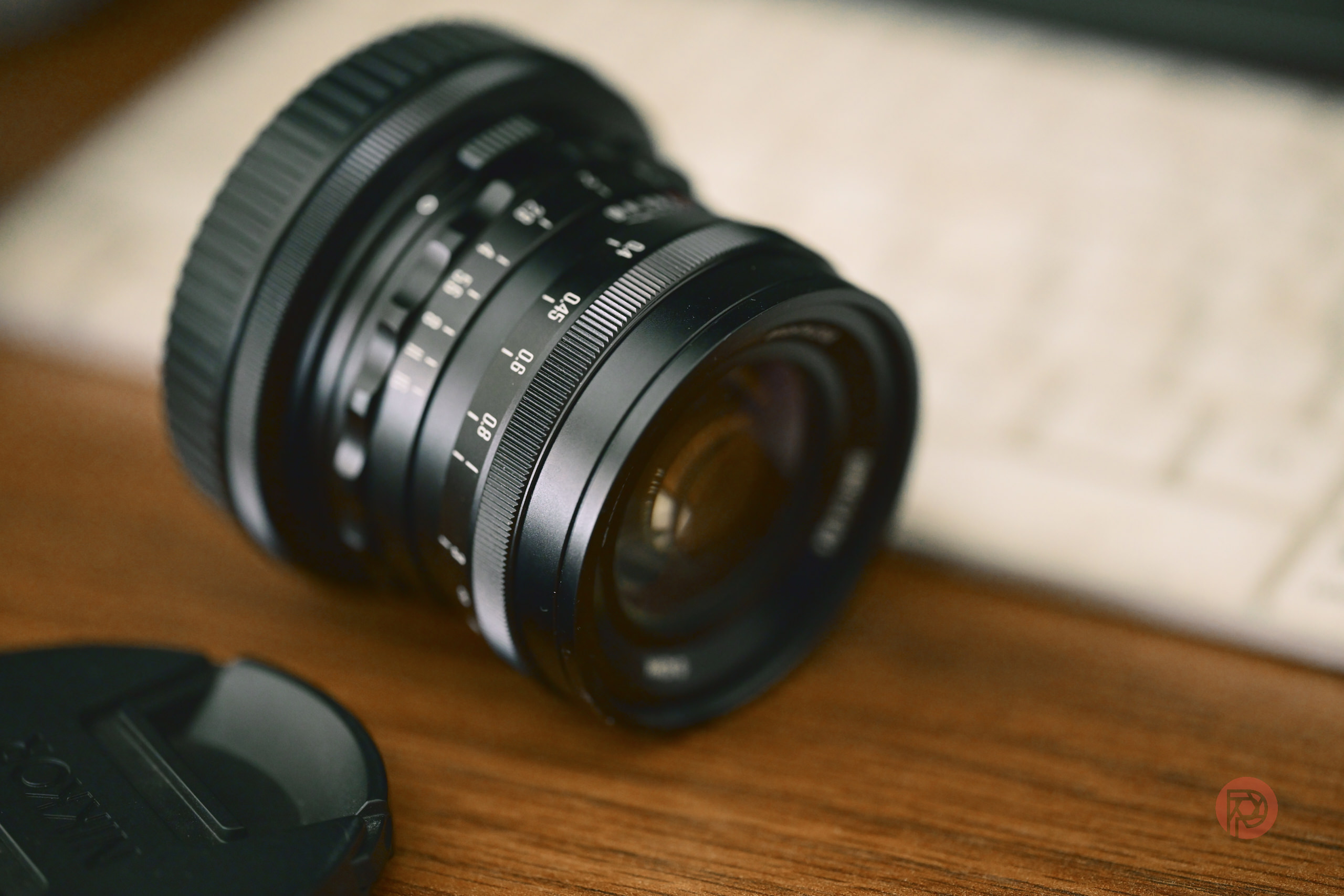
Third-party lenses have been a boon for many young photographers. They are cost-effective, and they give you the results that your heart desires. Chinese lenses, particularly those from Brightin Star, in this case, have done so much for photographers looking for financial value. As part of their growing portfolio, the company is now introducing a wide angel lens that astrophotographers will adore.
Brightin Star has officially launched its MF 14mm f2.8 full-frame ultra-wide lens at just $239. The lens is targeted at serious photographers, and is designed to help those shooting landscape, architecture, interior, and astrophotography, amongst other genres. Here is a quick look at its specs:
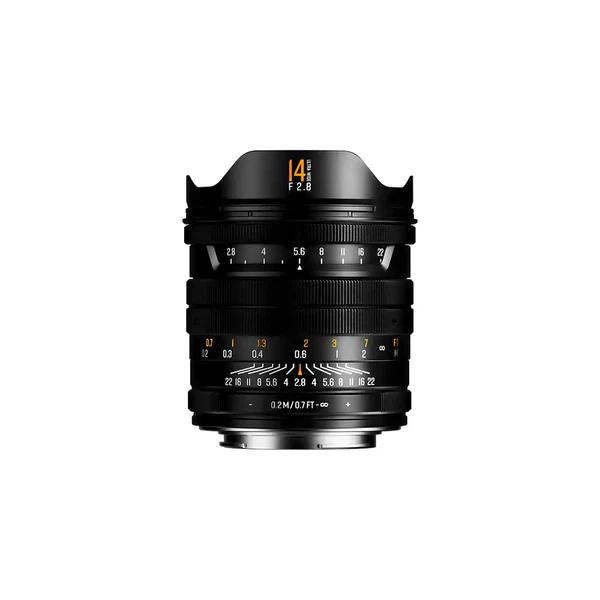
- Field of view: 116 degrees
- Optical design: 13 elements in 9 groups — 2 aspherical, 5 high-refractive-index, and 3 ED elements
- Aperture blades: 10, producing 10-point sunstars
- Coating: Star Nano IMC multi-layer coating for reduced flare and ghosting
- Minimum focus distance: 20cm (7.9 inches)
- Filter system: Supports 82mm square ND/CPL filters via a holder that doubles as a lens hood
- Mount options: Sony E, Canon RF, Nikon Z, Leica L
- Price: $239.99 introductory (June 17–27), rising to $279.99 afterwards
The lens has a filter holder design, which is ideal for those who want to use a CPL or ND filter. Ultra-wide lenses typically offer a curved front glass, and that can impact the use of the filter. So, Brightin Star‘s solution is perfect as the design can double as a lens hood.
If you look at its competitors, you can already see multiple 14mm offerings. The RF 14mm f1.4L VCM is designed to meet your imaging demands, but it costs 12x the amount of what Brightin Star offers. Sigma also caters with its own 14mm f1.4 Art, but it is close to $2000 and weighs 1170g. There is also Sigma 14-24mm f2.8 Art zoom, but it also costs around $1500. Nikon users do not have a dedicated 14mm f2.8 for mirrorless, but they get Nikon AF NIKKOR 14mm f2.8D ED, which also costs over $1500.
However, while Brightin Star is not competing with first party or Japanese third party lens brands, they are competing with their chinese rivals. TTArtisan and 7Artisans both offer a 14mm f2.8 lens, which costs about $200. Rokinon, a South Korean Brand, has a $300 or so variant. In that regard, Brightin Star is slightly more expensive than these offerings, and it may depend on its other features for the company to sell a lens.
Given how incredible Brightin Star‘s 11mm fish eye lens has been in our review, our hope is that the 14mm is able to showcase the same result. As we said in our review:
I’ve thoroughly enjoyed using the Brightin Star 11mm as a walk-around lens even though the distorted fisheye look is not necessarily the first thing you think about as an everyday carry option. Still, the 11mm f2.8 can add tons of character to a simple walk to the supermarket.
Brightin Star has proven itself to be a competitor in the budget lens market, and so, astrophotographers using Leica, Nikon, Canon or Sony now have a chance to get a new lens at a quater of the other lens’ price.
Get rid of the ads!
Did you enjoy reading this article as much as we enjoyed writing it? There's a way to support us and our reporting, getting ad-free navigation and more as a bonus. Subscribe to us for less than a coffee per month —just $3.99— or take advantage of our yearly subscription with a hefty discount for only $25.- An ad-free experience
- A free mystery box for Lightroom or Capture One
- All the books in our store
- 20% discount on Capture One
- 30% discount on Imalume Photo Theft Protection
- 20% off Herbs and Kettle Tea Company.
- 20% off your order from MPIX printing services.
- 5% off Viltrox Products via their eCommerce store.
- 10% off all film developing, printing and scanning services from Blue Moon Camera and Machine
- 15% off 7Artisans products: The lens and accessory maker is offering a sweet discount for Phoblographer's readers.