

Last Updated on 04/30/2026 by Chris Gampat
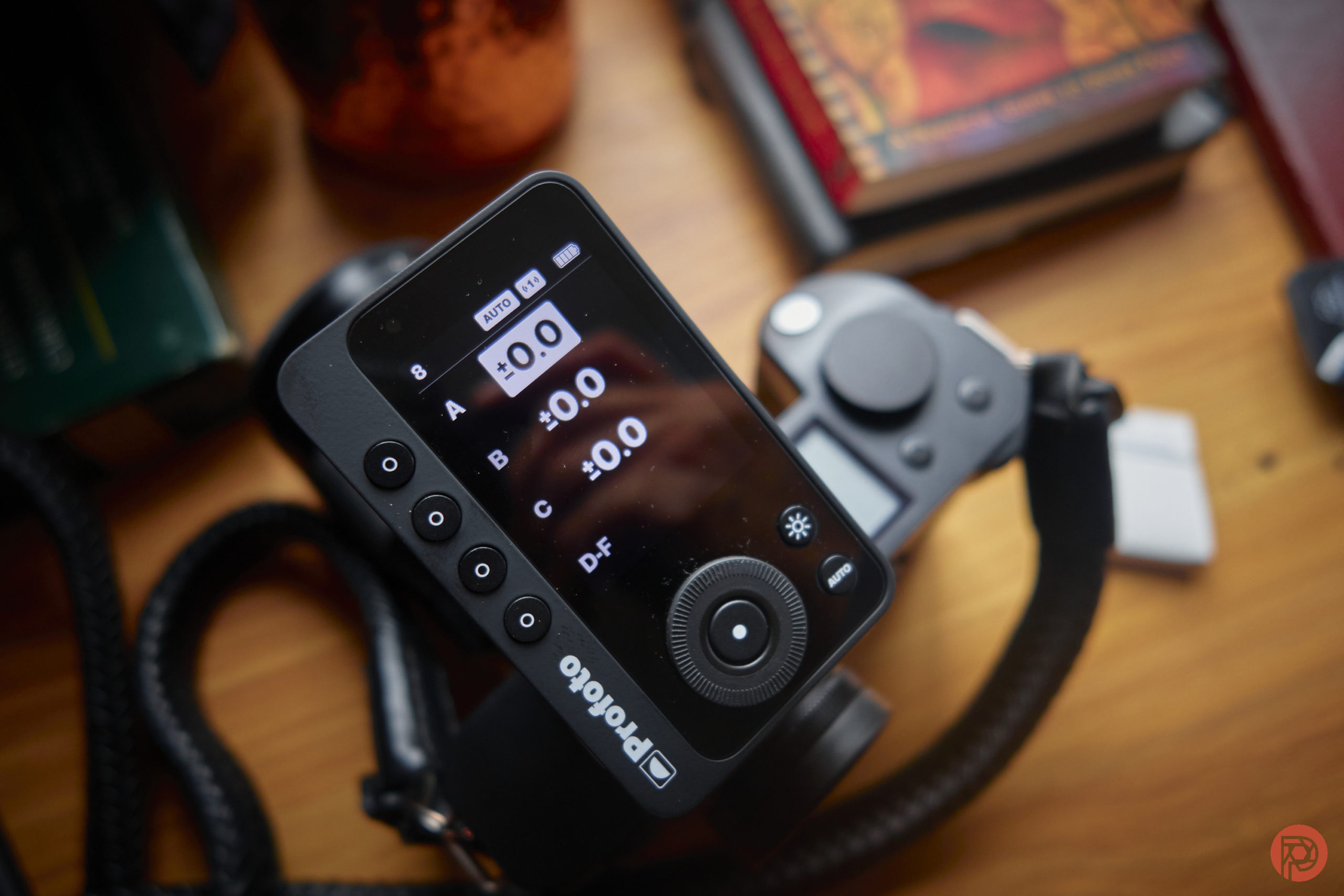
It’s been a long time since I’ve seen significant third-party support for Leica. But the Profoto Connect Pro transmitter delivers that for us, and it’s incredible! This is the first time real strobe support has been given to the brand via TTL communication. And if you’ve been a Profoto user for a while, this will look fascinating. But do you need it?
The Big Picture
The most important thing to know about the Profoto Connect Pro transmitter is thatit’s for Leica’s hot shoe. Photographers who shoot Leica cameras would really want to get this. But if you’ve got Profoto triggers for your current camera system, then I don’t think it’s worth the upgrade. I own Nikon, Sony, Canon, and Fujifilm triggers for Profoto lights. There’s no reason why I would upgrade them. Sure, there’s a new display on the Profoto Connect Pro that’s pretty cool. And there are a few other nifty tricks. But ultimately, the Profoto Connect Pro isn’t worth getting unless you’re stepping up to Profoto from another system. If you’ve already got solid, working transmitters, then don’t bother.
We’re giving the Profoto Connect Pro transmitters four out of five stars. Want one? Check them out at Adorama.
Pros
- Works with Leica, Sigma, and Panasonic lenses without any major flaws
- Uses Bluetooth for registering via the Profoto app
- You can control the transmitter using your phone. But this can also be an annoying feature where someone can mess with your lights on set. Turn it off if you prefer.
- Gives most folks who are afraid of off camera flash all the controls and power settings they could possibly need.
- Reliably works
- Solid battery life as it takes three triple-A batteries.
Cons
- I wish it were weather resistant
- Some may think this is kind of pricey, but I think it’s fair
- No touchscreen? Come on
- Manu navigation is like the iPod classic without getting to where you want in two clicks of a button.

Gear Used
We tested the Profoto Connect Pro transmitter with the Leica SL2s, Panasonic S5 II, Sigma 24-70mm f2.8 DG DN Art, Sigma 45mm f2.8 DG DN Contemporary, Leica 28mm f2 SL Apochromatic, Panasonic 50mm f1.8 Lumix S, and the Panasonic 85mm f1.8 Lumix S. Most importantly, we bought the transmitter ourselves from Adorama and over the past few years, we also bought all the gear listed here except for the Panasonic S5 II. That camera is on loan to us from Panasonic.
Innovations
Truly, the Profoto Connect Pro doesn’t do anything innovative per see. It’s just a completely different and arguably better way to interact with Profoto lights. There are other transmitters that work for Leica. However, it’s the first Profoto-specific transmitter for the brand.
Ergonomics

Here’s a quick look at the Profoto Connect Pro. There are buttons on the left side to correspond to the various groups. And like the old-school iPod, there’s also a big dial with a clicky wheel in the middle. Indeed, navigating through the Profoto Connect Pro is almost like going through an iPod, but more time-consuming. Additionally, there’s a menu button and a modeling lamp button.
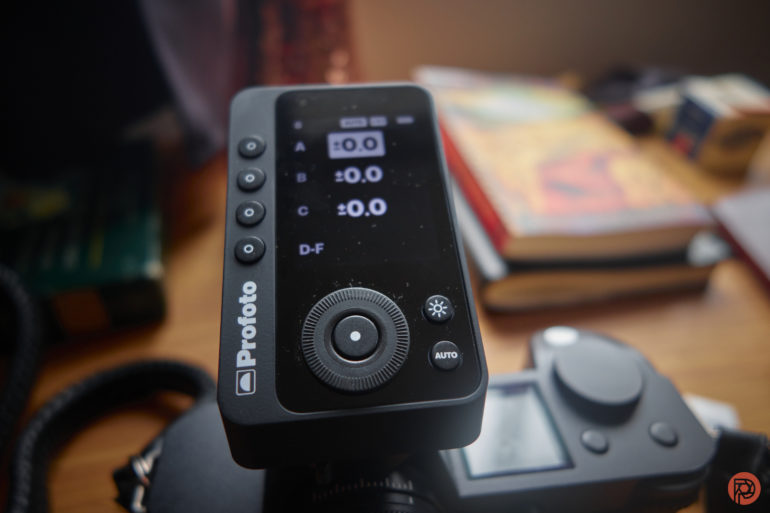
As crazy as it seems, none of this is touch capable. Which really is odd because that much screen space surely could’ve been touch compatible.

On the side is a port you can use to update the trigger. However, I also believe it can be done via Bluetooth and your phone.
Build Quality
The Profoto Connect Pro transmitter, while not being innovative, is built far and aways better than Profoto’s previous transmitters. With the first generation of air radios, they feel like I could squeeze them and break them with my own grip strength. But this is much more solid. Granted, it’s not made of metal the way that the old-school Impact Powersync transmitters were. However, know that if you’re using the Profoto Connect Pro, it’s very nicely designed. The only thing that I’d be concerned about is being a Canon or Sony camera user as the hot shoe design is sometimes one that lends itself to accessories not working as well.
Ease of Use
If you’re an L-mount camera shooter, then you’ve probably got a fair amount of questions. I surely did! I mean, I own a Leica camera along with autofocus lenses from all the participating partners. Would they all work perfectly fine with the Profoto Connect Pro? Afterall, I’ve been a Profoto light user for years. And sometimes, there’s weird tech issues that cause things to not work. Canon is a perfect example of this. However, the Profoto Connect Pro triggers my Profoto B10 with no issues no matter what lens is being used. It won’t work with the Panasonic S5 II in TTL mode as the contacts are different. This is a problem that I think is really annoying.

With that in mind, the Profoto Connect Pro can be set to Air 2 to do full manual with little to no problems.
Further, you can also control the Profoto Connect Pro from your smartphone using the Profoto app. Weird? Yes, I truly think so.
The Profoto Connect Pro transmitter is, by default, in easy mode. This more or less takes care of all the controls for you. But you can take it off of easy mode, and you can start to manipulate things in the very Profoto way. It will tell you how much something’s power is increasing or decreasing. But you won’t have full percentages. However, I’ve realized more and more that that’s a feature that would be used more by folks who really know flash well. If you don’t know flash all that well, then you’d just want to know how much you’re cranking the power up or down. With that said, this transmitter is great for a newer photographer.

If you’re a more experienced photographer, you might be concerned about radio reliability. But in all honesty, I didn’t have any issues with using it indoors or outdoors.
Most importantly, as a long time Leica camera user, I’m really happy that the Profoto Connect Pro came to Leica. I’ve been saying for a very long time that it really needed to happen and it’s finally here. For years, we had to only use manual flash. But now we can use our beautiful Apochromatic lenses with extra pop with full TTL capabilities. Specifically, we’re doing it with very powerful strobes. This makes me most happy.
Update: March 2026
The Profoto Connect Pro got new firmware. Here are the details:
New Firmware Update. What is new?
- Improved TTL behavior for Nikon cameras.
- Lock screen functionality added (Press and hold the middle dial)
The kind of odd thing is that you have to use the Profoto app to install the firmware. To be honest, I never used Bluetooth on the Connect Pro. So why would I start now? The only reason is that I have to update the firmware. This is annoying because on any set in 2026, there are way too many bluetooth devices in any one room. In fact, I took the Profoto app off my phone a while ago because I never used it. If you have the standard Profoto Connect, I understand why you’d use it. But otherwise, it makes no sense at all.
On top of that, my unit is for Leica L mount cameras. Air 1 still works with legacy lights like my B10 and Air 2 can show absolute power readings like with newer lights. But if I wanted to mount it onto Nikon cameras, I’d have to use X-Sync – to recap, that’s because my Profoto Connect Pro is Leica mount. X sync turns it into a universal remote and removes TTL.
Profoto, in their product overview on Youtube, says that this is only shown in Canon and Nikon versions of the remote, but that’s simply not true.
I put the Profoto Connect Pro into the Nikon Zf’s hot shoe – and all the problems that I’ve been talking about for over a year with the Nikon Zf and flashes, lo and behold, magically didn’t go away! Hence, I still think that the Nikon Zf is a pretty busted camera when it comes to using flashes. And while they’ve given it other superpowers, Nikon will really just do everything else besides the one damn thing any of us want.
I tried using my Profoto Connect Pro for Leica SL cameras with the Nikon D850 instead while in x-sync. And while it won’t get full shutter sync above 1/250th, it still works. Essentially, the Nikon Zf has flash capabilities that still aren’t as good as the older Nikon D850.
In previous communications with Profoto, the company was very aware of the Profoto Connect Pro and their units in general having issues with the Nikon Z8. I didn’t have a z8 on hand to try. But in my communications with Nikon in the past year, it’s been hinted to me many times that a successor to the Z8 isn’t all that far away. That’s to say that Nikon will either finally get it together or not bother because they already have your money. To that end, sometimes I wonder how they’ve survived so many big problems from the Z6 and Z7 launch, the failed action cameras, and the failed point and shoot cameras not even coming to market.
In many ways, Nikon is the grown child in the workplace we all grumble about but support.
Finally, I tried it on the Leica SL2s again. After one initial calibration hiccup that took all of making another exposure, every function worked flawlessly. This is pretty standard with Profoto lights and even happens when the strobe needs to dump power output or something. For further clarity, I tried it with a Panasonic 35mm f1.8 attached. And if it works with that lens, then it will obviously work with a Leica lens too, right? The cool thing about the L-mount alliance is that all the exposure and focusing data passes through the mount easily. So that means that TTL flash information theoretically shouldn’t be suffocated.
But I just had to be sure. So I tried the SL2S with the 28mm f2 SL APO, the Sigma 24-70mm f2.8 Art DG Version 1, and the Viltrox 16mm f1.8. It worked just as it should with all the lenses.
Isn’t that nice? The L-mount alliance makes it easy for Viltrox and then Viltrox lenses work just as they should. Canon, Nikon, and Sony should learn from this.
Hey Nikon, are you reading this? More importantly, are you reading this and internalizing what we’re saying?
Just be sure to never put it on your Leica Q3 or else it’s bound to get stuck.
I then decided to try the new lockscreen functionality. Essentially, you long press the center button of the wheel and it will lock the screen. I can’t tell you how valuable this is when you’re doing event photography and other “photographers” end up coming with their flashes. The bigger problem is that lots of folks never change the channel on their flashes but I am always on channels no one else is – yet still the flash units will interfere with mine at least once.
Anyway, sometimes the camera and transmitter are bumping about and things get changed. The lockscreen prevents that and is unlocked by pressing the center button and then turning the dial. It works, and it’s quite a nice addition.
Aside from all this, Profoto has left a really sour taste in my mouth. For years, they’d tell us about products and have very open dialogue with us. Then someone leaked info (not us) and the company started to treat the press so much worse. Additionally, the owner of SLR Lounge – who at the time was trying to be an objective publication – was named a Profoto Ambassador of sorts. All the while, the site was actively reviewing products from other manufacturers. If that isn’t a violation of unbiased journalistic ethics, I’m not sure what is! Profoto also only seemingly wants to work with influencers on launches. And what’s more, they even promoted the use of AI. When we wrote that article, the CEO of the company wrote us the most pointless marketing email I’ve ever read.
10 years ago, I never thought that I’d say this: but I’m probably going to be moving my entire flash system over to Godox eventually. I don’t care to spend money on brands that don’t care about their customers. The market is too ripe with options for me to continually dump coins into wishing wells that never return the favor.
The Nikon Z8 and Profoto Connect Pro
If you’re a Nikon Z8 photographer, you may have spent hours scrolling forums looking for a fix to the connectivity/sync issues between the Z8 and the Connect Pro. Last year when we reviewed the Profoto B20 and B30 we found the long recurring “power dump” issue when using the lights with the Profoto Connect (the “hockey puck”) and Canon cameras, we reached out to Profoto for clarification and the company simply acknowledged an issue with some cameras – including the Nikon Z8. The Connect Pro’s B4 firmware version does fix most of the issues using the trigger with the Nikon Z8 – including sync issues.
The Profoto Connect Pro and High-Speed Sync
At The Phoblographer, we don’t just stress test a product once and leave it lost to the passing of time. In fact, the entire Reviews Team spent the better part of April testing various cameras, triggers, and high-speed sync with Profoto’s lights. During my testing, we were able to consistently fire the B20 and the B30 when using the Z8 in one-stop increments up to the native 1/200 shutter speed. My initial high-speed sync test, I did neglect to switch the trigger into Auto mode for full TTL mode, which created shutter shadow, but a quick re-calibration of my settings fixed the issue. Once I corrected my settings, I was able to push those shutter speeds up to 1/8000 without issue.
The following images were used for various applications with the Z8:


Likewise, we put the Connect Pro through its paces with the Nikon Z7II – testing it with both in native and HSS modes. The Nikon Z7II didn’t have any sync issues during testing and more importantly, didn’t appear to suffer from the power dump issue that has been prevalent with older triggers. Again, during our testing, the Z7II and Profoto Connect Pro were able to communicate with the B20 and the B10 even using it in burst mode (though it needs to be said that you should not be using TTL mode and burst mode as you will get some dropped frames due to the trigger/light needing to process the correct exposure compensation).
Here are the results of our test:


Where things got a little iffy was with the Nikon Zf. We’ve previously reported issues with the Nikon Zf and how it works (or doesn’t at times) when using a flash. In our prior testing, Editor-in-Chief, Chris Gampat said:
In several of the Phoblographer’s camera tests, our entire reviews team often uses flash to get some of the images we shoot. We first really started to see how problematic flash can be when using the Nikon Zf. Try doing high speed sync (auto-fp) consistently with that camera at various shutter speeds and you’ll see that it doesn’t work.
The good news is that most of these issues with the Zf appear to be related to the camera and older triggers — something that any and every other Nikon camera going all the way back to the D850 doesn’t have. The latest update to the Profoto Connect Pro appears to have remedied any issues. For the Zf I tested the Connect Pro with the following settings:
- Camera was set to ISO 400, then set the shutter speed from 1/250 -1/8000 in full stop increments.
- Additional testing was done with the Zf in 1/3 Step and using the thumb dial to set shutter speed
- The camera’s Shooting settings were cycled through Auto, Mech, Elec, and Silent.
- Flash Sync settings were set to 1/200 (Auto-FP)
- The trigger was used in Auto, First Curtain Sync, and XSync
In each of our progressive tests, the camera and flash appeared to operate as expected. With the trigger in TTL HSS mode and the camera’s shutter set to Auto or Mechanical, we were able to not only get the shutter speed maxed at 1/8000, but also able to trigger the Profoto B20/B30 with the correct exposure. In Electronic Shutter, you can only get the camera to use TTL metering up to 1/200 second. This is expected behavior, as is no hot shoe communication while operating in Silent mode. Below are some images from this test:


It should be noted that my colleague, Feroz Khan, has also been testing another TTL trigger and light combo, but experienced issues with syncing beyond 1/250 second, but at least for the Connect Pro and my Zf loaner things went as well as they could. The more we test the Zf, the more we’re collectively convinced there’s something screwy going on with how the Zf communicates with the hot shoe and the peripheral that is attached at the time.
Is This a Worthy Update?
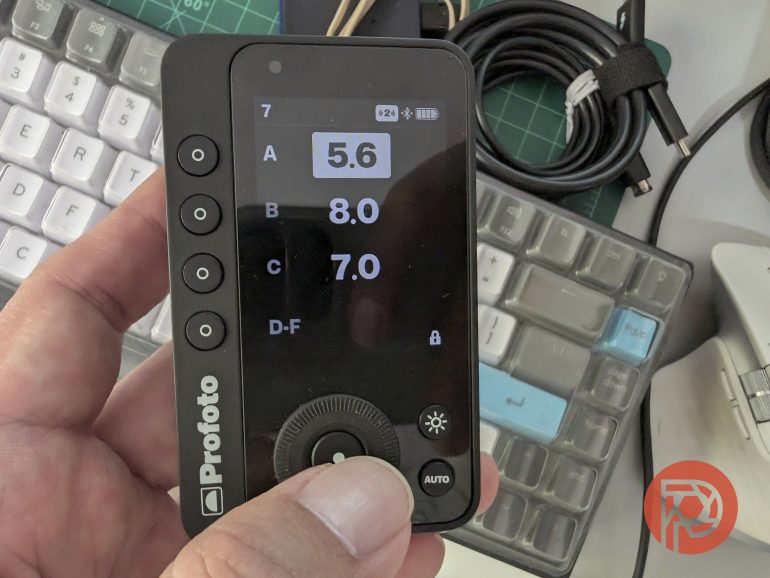
For pros that need to take advantage of the additional radio channels and groups, the latest update fixes many of the issues that came with the Connect Pro. For Nikon Zf photographers, the Connect Pro and its latest firmware update may very well mean the difference between a usable TTL trigger and having to work in manual mode exclusively.
Beyond the core functionality and improved performance for Nikon photographers, the latest update has nifty creature comfort by giving users the ability to lock the touchscreen with a long press of the middle button. All in all, the latest update to the Profoto Connect Pro addresses many Nikon users’ concerns and even “gifts” us some workflow upgrades to boot. Still, if you must buy this trigger, buy it used if possible – $400 is still a bit steep for me.
Also consider that Profoto hasn’t really done a lot to address their use of AI promotion. A message written to us about this from the CEO sounded like subversive marketing jargon. As it is, our Editor in Chief has been trying to distance himself from relying on Profoto lights and their premium prices.
Image Quality






Who Should Buy the Profoto Connect Pro?
If you already own older Profoto transmitters, I truly don’t see a reason to get the Profoto Connect Pro. But if you’re getting a new camera system, it makes a whole lot of sense to update them. If you’re getting a new Profoto light, it also makes sense to get it. However, you can still use the older triggers with little annoyance, except for the lack of USB 3.0 ports for firmware updates.
Tech Specs
The following Profoto Connect Pro stats were taken from the Adorama listing.
- Control each individual light in absolute numbers straight from the remote
- Sync and manually control any Profoto light that is compatible with Air or AirX
- Intuitive and easy to use user interface
- Sync and remote control 0.5-300m (1.5-1000′)
- Up to 100 channels
- Wireless updates through the Profoto Control app
- Channels: 100 Channels
- Connection Type: Hot Shoe
- Equipment Type: Transmitter
- Radio Frequency: 2.4 GHz
Get rid of the ads!
Did you enjoy reading this article as much as we enjoyed writing it? There's a way to support us and our reporting, getting ad-free navigation and more as a bonus. Subscribe to us for less than a coffee per month —just $3.99— or take advantage of our yearly subscription with a hefty discount for only $25.- An ad-free experience
- A free mystery box for Lightroom or Capture One
- All the books in our store
- 20% discount on Capture One
- 30% discount on Imalume Photo Theft Protection
- 20% off Herbs and Kettle Tea Company.
- 20% off your order from MPIX printing services.
- 5% off Viltrox Products via their eCommerce store.
- 10% off all film developing, printing and scanning services from Blue Moon Camera and Machine
- 15% off 7Artisans products: The lens and accessory maker is offering a sweet discount for Phoblographer's readers.