How To Create Better Black and White Photos

by Chris Gampat on 10/14/2010

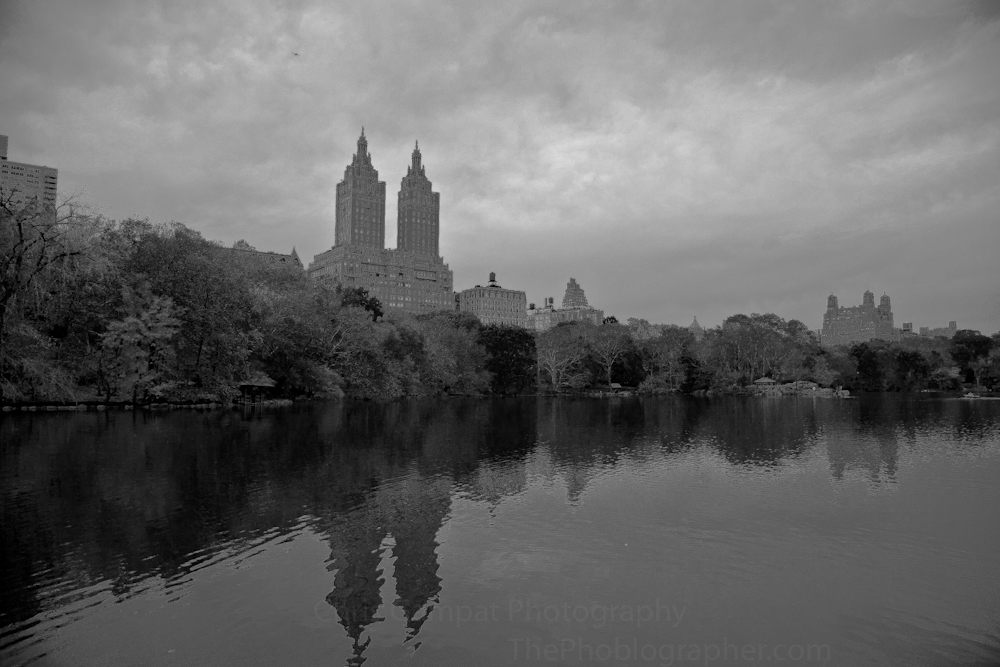
There are a couple of methods to creating Black and White photos in digital photography. Two methods in particular are looked down upon: in-camera settings and using the convert to black and white function in Photoshop. While you may think that the images look really nice this way, often times they are actually very ugly. A more often used way is to desaturate the image in an editing program. While this is better, it still isn’t the best way to get the very most out of your images. While the above image still has some flaws to it, it still looks much better than what those tacky filters will give you. Here’s how to do it.

A major reminder first: shoot in RAW. The image here was shot with a Canon EOS 5D Mark II with EF 24-105mm f/4 L IS USM Lensand editing in Lightroom 3. This could be done in Adobe Photoshop Elements 9but it is much more complicated to do.

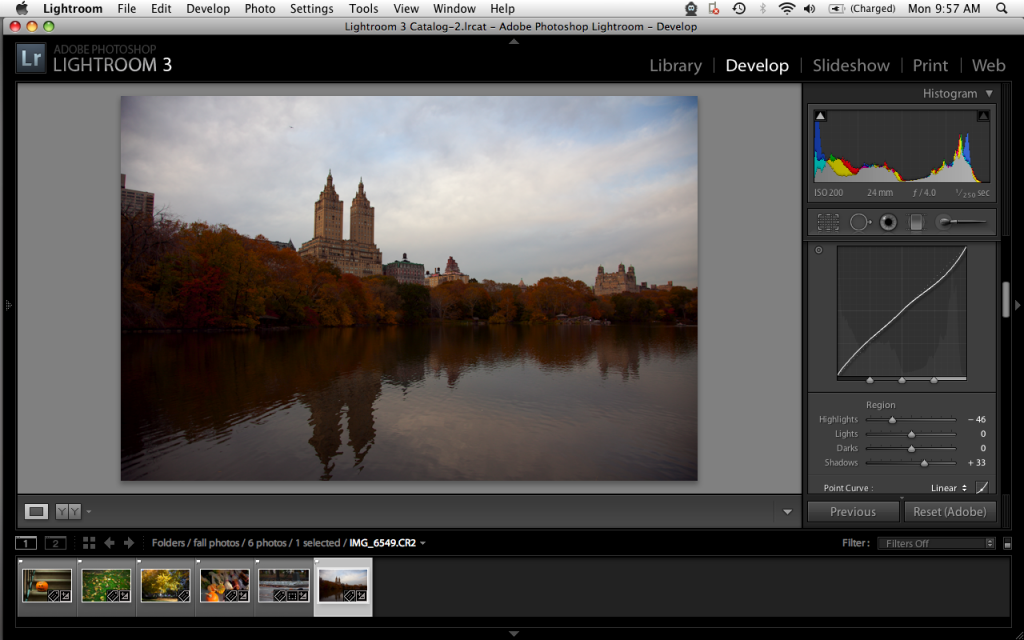
This image first started out in color, it’s something I’m giving to Digital Camera Review for a posting I’m working on for them on how to shoot fall photos. Notice how I went immediately down to the tonal curve on the right hand side. I started out with setting the point curve to linear for a flatter look. This will help give me more versatility later on. FYI: the black and white is not going to DCR.
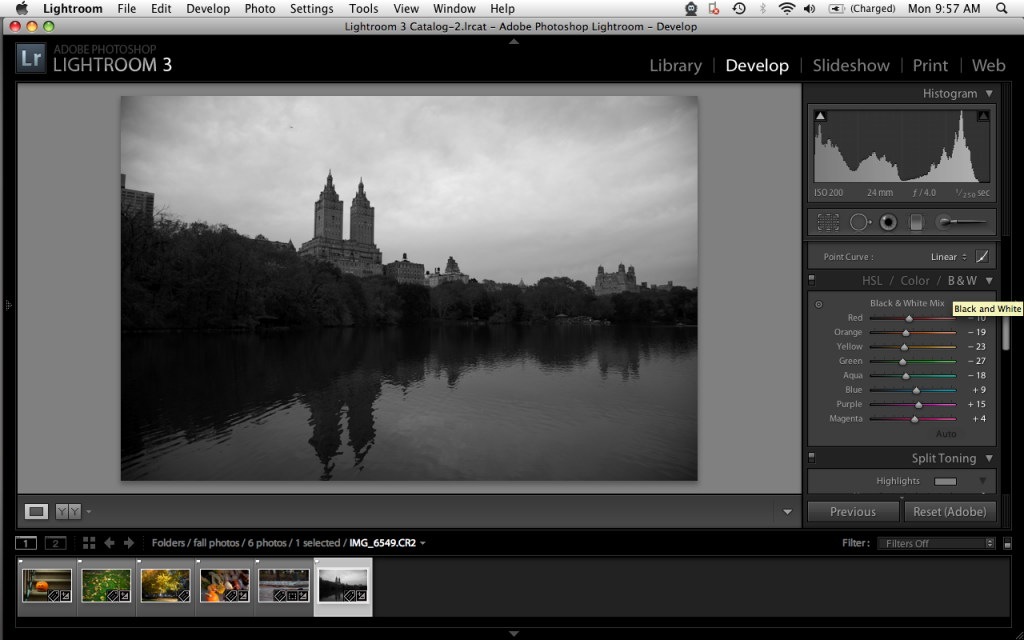
Now I didn’t touch any other setting after that. Instead, I went right below to tonal curve and clicked B&W. The reason for this is because it will allow me to adjust the different tonalities based on the according color. So everything that was red, orange, etc will be easily adjustable now.
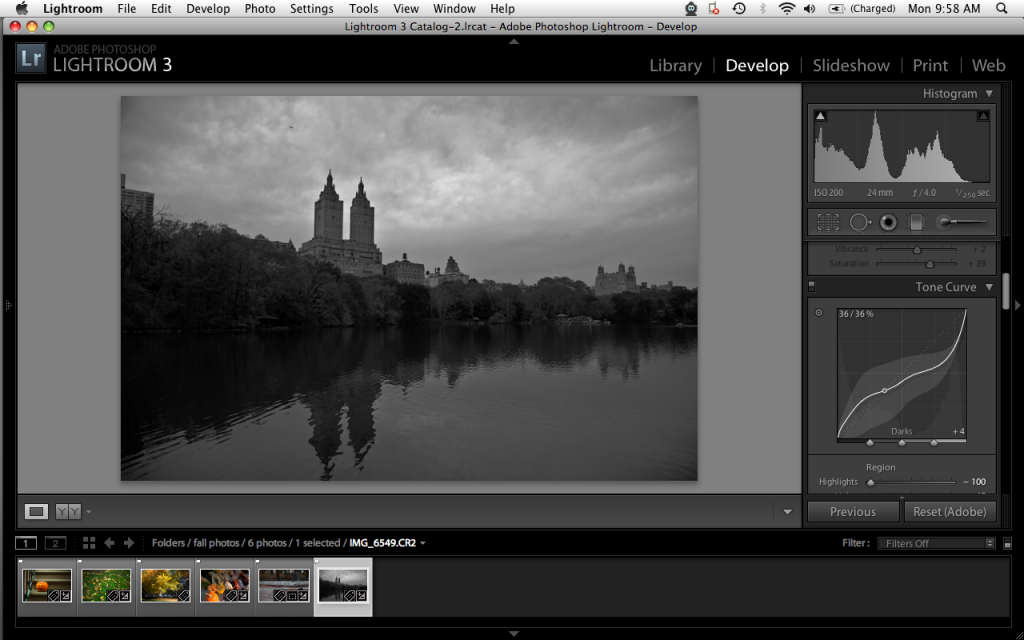
Now I headed back up to the tone curve to adjust the shadows, darks, lights and highlights. Notice how to curve and histogram look now and also how more details in the leaves and sky become apparent.
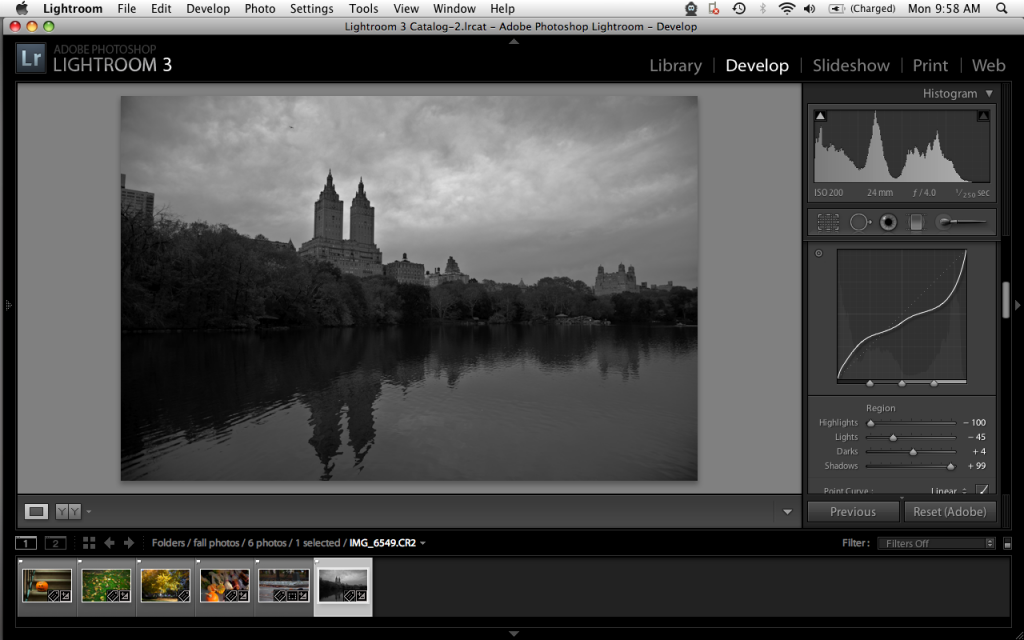
After some slight tweaking I was fairly happy with the results so I went around and changed more settings.
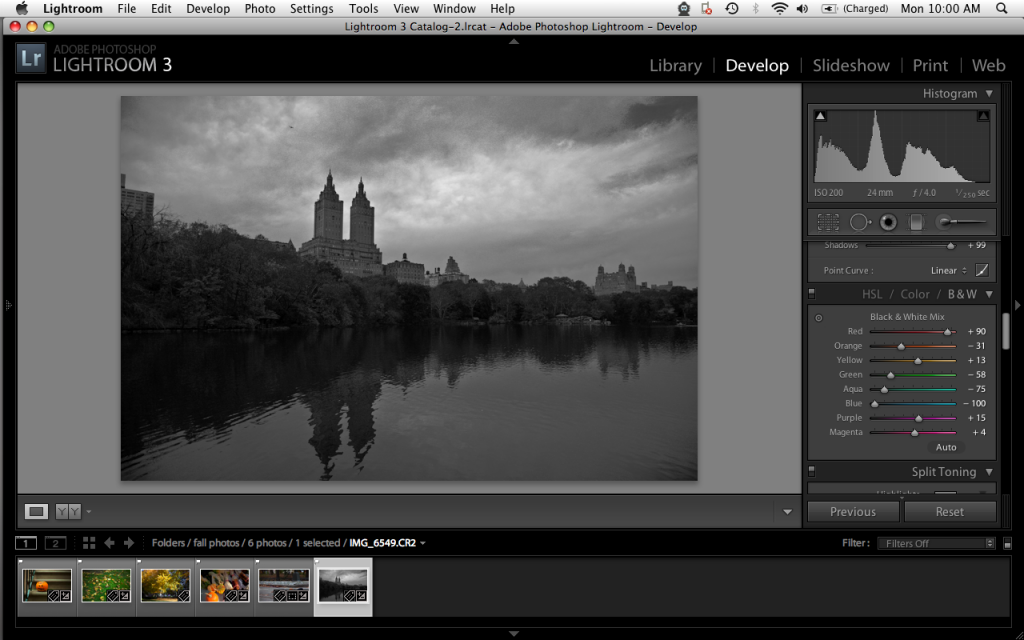
Now I went back to adjust the various color tones in the histogram in order to get the image to be the way I wanted it. Focusing mostly on the leaves, I was able to reveal more details in those areas. Adjusting the blues for the clouds and water didn’t do too much for me, but I’ll handle that later on.
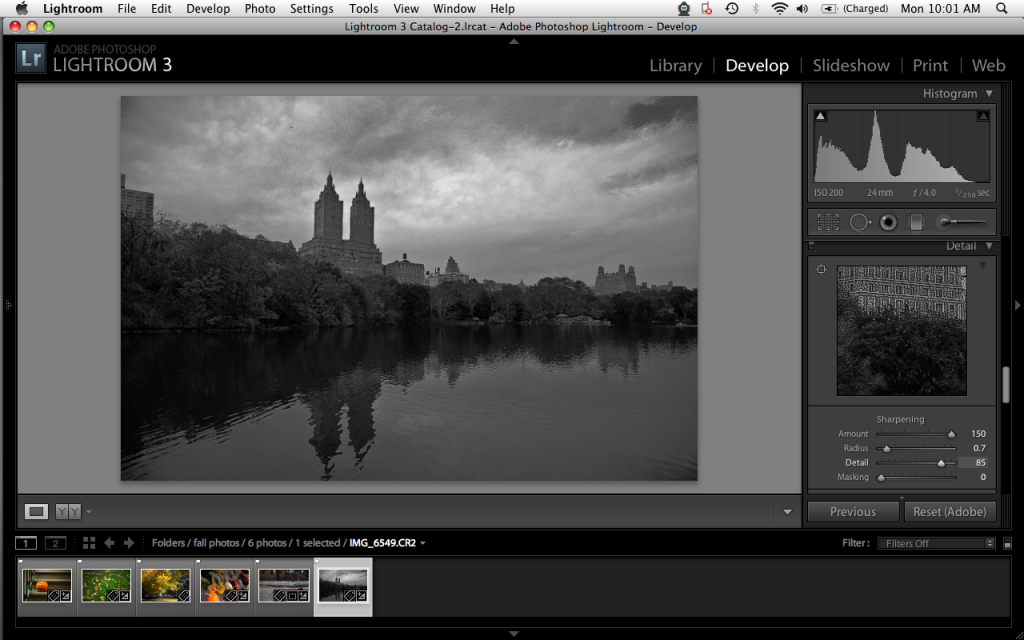
Just for personal preference, I like to sharpen my photos quite a bit on top of raising the detail bar up almost all the way. This is once again a personal preference. Black and white portraits with the detail and contrast turned up all the way tend to look amazing, but I apply to it other images as well.
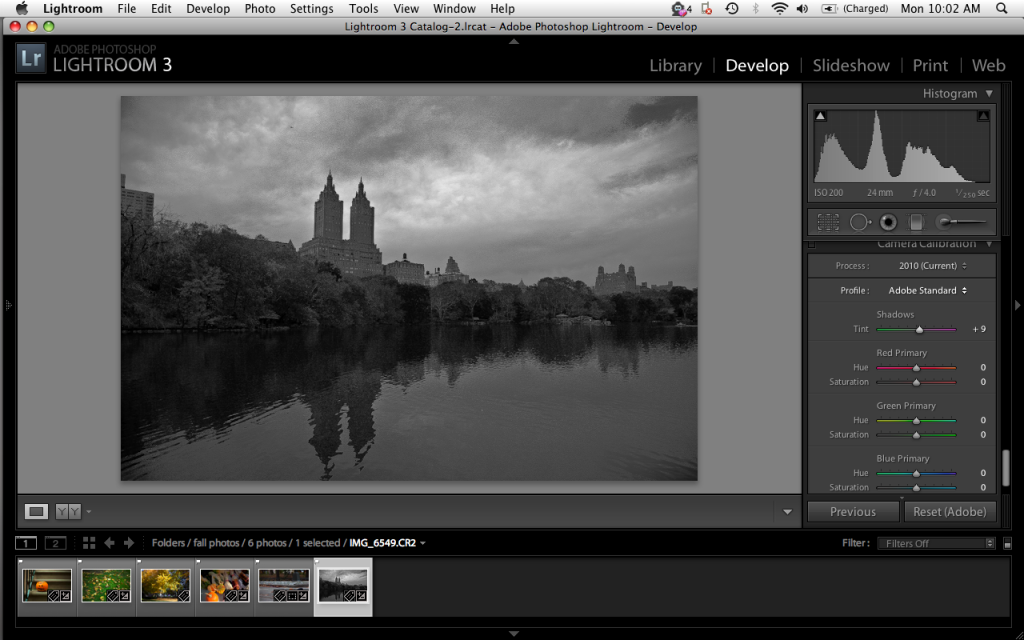
After this, I wanted to experiment a bit more and see what messing with the camera calibration settings did. You probably will not want to mess with the hues as the image won’t be a Black and White anymore. Instead, mess with the saturation levels a bit. You’ll get some interesting effects.
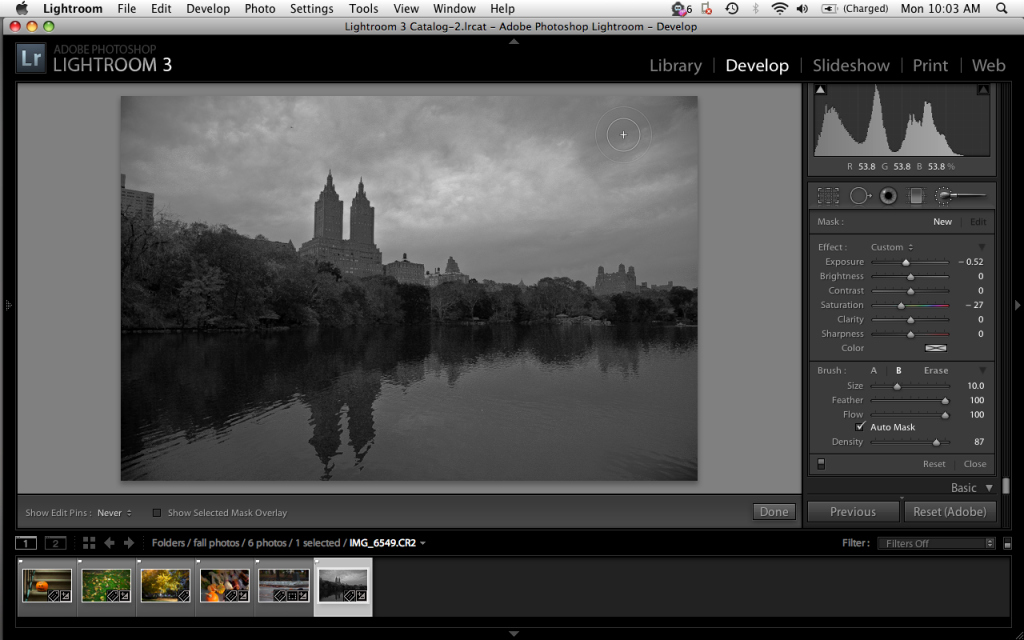
Lastly, I headed up to the top section and messed with the contrast. I still wasn’t totally happy with some of the cloud detail so I used the paintbrush tool and lowered the exposure (burned) some of the areas at the top right. After this, I simply exported the image and got the result that you see in the opening image for this story.

Please Support the Phoblographer

We love to bring you guys the latest and greatest news and gear related stuff. However, we can’t keep doing that unless we have your continued support. If you would like to purchase any of the items mentioned, please do so by clicking our link and then purchasing the items as we then get a small portion of the sale to help run the website.

  • Christof

    Hi Chris,

    For a few days now I have been shooting with my brandnew Sigma DP1s now and I must say I am really impressed with the results. My final goal is also B7W so I have read your article with great interest.

    My workflow is: RAW – SPP4 – TIF 8 bit – LR3 – Nik silver FX but I have not been able to optimize my way of working yet. In my case LR is rather used for croppings all adjustsments to the curve, contrast, sharpness, etc. are still done in SPP4. The X3 fill light feature is a magic thing for me. In other words the major adjustments are still done in the RAW color version, b/w conversion of the TIF (Nik does not work with RAW) and minor adjustments are done in SFX.

    Any suggestions for improvement? I am asking myself what I can learn from your very well written HOWTO for my personal workflow. How can I prepare my color RAWs in the best way possible for B7W conversion?

    Thanks in advance,
    Christof

    p.s.: I love the DP1s, slow AF, long time to save RAWs and other things often critizised are not an issue for me. I bought it for about 300 euros, together with the lense hood, UV filter and a class 6 SD. Waiting for DP3 now :) Hope it has no zoom lense but instead other more important cool features. However, I agree that the DP cams are for sure nothing for snapshots…

    • http://thephoblographer.wordpress.com Chris Gampat

      Hi Christof,

      Thanks for the comments and returning to the blog. We’ve got a short review of the DP2s that isn’t the best but it isn’t terrible either. It’s quite a complicated story.

      Anyway, you should probably shooting in raw with the DP1s and then go right into LR3 instead. That would not only be the easiest way but also the most effective as the article states. Give it a try, the Sigma files from the Bayer sensor should produce some really nice black and whites.

      For even more dynamic range I’ve actually been considering purchasing an old Fuji S5 to be honest.

      Hopefully, the DP3 will fix the AF issues. The DP2s is significantly improved but still a bit slow, but 300 euro actually sounds a bit high for what you got. Did you get any accessories with it?

      • Christof

        It was 250 euros the camera + a bit more than 50 euros for the lense hood. UV filter amd SD card so not too bad I would say.

        Thanks for pointing me to the DP2 review, will have a look at it!

        As for working with Foveon RAWs directly in LR I read a lot of posts and compared a bit myself. I can only say the X3 fill light feature does an absolugtely amzing job I would not want to miss I can get the best out of images taken even under the most difficult shade / sun conditions…

        Give SPP4 a try and see for yourself! I can only recommend it!

  • Brian

    These results are really nice. Thanks for the tutorial!

    I can’t resist pointing out, however, that you can get superior results without spending an hour in front of a monitor by shooting a $4 roll of Tri-X.

    I’m just sayin’…

    • http://thephoblographer.wordpress.com Chris Gampat

      Hey Brian,

      Thanks for the comment. Not going to start that debate though; as you know there are fan boys on both sides of the fence.

      • Christof

        Well, in the end the result counts, not the way to get there…:) my opinion!

    • Christof

      Good comment. I have done that quite a few times with my Leica and Rolleiflex. My problem with it is simple to explain. For the best results you devlop the Tri-X yourself (of course also to save money) and then you make the prints yourself.

      My problem: I am too lazy to take 1,5 hours to make my bathroom lightproof and set up my equipment, mess around with expensive chemistry that I have to collect and bring to the dump afterwards and all of that for a few – admittedly very cool – prints. Not to forget the thorough cleaning of the bathroom afterwards…

      The alternative is lying on the couch with my macbook, plugging in my camera, downloading the images and in the end achieve the same or close to the same result if I have good software and a good printer.

      Otherwise I completely agree with your statement ;)

  • Pingback: How ISO, Shutter Speed and Aperture All Relate to One Another at The Phoblographer

  • Pingback: Fun Review: Pixlr-O-Matic for Android Phones at The Phoblographer

  • Pingback: Article: How To Create Better Black and White Photos « thejamesmhoward

Previous post:

Next post: