

Last Updated on 06/22/2015 by Chris Gampat
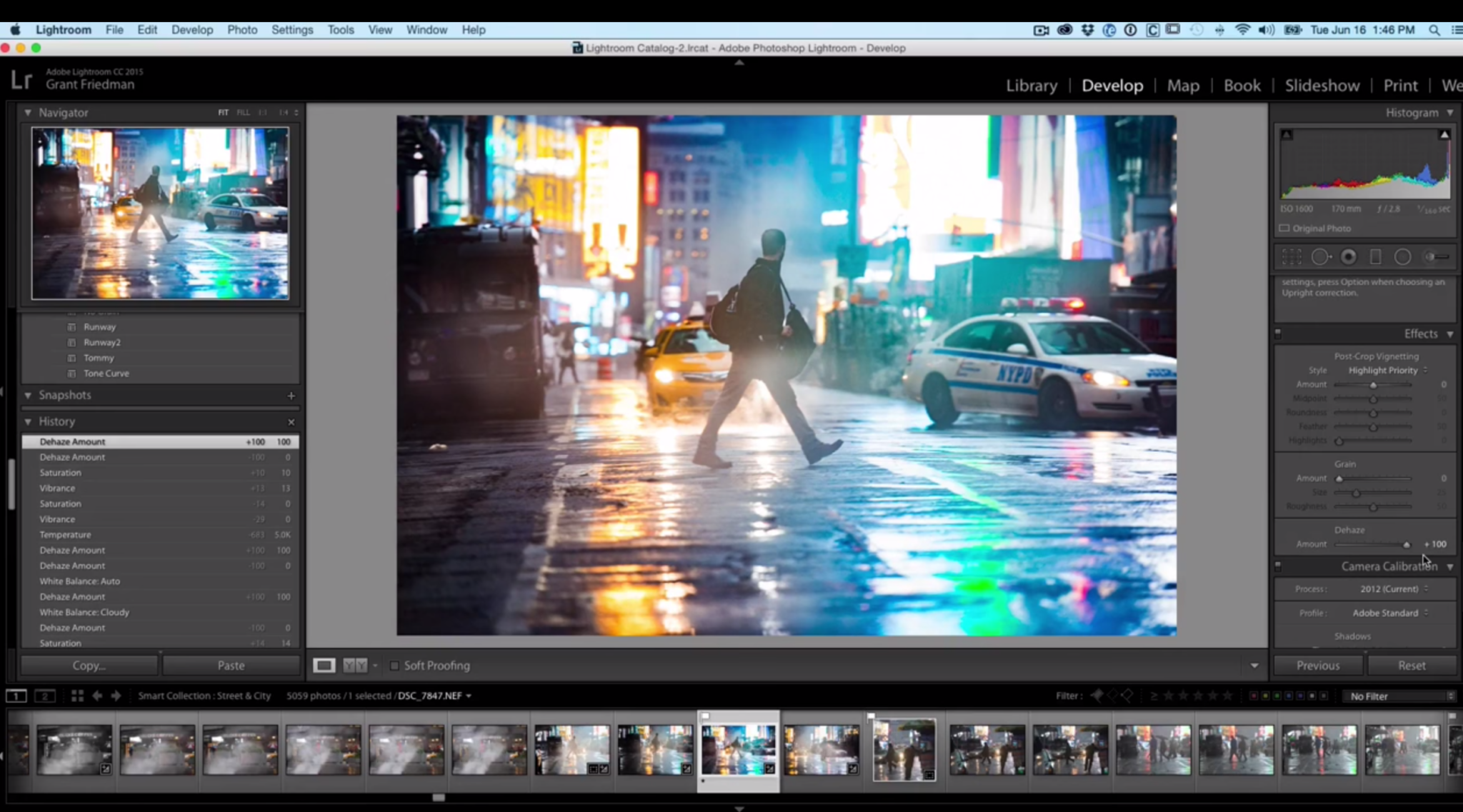
Photographer Grant Friedman recently completed a short video on what the new Dehaze feature in Adobe Lightroom does to an image. Dehaze is essentially designed to, well, get rid of haze in a scene quickly and easily.
To demonstrate this, Grant shows us an image that he shot a while back here in NYC. Lots of smoke an heat was in his way coming up from the subways and onto the surface, and so the scene was very much so covered in haze. Before the Dehaze feature, one would need to raise the contrast, clarity and saturation levels to get the image recovered to where they want it to be–but Grant shows you just how great Dehaze is in situations like this.
So how else can it be used? Think London Fog–or foggy scenes overall with lots of smoke. Of course, you can also really be into foggy scenes for creative purposes; but if you’re not then this feature will save you lots of time.
The video is after the jump.
Get rid of the ads!
Did you enjoy reading this article as much as we enjoyed writing it? There's a way to support us and our reporting, getting ad-free navigation and more as a bonus. Subscribe to us for less than a coffee per month —just $3.99— or take advantage of our yearly subscription with a hefty discount for only $25.- An ad-free experience
- A free mystery box for Lightroom or Capture One
- All the books in our store
- 20% discount on Capture One
- 30% discount on Imalume Photo Theft Protection
- 20% off Herbs and Kettle Tea Company.
- 20% off your order from MPIX printing services.
- 5% off Viltrox Products via their eCommerce store.
- 10% off all film developing, printing and scanning services from Blue Moon Camera and Machine
- 15% off 7Artisans products: The lens and accessory maker is offering a sweet discount for Phoblographer's readers.