


Recently, Sony updated the a1 II to firmware version 4.0, introducing several new features, including Automatic Subject Recognition and expanded camera capabilities. The latest update focuses on improving the camera’s autofocusing capabilities and adds two new Creative Look options. Depending on how you’re using the camera, some of these updated features may not be utilized in your day-to-day workflow; however, overall, Sony’s flagship camera continues to sit at the top of the mirrorless camera lineup. Here’s what’s new in version 4.0.
Sony a1 II Firmware Version 4.0 Updates:
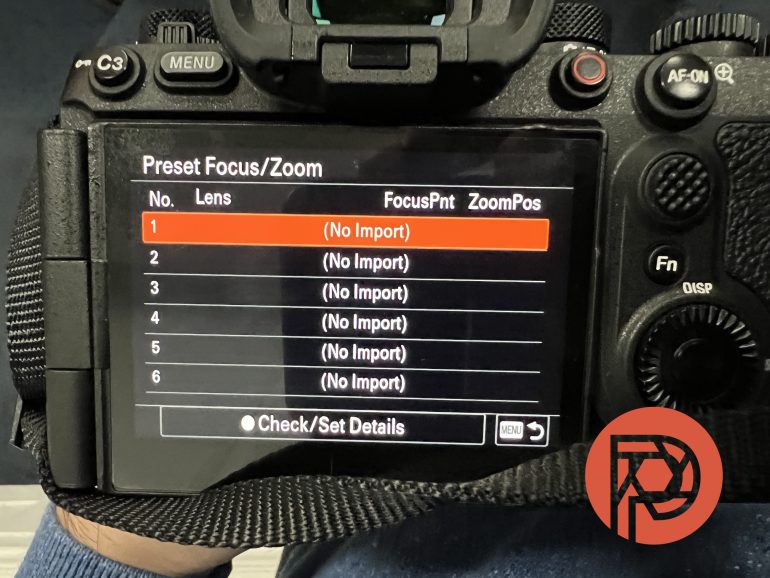
There are various updates to Sony’s flagship mirrorless camera, but the following were taken from Sony’s a1 II Support Page, with an emphasis on the changes that apply to stills photographers:
- Adds support for Real-time Recognition AF+ with improved subject detection and tracking capabilities
- Adds support for the Preset Focus function with lenses that do not have power zoom, including Sony’s manual zoom E-mount lenses
- The registered positions of preset focus/zoom are incompatible before and after the camera software update. Please re-register the preset focus/zoom after the update.
- Some zoom lenses without power zoom are not supported. For more details, please visit the following link: https://support.d-imaging.sony.co.jp/www/cscs/lens_body/
- Adds FL2 (Film 2) and FL3 (Film 3) to the Creative Look options
- Improves the metering accuracy when using bounce flash
- Supports the Write Digital Signature function for movies as part of Sony’s Camera Authenticity Solution
Since our last update, we have had the opportunity to test Sony’s Pre-Capture feature, as well as an updated feature that allows users to select a target human face(s) as the primary subject. Both features have solidified this camera as the flagship camera to beat.
A quick thank you to LensRentals.com for supplying us with a loaner for this review update. We tested the Sony a1 II with the following gear:
- Sony Sonnar T* 55mm F1.8
- Tamron 35-150mm f2-2.8 Di III XCD
- Sigma 60-600mm F4.5-6.3 DG DN OS Sport (on loan from LensRentals)
- Viltrox 85mm F2 EVO
- Sony FE 24-105mm F4 G OSS
- Profoto B20
Autofocus Updates

Similar to the recent update to the Sony a9 III, the a1 II also features Real-time Recognition AF+ and Preset Focus for non-powered zoom lenses. Some of my first tests of the new subject detection feature were to do some backyard birding to see how well the camera managed to find small sparrows among the thicket between my backyard and my neighbors’. Even when using the Sigma 60-600mm F4.5-6.3, I found that the camera was able to accurately pick out a tiny bird well camouflaged among the branches. The camera’s subject detection, combined with Pre-Capture shooting, allowed me to get some good shots of the tiny fliers with ease.
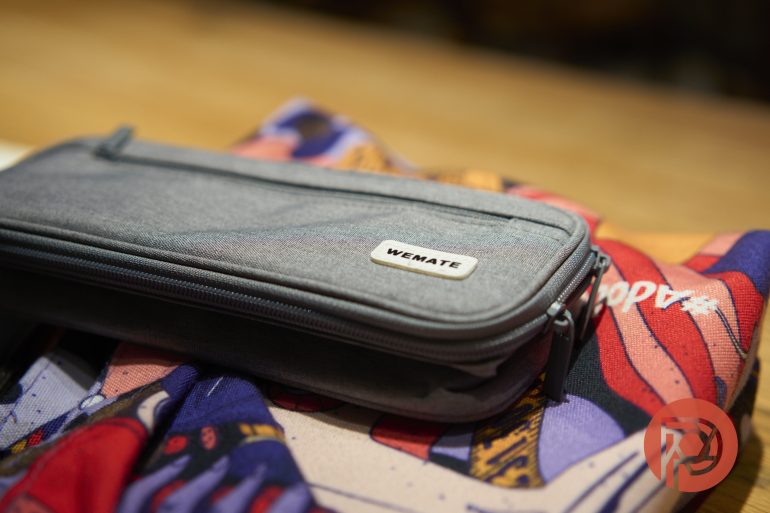
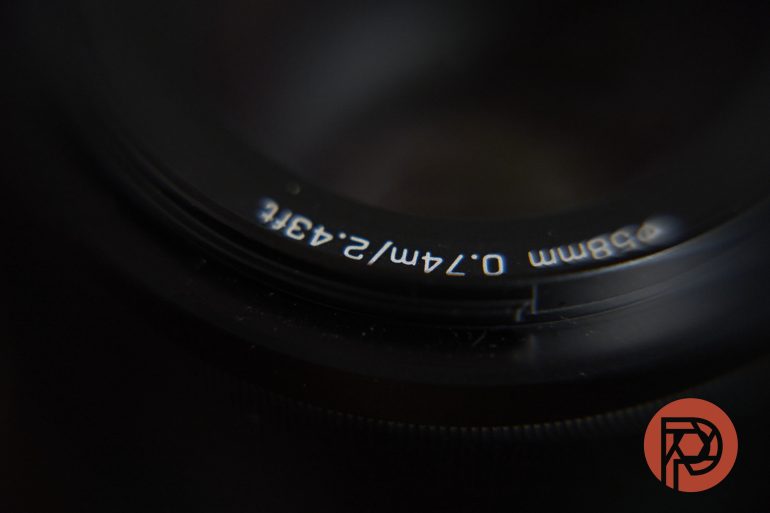
My Sony FE 24-105mm F4 is a lens. It’s not my favorite, it’s not the fastest or sharpest, and sometimes it struggles to quickly lock focus. Thanks to Preset Focus, I’m able to lock in a focus distance for a lens that doesn’t have a focus setting on the lens itself, allowing me to shoot without worrying about focus or composition. In an effort to try to confuse the camera, I used this feature with this lens and the PolarPro x Shortstache Diopter Lens filter for some product photography. Once my focus settings were dialed in, I just composed and shot without thinking about it again.
Even before the latest update, the a1 II has been an absolute beast in terms of its autofocus capabilities on people of color. In the original review, we wrote:
When focusing on people of color in low light, this is the best Sony camera by far. Though the Nikon Z9 does a better job still and the Leica SL3 can hold its own, the Sony a1 II was able to focus on people of color very well in extremely low light.
This remains the case, and thanks to real-time subject recognition, you’ll find that the camera continues to improve an already solid formula. During my testing, I shot an induction ceremony for my church – large crowds of people of color in a tight space with poor lighting – and found that the camera was consistently finding my subject’s eyes and keeping them in focus even as they moved across the stage, at times turning their backs to the audience. As advertised, Real-time Recognition AF kept the subject locked and seamlessly switched between what I’ll call “whole body tracking” and face detection to eye detection.

That being said, there is a right and wrong way to use Real-time Recognition and Subject Detection – avoid it in situations where you need to lock in on one face. Sports photographers have lamented about the “secret” menu options to net more keepers of action sports – subject detection has a tendency to look for any face/eye in a scene and tries to lock on to that. I experienced something similar when capturing the church event; when there were too many faces in the scene, the camera’s autofocusing/subject detection would try to pick a subject for me. Having known about this issue with the a1 II, I took the additional step of saving a target subject for the camera. Again, once it’s been dialed in, the camera literally just waits for me to point my lens in the direction of my subject, and it takes care of the rest.
Below are some SooC sample images:

















Here are a handful of edited sample images:


Sony a1 II – The Flagship to Beat
Truth be told, there isn’t anything groundbreaking or earthshattering with the latest firmware version for the Sony a1 II. The camera has always been as close to technically perfect as Sony could make it, and many of the features included at launch have only improved with each subsequent update. With the latest features – Real-time Recognition AF, and Preset Focus – the a1 II continues to demonstrate why this is the flagship camera to beat. Creative Look options, such as Film 2 and Film 3, are nice additions and, like in the a9 III, bring Sony users who prefer that style much closer to a SooC look. If nothing else, firmware version 4.0 is a clear indication that this remains the flagship camera to beat.
Get rid of the ads!
Did you enjoy reading this article as much as we enjoyed writing it? There's a way to support us and our reporting, getting ad-free navigation and more as a bonus. Subscribe to us for less than a coffee per month —just $3.99— or take advantage of our yearly subscription with a hefty discount for only $25.- An ad-free experience
- A free mystery box for Lightroom or Capture One
- All the books in our store
- 20% discount on Capture One
- 30% discount on Imalume Photo Theft Protection
- 20% off Herbs and Kettle Tea Company.
- 20% off your order from MPIX printing services.
- 5% off Viltrox Products via their eCommerce store.
- 10% off all film developing, printing and scanning services from Blue Moon Camera and Machine
- 15% off 7Artisans products: The lens and accessory maker is offering a sweet discount for Phoblographer's readers.