

Last Updated on 04/17/2014 by Felix Esser
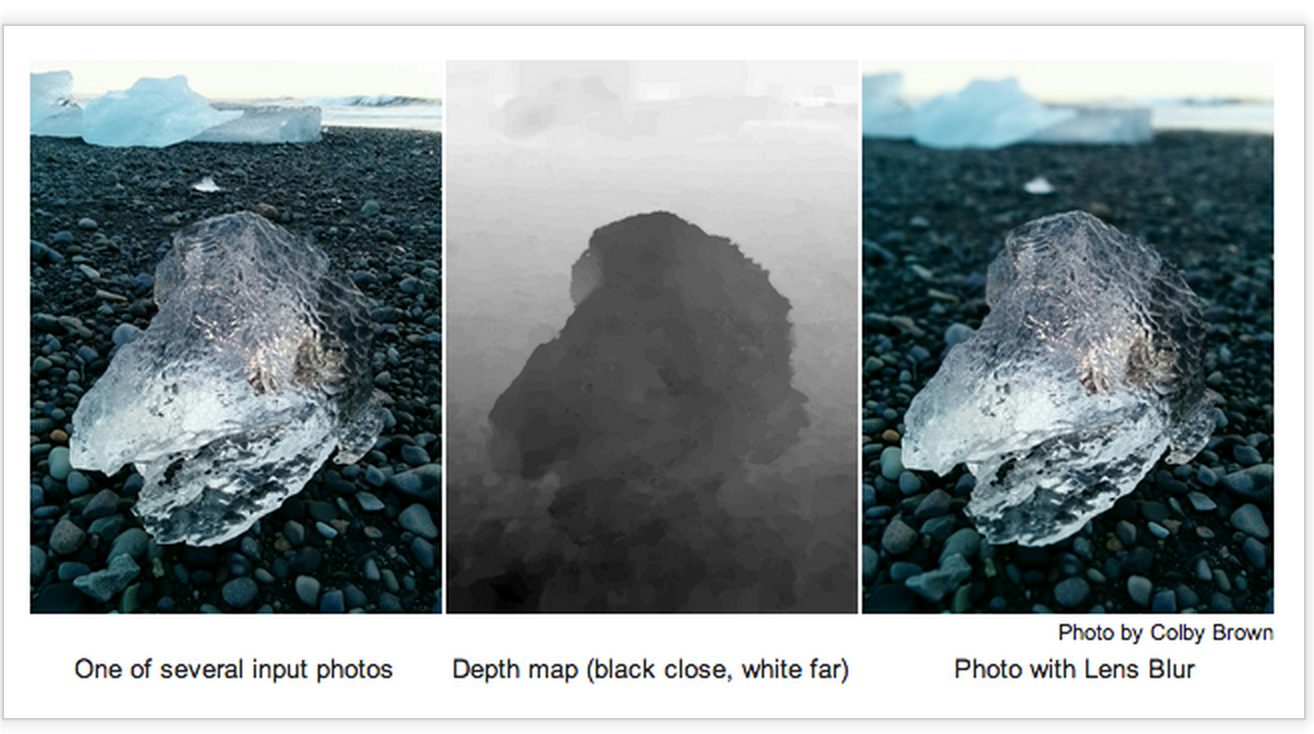
Considering that Instagram had the tilt-shift ability for a while, it’s pretty nice that now Google has updated their main camera app to include the new lens blur tool–meant to simulate the look of bokeh. According to their research blog, their inspiration came from the bokeh that an SLR can deliver. Of course though, one should NEVER think that the digital bokeh simulated by Google can outdo the organic stuff straight from a real lens and big sensor.
When you start the use the tool, they tell you about bokeh and some of the simulated effects. They recommend that you stand no more than five feet away from your subject but that the closer you are the better your results will be. They then recommend that you take the photo and then pan the phone upward. The image then gets processed to deliver the bokeh.
When you’re done, you can choose the edit the level of blur. If you’re an Android phone or tablet user, go right ahead and update the app. You’ll be pleasantly surprised.
Update: In low light, you need to pan upward very slowly.
Get rid of the ads!
Did you enjoy reading this article as much as we enjoyed writing it? There's a way to support us and our reporting, getting ad-free navigation and more as a bonus. Subscribe to us for less than a coffee per month —just $3.99— or take advantage of our yearly subscription with a hefty discount for only $25.- An ad-free experience
- A free mystery box for Lightroom or Capture One
- All the books in our store
- 20% discount on Capture One
- 30% discount on Imalume Photo Theft Protection
- 20% off Herbs and Kettle Tea Company.
- 20% off your order from MPIX printing services.
- 5% off Viltrox Products via their eCommerce store.
- 10% off all film developing, printing and scanning services from Blue Moon Camera and Machine
- 15% off 7Artisans products: The lens and accessory maker is offering a sweet discount for Phoblographer's readers.
- 15% off a VSCO One subscription: Get a bunch of great tools with their all-in-one package.