

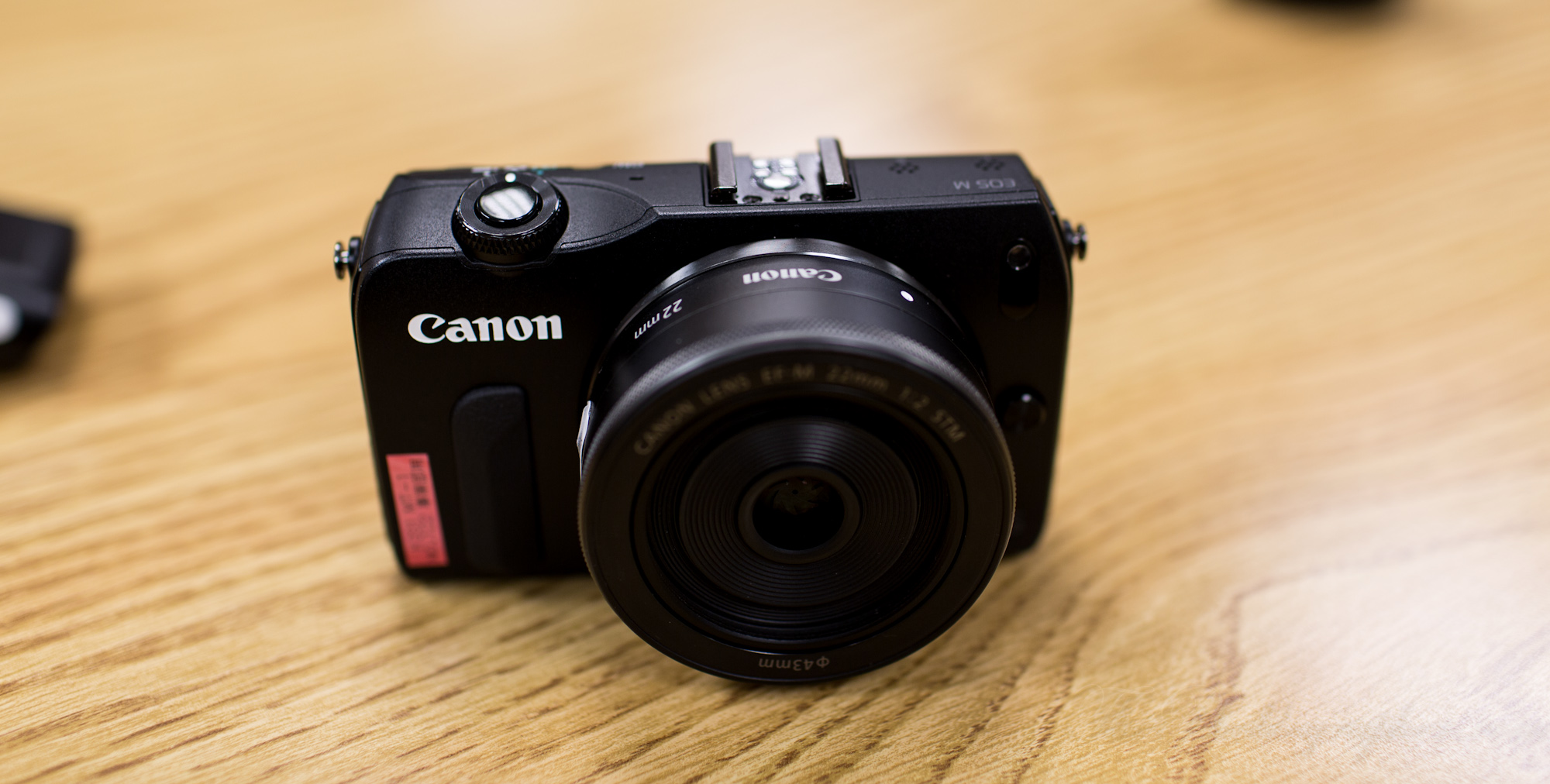
The other day, I traveled to Canon USA’s headquarters to get some personal fondling time with a prototype of the Canon EOS M (couldn’t put a card in the camera). As Canon’s first entry into the mirrorless interchangeable lens camera market, we predicted that the little camera has lots of headroom to clear. Canon cited that in the US, the MILC market is still very small (which is true) but huge in other areas of the world. This camera is also being targeted at the lower end consumer line as well as videographers.
When asked about the sensor, Canon couldn’t confirm with me at the moment whether or not it was the same sensor as the Canon 7D or T3i; but they did confirm that it was the same as the T4i.
So after an hour or two with the camera, how was it?
Gear Used
Tech Specs
Tech specs taken from the B&H Photo Listing of the camera.
| Imaging | |
|---|---|
| Camera Format | APS-C (1.6x Crop Factor) |
| Resolution | Effective Pixels: 18.0 Megapixels Other Resolutions: 17.9 MP: 5184 x 3456 1 |
| Sensor Type / Size | CMOS, 22.3 x 14.9 mm 2 |
| File Formats | Still Images: JPEG, RAW Movies: MOV Audio: Linear PCM 3 |
| Bit Depth | 14-bit |
| Dust Reduction System | Y |
| Noise Reduction | Yes |
| Memory Card Type | SD SDHC SDXC 4 |
| AV Recording | |
|---|---|
| Video Recording | Yes, NTSC/PAL |
| Aspect Ratio | 4:3, 16:9 |
| Video Clip Length | Up to 44 Minutes 5 |
| Audio Recording | With Video, Stereo, Via Optional External Mic |
| Focus Control | |
|---|---|
| Focus Type | Auto & Manual |
| Focus Mode | Single-servo AF (S), Continuous-servo AF (C), Manual Focus (M) , Focus Lock AF Area Mode |
| Autofocus Points | 31 6 |
| Viewfinder/Display | |
|---|---|
| Viewfinder Type | LCD Display |
| Display Screen | 3″ Rear Touchscreen Live Preview LCD (1,040,000) 7 |
| Screen Coverage | Not Specified By Manufacturer 8 |
| Live View | Yes |
| Exposure Control | |
|---|---|
| ISO Sensitivity | Auto, 100-6400 (Extended Mode: 12800-25600) 9 |
| Shutter | Type: Electronic & Mechanical Speed: 30 – 1/4000 sec 10 |
| Metering Method | Spot metering, Center-weighted average metering, Average metering 11 |
| Exposure Modes | Modes: Aperture Priority, Auto, Manual, Programmed Auto, Shutter Priority Compensation: -3 EV to +3 EV (in 1/3 EV steps) 12 |
| White Balance Modes | Auto, Custom, Daylight, Flash, Fluorescent (White), Shade, Tungsten 13 |
| Burst Rate | Up to 4.3 fps at 18 MP for up to 15 frames 14 |
| Flash | |
|---|---|
| Built-in Flash | None |
| Dedicated Flash System | eTTL |
| External Flash Connection | Hot Shoe 15 |
| Performance | |
|---|---|
| In-Camera Image Editing | Color Balance, Edit Movie, Filter Effects, Fisheye, Miniature Effect, Monochrome |
| Start-up Time | 1.6 Seconds 16 |
| Shutter Lag | 0.05 Seconds 17 |
| Self Timer | 10 sec, 2 sec |
| Connectivity | AV Output, HDMI C (Mini), USB 2.0 (out) 18 |
| Wi-Fi Capable (With Optional Transmitter) | No |
| Software Requirements | Not Specified By Manufacturer |
| Power | |
|---|---|
| Battery | 1x LP-E12 Rechargeable Lithium-Ion Battery Pack |
| AC Power Adapter | ACK-E12 (Optional) |
| Operating/Storage Temperature | Operating 32 to 104 °F (0 to 40 °C) Humidity: 0 – 85% |
| Physical | |
|---|---|
| Dimensions (WxHxD) | 4.28 x 2.62 x 1.27″ / 108.6 x 66.5 x 32.3 mm |
| Weight | 9.24 oz / 262 g body only |
| Kit Lens | |
|---|---|
| Focal Length | 22 mm Comparable Focal Length: 35 mm |
| Aperture | Maximum: f/2 |
| Angle of View | 63° |
| Minimum Focus Distance | .49′ (.15 m) |
| Magnification | Not Specified By Manufacturer |
| Maximum Reproduction Ratio | Not Specified By Manufacturer |
| Groups/Elements | 6/7 19 |
| Diaphragm Blades | 7 |
| Autofocus | Yes |
| Image Stabilization | No |
| Filter Thread | Front: 43 mm |
| Dimensions (DxL) | Approx. 2.40 x 0.93″ (60.9 x 23.7 mm) |
| Weight | 3.70 oz (105 g) |
Ergonomics
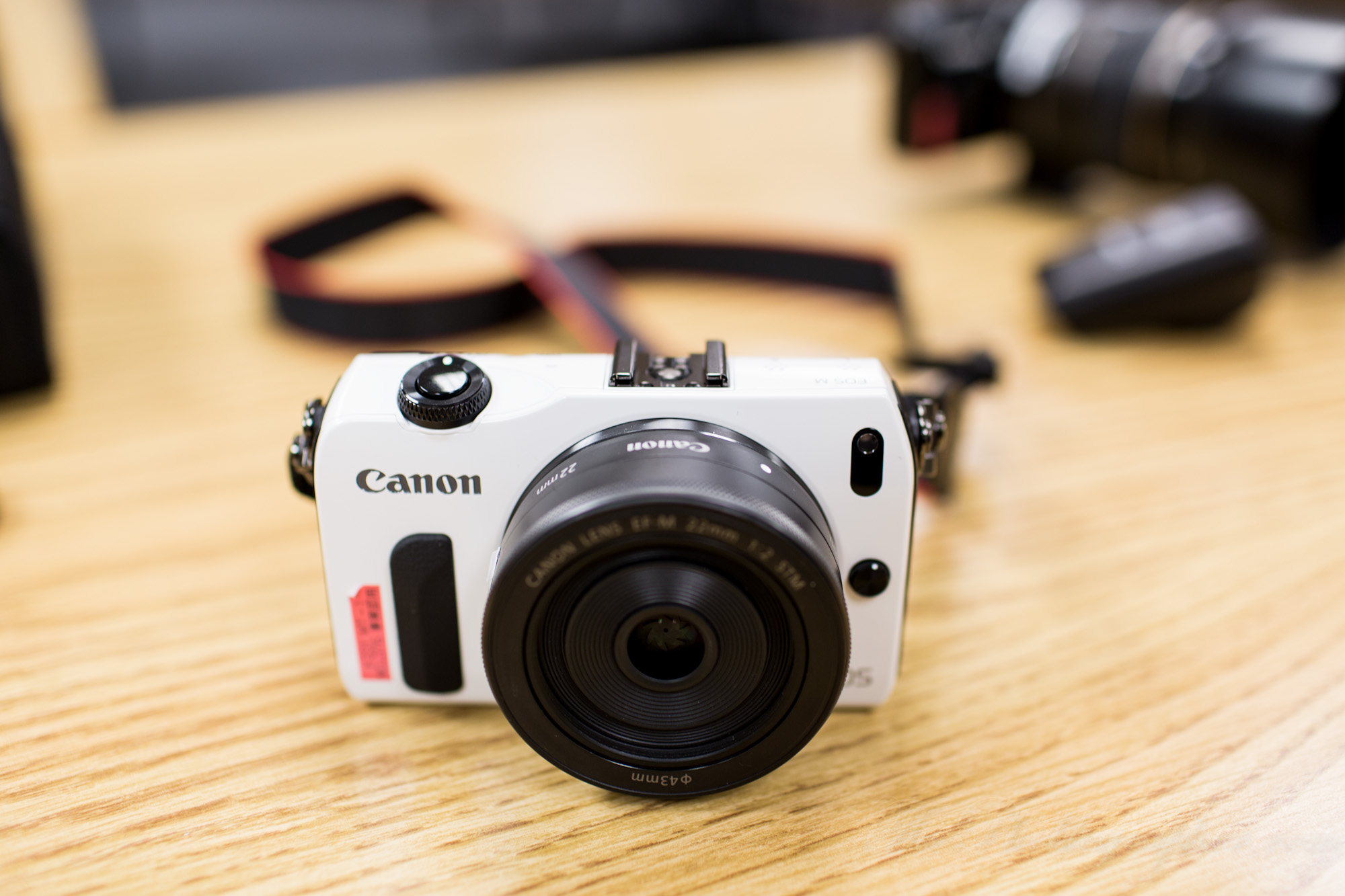
The Canon EOS M surely does have Canon written all over it in terms of the way it is designed and functions. The front is extremely minimalistic with just a small grip (which I would gaffers tape the hell out of), an AF assist light, and the lens release. I can easily see how someone may mistake it for a Powershot camera.
The top of the camera features the hot shoe, on/off switch and shutter button. The switch will toggle photo, video or off. In order to get anything else, you’ll need to go through the menus. In respect to Canon, this post does not show off the menus because they requested that I didn’t.
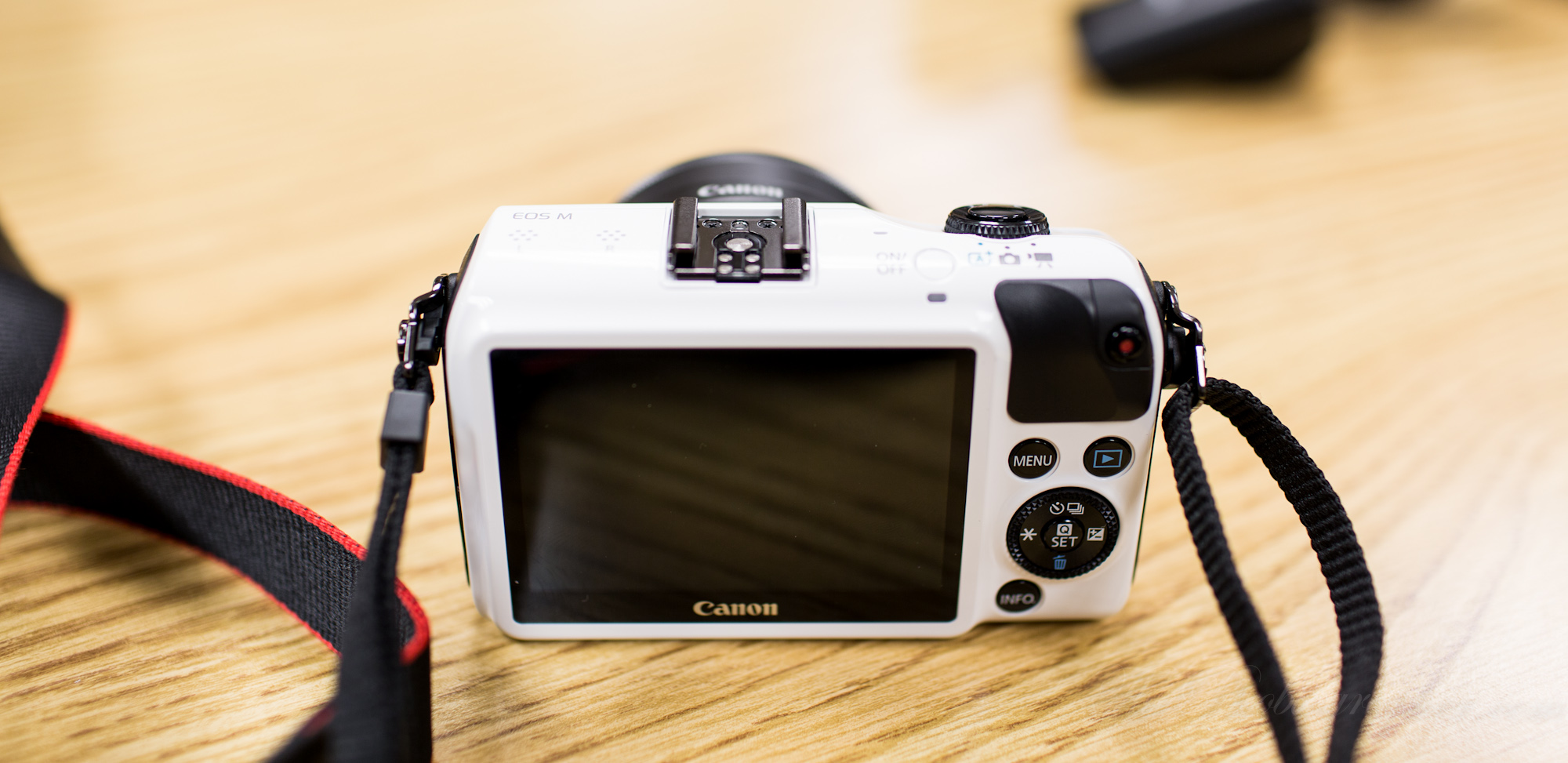
The back of the camera harkens to the design of the S100 with its once again minimalistic approach. Here you’ll have a small grip on the top right for your thumb. That is also right next to the video record button, which I missed very often because I didn’t know it was there.
Below that is the menu button, playback button, four way dial control, and the ring around that for extra navigation. Below that is the info button.
To the left of that is the full touchscreen; which is really quite beautiful looking.
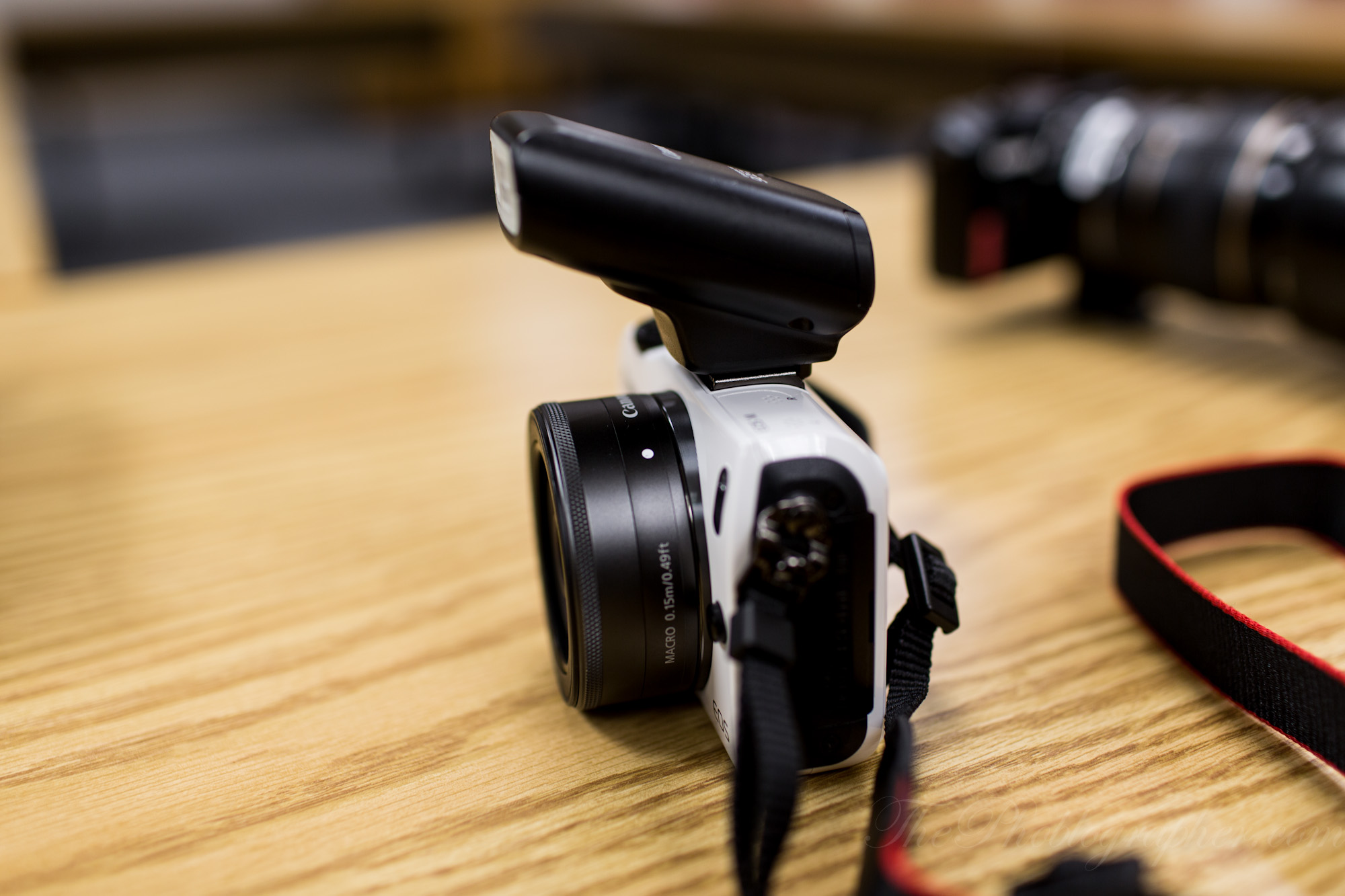
If you choose, you can also attach the 90EX speedlite; which is quite interesting in its design. It is angled upward for better coverage. In my tests, it could not act as a master flash for the 580 EX II set in slave mode, despite it being a main specification of the flash. I’m willing to blame that on the fact that it still is a prototype though.
Interestingly though, the camera worked flawlessly with my Phottix Odin radio triggers.
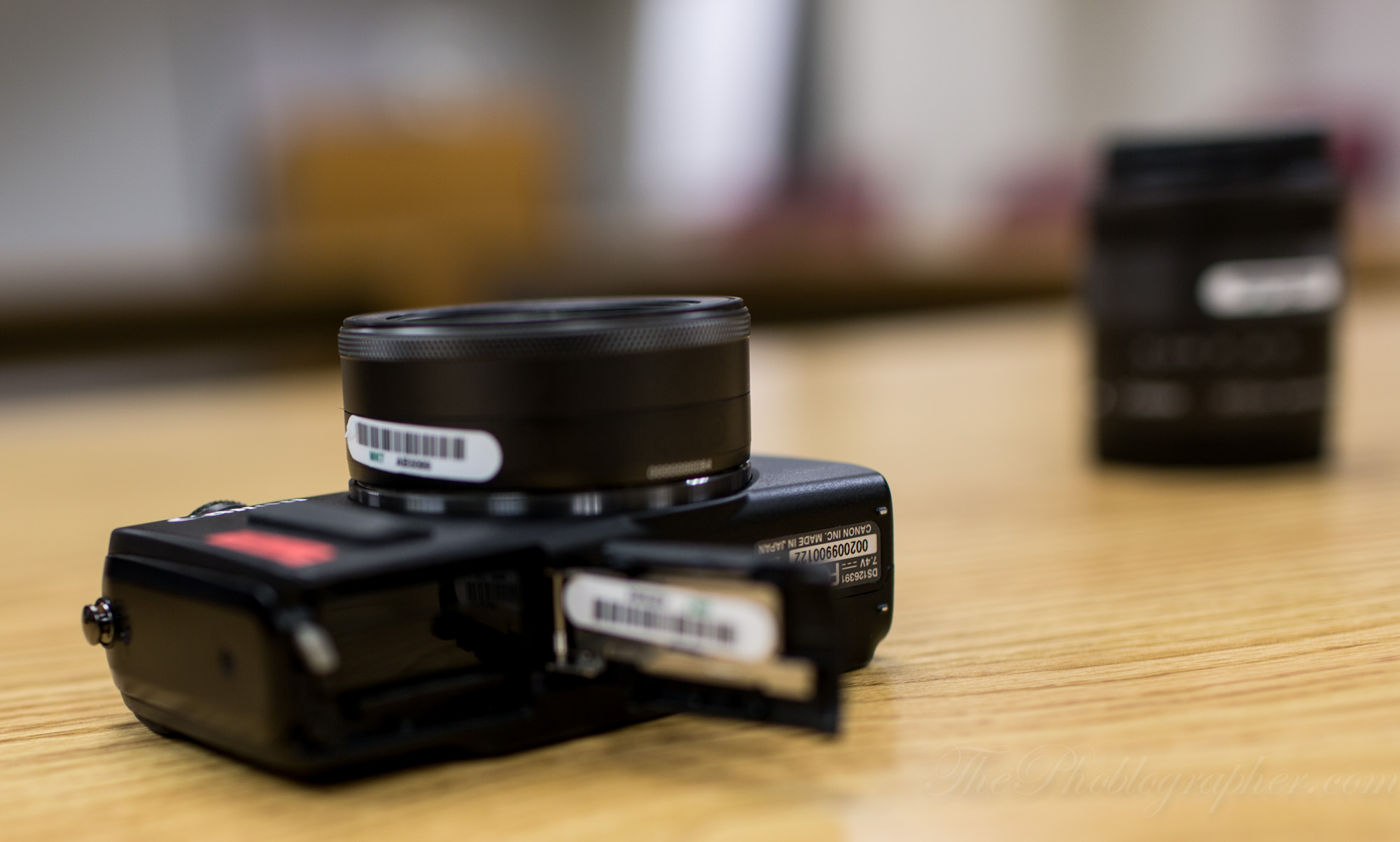
The bottom is what will house the battery and SD card. It can be a bit tough to open the latch, which is nice protection.
Canon also told me that a leather half case and top case are coming; but they won’t cover the lens, only the body.

Something else that should be mentioned is the design of the camera strap. It is really quite unique. In order to attach it, you’ll need to put a quarter into a screw, turn it a bit and attach/detach it. That is much more simple and secure than having to sit there and thread it.
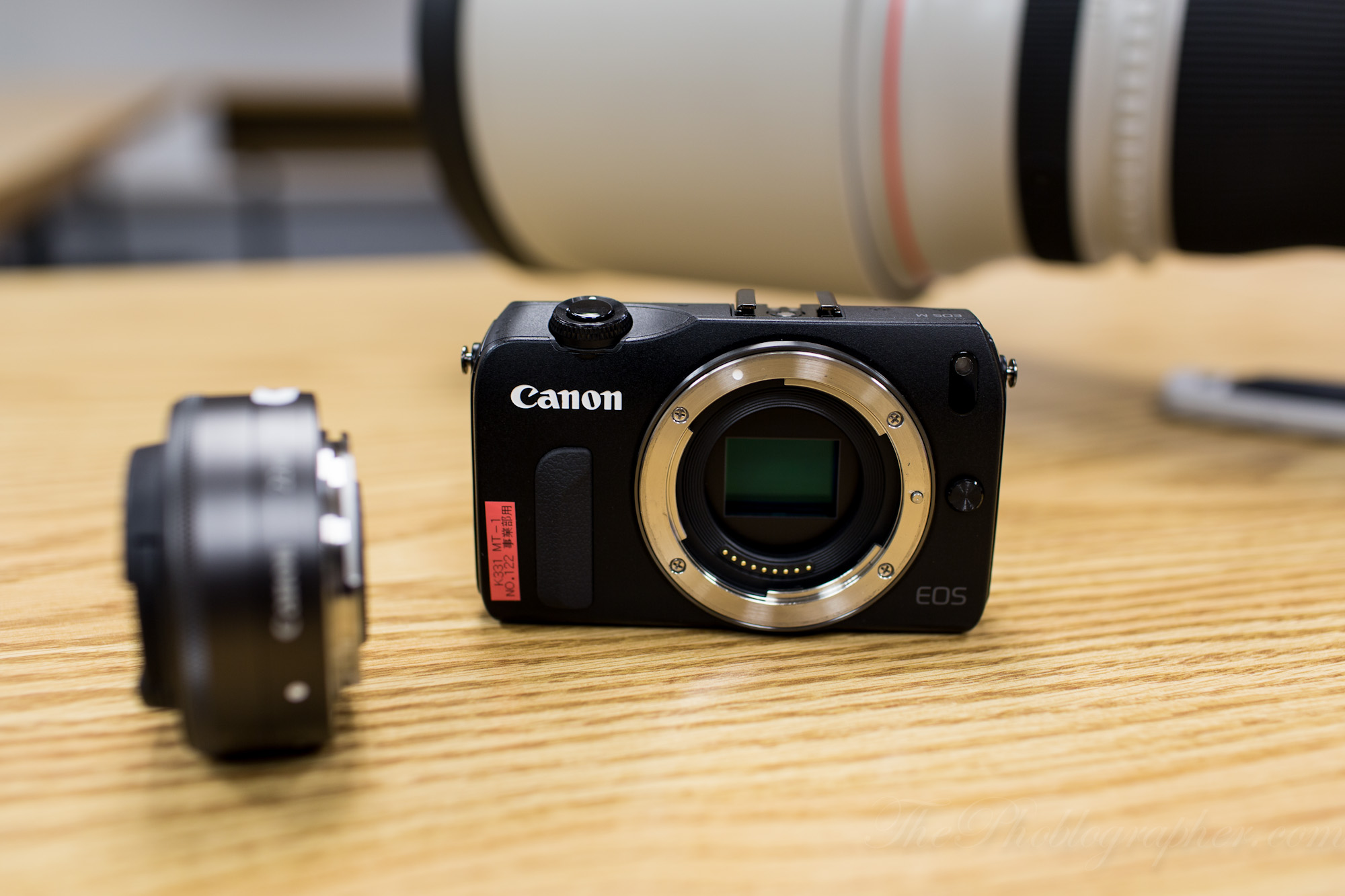
Inside of the camera there is an APS-C sensor with a 1.6x crop factor. For those not so tech savvy, that is smaller than Sony, Pentax and Nikon’s 1.5x crop factor.
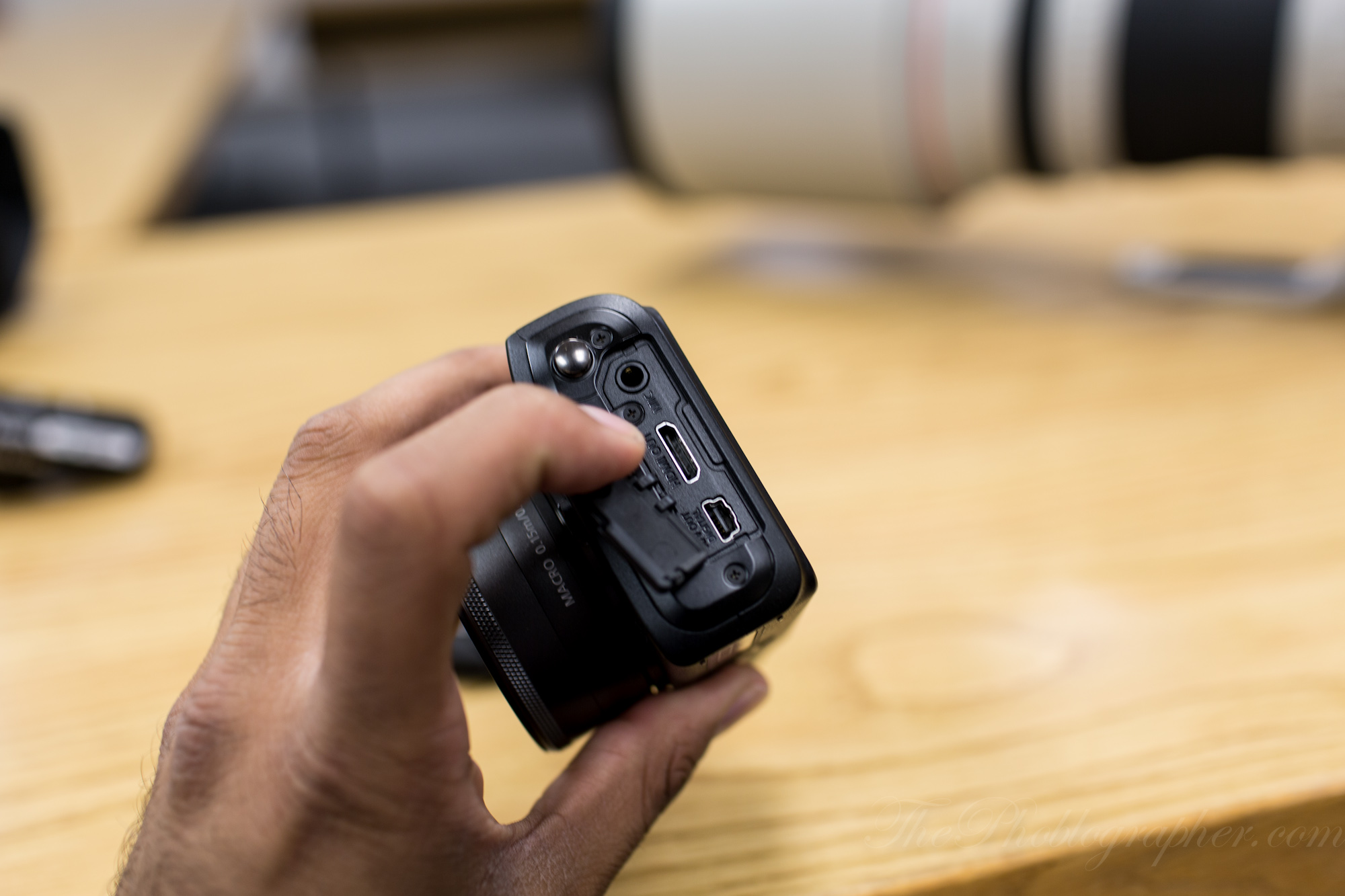
The camera has a couple of standard ports: a microphone port, HDMI out, and USB port. That’s really about it.
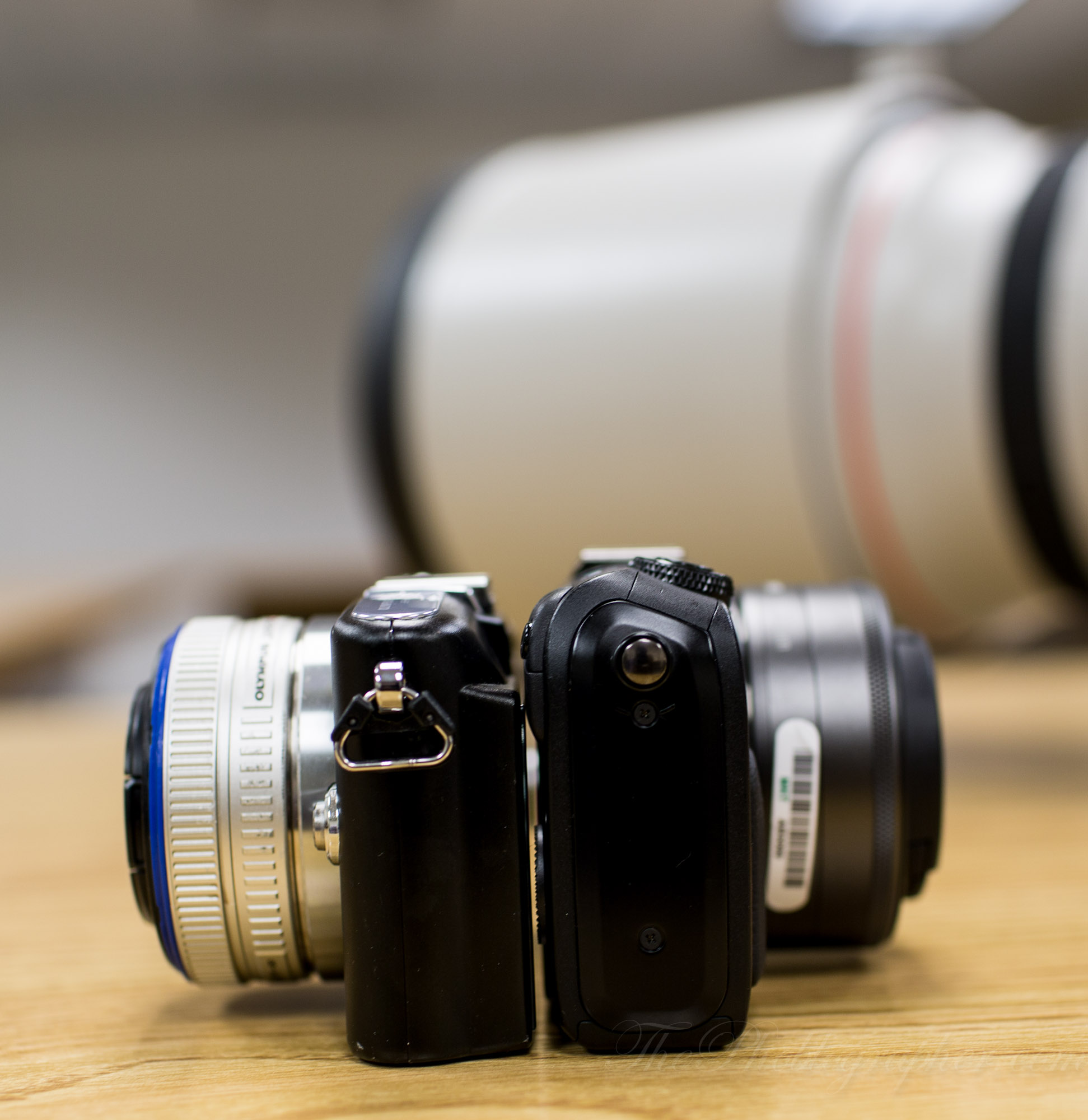
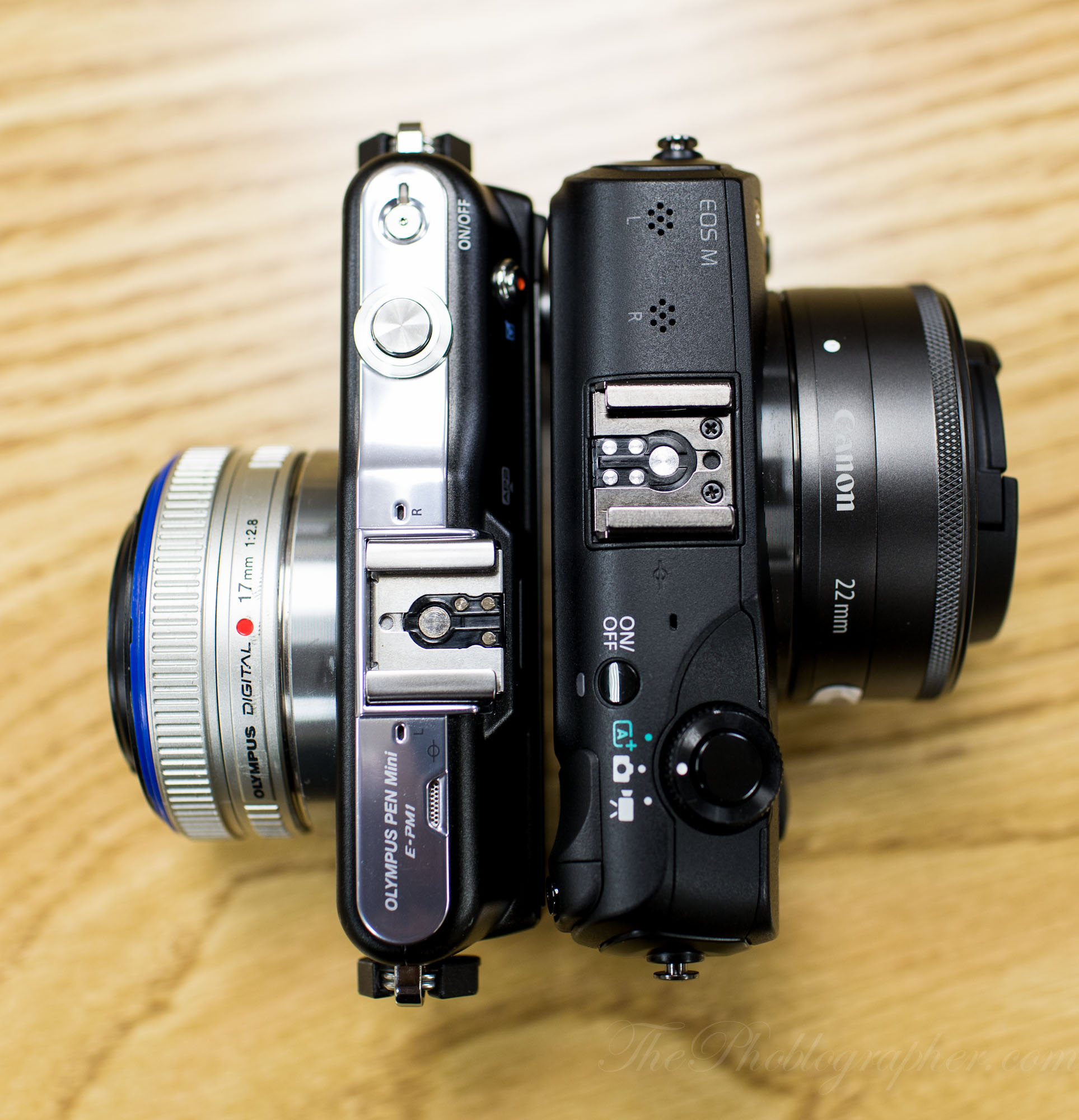
Size Comparison with the Olympus EPM1
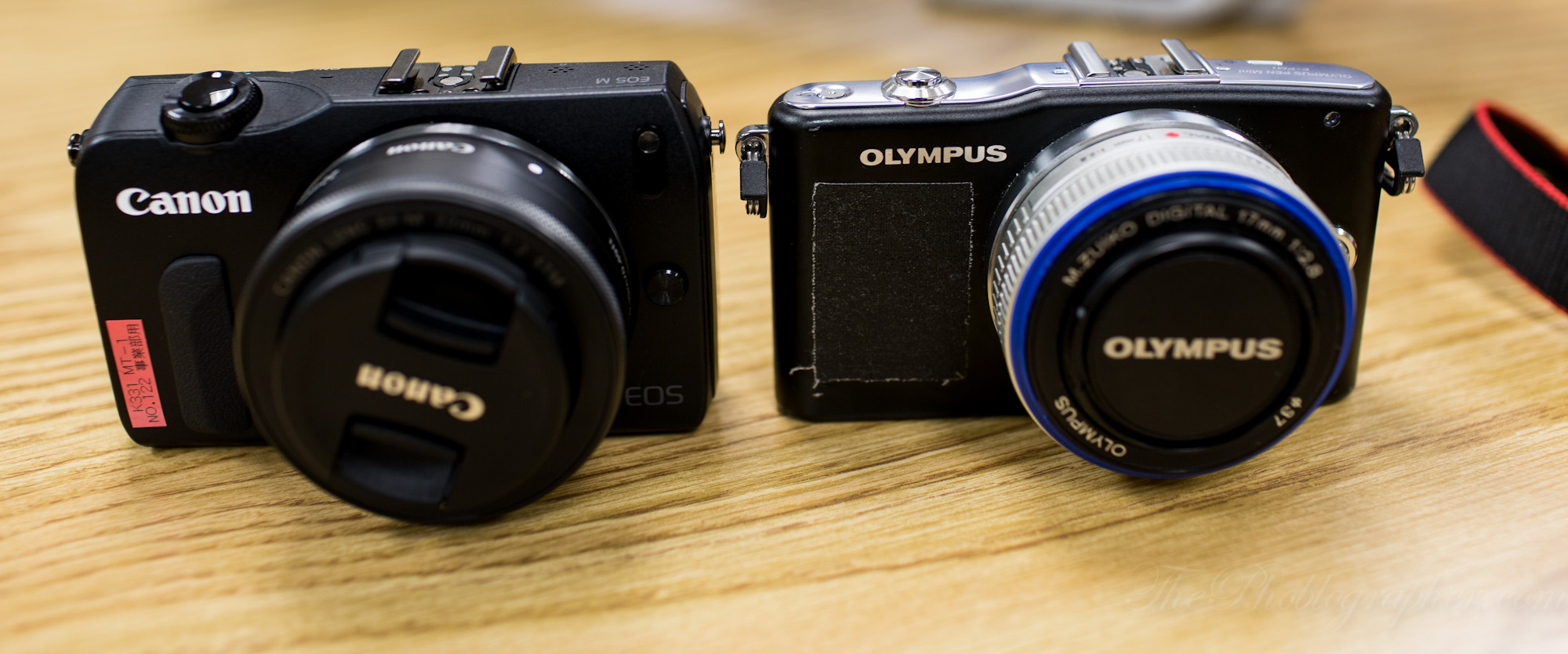
I also brought along my Olympus EPM1. Overall, the EOS M felt more solid and a bit heavier due to the build quality being magnesium/aluminum. I’ll let you make your own decisions from these photos.

With Other Accessories

The 580 EX II is massive on this camera. Perhaps a 430 EX II would better suit it.
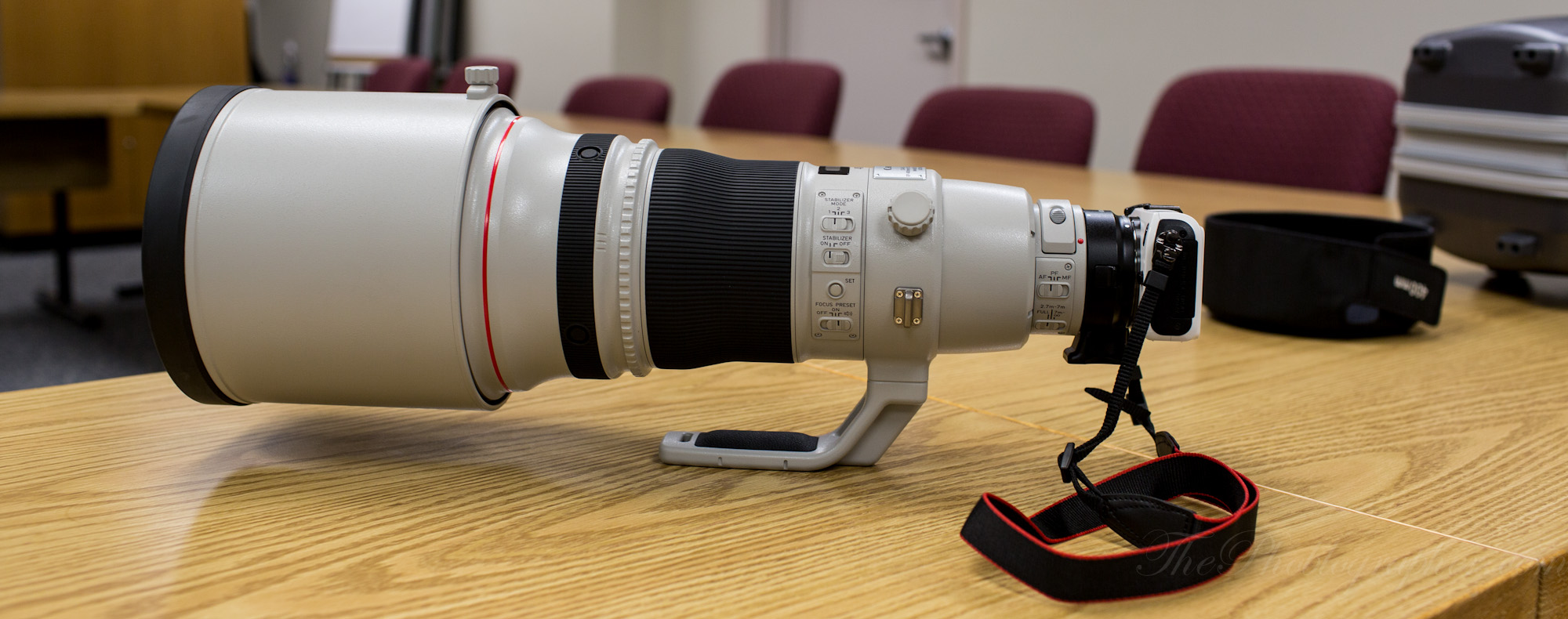
We also put a 400mm L on there just because we could.
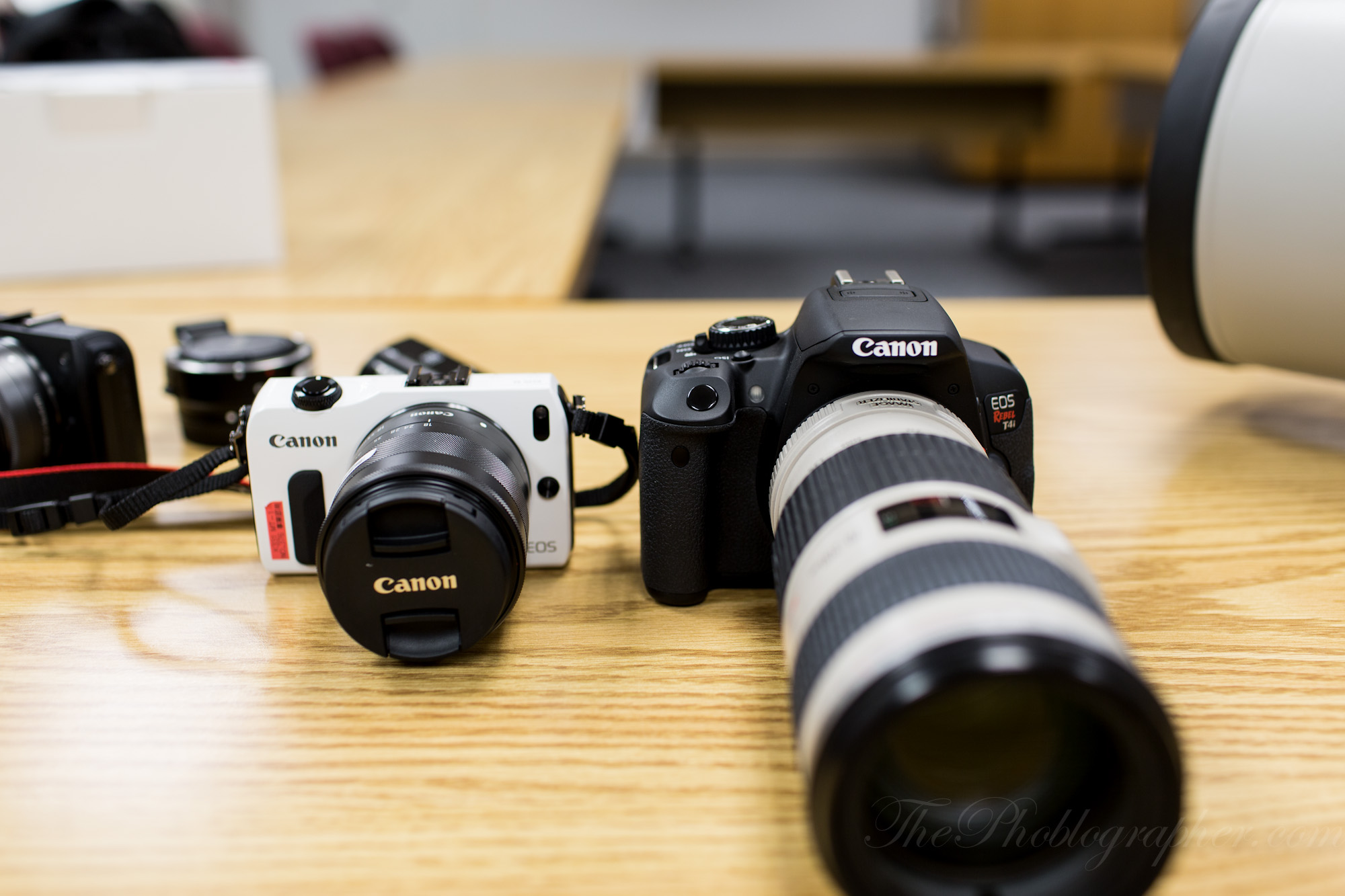
Here is the EOS M in comparison to the T4i.
Autofocus
The focusing was slow, but it wasn’t painfully that bad. If anything, I would say it is:
– A tad faster than the original Micro Four Thirds cameras when using the EOS M lenses.
– Very, very slow when using EOS lenses. The reason for this is because of the communication. It is: EOS M (contrast AF) to adapter to lens contacts to moving those big heavy lens elements. You can only expect that.
Also consider the fact that you should take off continuous AF to save the battery life.
Ease of Use
If you can wrap your head around the touchscreen interface, you’ll navigate through this camera’s settings with ease. I wish that the touchscreen worked a bit more like Olympus’s though with the fact that it can all be turned off and controlled from the LCD.
First Impressions
Overall, I perhaps misjudged the camera and poo-pooed it a bit too much. Once you actually hold it and play with it, you can see how on would actually use it. With that said though, I still do believe that the camera would be best for videographers and those that know nothing about photography and just want a camera that shoots good photos. With that said though, even they will need to spend some time exploring the menus and interface.
In the mirrorless camera market, Canon still has a lot of catching up to do to the other systems. But the EOS M seems to deliver in many areas that Canon has traditionally triumphed.
We will save our final thoughts for the production version of the camera.
Please Support The Phoblographer
We love to bring you guys the latest and greatest news and gear related stuff. However, we can’t keep doing that unless we have your continued support. If you would like to purchase any of the items mentioned, please do so by clicking our links first and then purchasing the items as we then get a small portion of the sale to help run the website.
Get rid of the ads!
Did you enjoy reading this article as much as we enjoyed writing it? There's a way to support us and our reporting, getting ad-free navigation and more as a bonus. Subscribe to us for less than a coffee per month —just $3.99— or take advantage of our yearly subscription with a hefty discount for only $25.- An ad-free experience
- A free mystery box for Lightroom or Capture One
- All the books in our store
- 20% discount on Capture One
- 30% discount on Imalume Photo Theft Protection
- 20% off Herbs and Kettle Tea Company.
- 20% off your order from MPIX printing services.
- 5% off Viltrox Products via their eCommerce store.
- 10% off all film developing, printing and scanning services from Blue Moon Camera and Machine
- 15% off 7Artisans products: The lens and accessory maker is offering a sweet discount for Phoblographer's readers.