

Shooting Portraits With the Panasonic GH2

by Chris Gampat on 07/19/2011

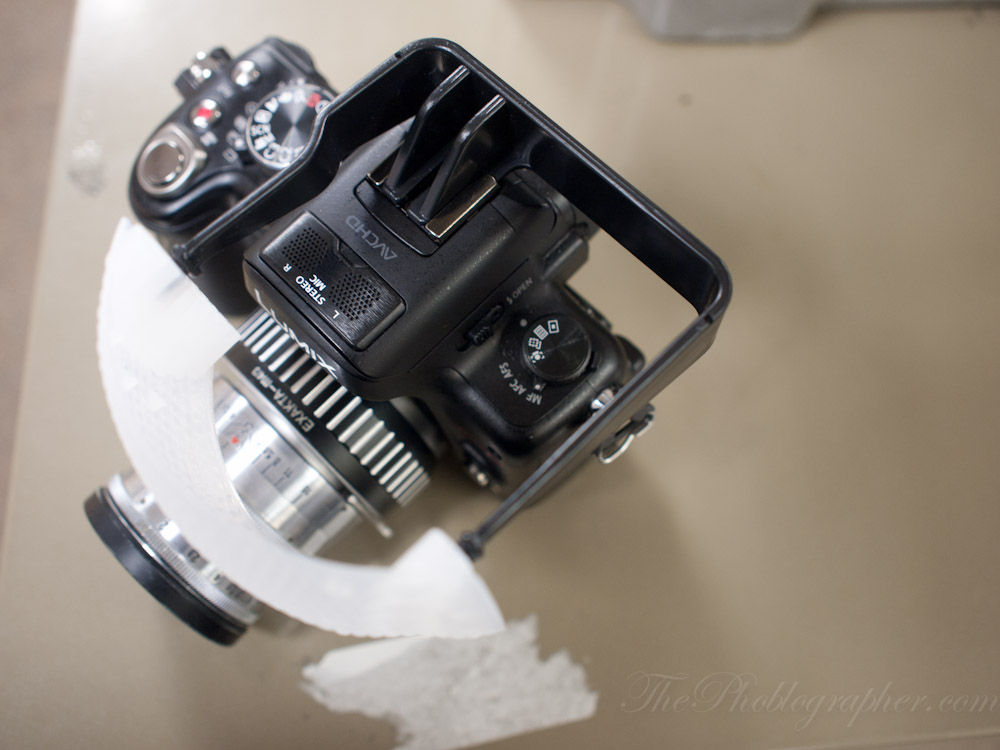
We’ve finally got our hands on the Panasonic GH2 but only for a short amount of time. With a SLR-style body and considered by many to be the best Micro Four Thirds camera currently out there on the market, the GH2 is a feature packed little beast. As soon as I got my hands on it, I decided to shoot a couple of portraits with it and my Zeiss Biotar 58mm f2 lens. Unfortunately, the Gary Fong Puffer didn’t want to play nice with the pop-up flash, so that was a no-go and so, we went right into some natural diffused light.

Egonomics

The Panasonic GH2 is a camera that looks and feels like a DSLR but is much smaller. In the hand, it feels smaller than the entry level Pentax, Nikon and Canon DSLR cameras. In fact, you could think of it more as one of those superzoom cameras with the really long zoom ranges and an SLR style body. There are major differences though. The GH2 houses a Micro Four Thirds sensor (it’s actually a bit bigger), which is smaller than a DSLR and larger than the superzoom camera’s sensor.

When shooting, one could use the flip out LCD screen or put the viewfinder up to their eye. Since the GH2 was created with an emphasis on video, many users may find that they prefer the LCD screen. But for portraits, you’re usually better off using the viewfinder.

The GH2 doesn’t feel anywhere as sturdy as the Olympus EP3 and other models from the Pen Series of cameras. Granted, they are different in that the Pens more resemble an old time rangefinder.

Ease of Use

On the outside, the camera has a variety of buttons and controls that makes it more complicated to use than the entry level DSLR adversaries. With some learning, once could master the settings. The one I had was customized, so it was a bit tougher to use. Additionally, since it was a friend’s, I didn’t want to mess with the settings too much.

Editing the Raw Files
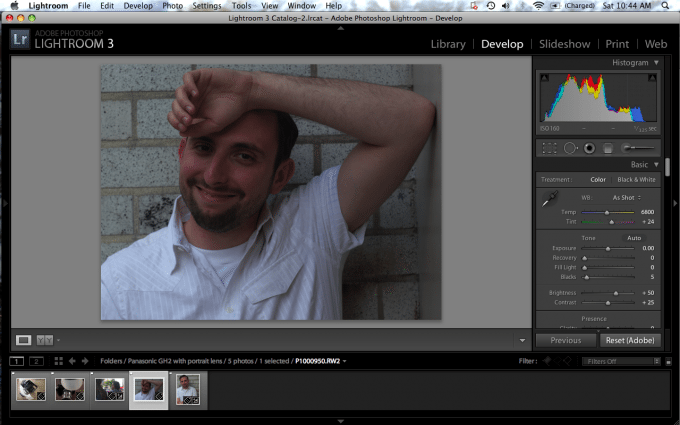
First off, I personally felt that the Panasonic GH2′s meter underexposed the images, but only slightly. That’s not bad at all, but once again the LCD screen fooled me into thinking that the images looked perfect. The image above required some extra work. Not only did I feel it needed an exposure boost, but the color tonalities needed to be tweaked. After fooling around with the settings and using logic and knowledge to edit, I came up with the image below.

Here are my problems with it:

- It’s not sharp; which is a result of human error and using a lens that is hard to focus. For those of you that don’t use the magnification feature found on all Micro Four Thirds cameras, you may have a tough time shooting wide open.

- The colors are muted way too much for my liking (no matter what film mode I used). In fact, that colors aren’t even film-like. It immediately made me miss using other cameras like a Hasselblad or my Canon 5D Mk II. To be fair, those cameras are in a totally different league.

- In order to raise the exposure enough to a desirable level, the bottom left corner of the image needed to be nearly blown out. Trying to recover some of the details was a tougher job than it should have been: which makes me understand much more why my friend uses polarizing filters to recover those details.

Despite the fact that these were RAW files, I felt that even the JPEG files from the Olympus EP3 were easier to edit.

When trying once again, I continued to believe that the skin tones still weren’t satisfactory and that in order for me to try to save this image I would have to embrace the flaws. With that said, I’d recommend cross processing or doing something wacky with the colors.

Just for good measure, I shot a few photos around the streets to see what the color rendering was like. All of the images, sadly, were still very muted.

The muted colors just aren’t for me. So for the moment, I’ll stick with my Olympus and Canon camera systems.

Please Support The Phoblographer

We love to bring you guys the latest and greatest news and gear related stuff. However, we can’t keep doing that unless we have your continued support. If you would like to purchase any of the items mentioned, please do so by clicking our links first and then purchasing the items as we then get a small portion of the sale to help run the website.

Also, please follow us on Facebook, Flickr and Twitter.

  • Johannes Dongstra

    I must agree with about the colors being muted. I use the Olympus E-620 and the GH2 together and the coloring of the E-620 is much more to my liking.

    • Chris Gampat

      Thanks for the comment. The muted colors baffle me too.

    • Anonymous

      Agreed, it’s the difference between night and day.

  • http://twitter.com/giuliosciorio Giulio Sciorio

    I would think it would be extra tough to use a camera that is customized to someone else’s liking. Who knows what they did. If you have not seen eoshd.com the sites owner is a mega-fan of the GH2 despite the name EOS. They are doing some crazy cool stuff with this little camera.

    Thanks for the quick review though.

    • Anonymous

      A full review is coming, so don’t worry.

      -Chris Gampat
      Editor in Chief, ThePhoBlographer.com
      Twitter.com/ChrisGampat

  • http://twitter.com/kbtimages Kevin Thornhill

    I am very much enjoying my GH2 as a back up to my D7000. I have not noticed any issues with sharpness or exposure.

    • Anonymous

      What lenses are you using and what are you shooting?

  • Vadim Gordin

    I had the same color  issues with the GF1 and LX3. Apparently Panasonic is prone to making great cameras with horrible tone curves. The most satisfactory solution I found to this problem was to use DXO Optics Pro. I have it set to apply the Olympus E-3 tone curve to all raw files I import… problem solved.

  • Vadim Gordin

    I had the same color  issues with the GF1 and LX3. Apparently Panasonic is prone to making great cameras with horrible tone curves. The most satisfactory solution I found to this problem was to use DXO Optics Pro. I have it set to apply the Olympus E-3 tone curve to all raw files I import… problem solved.

    • Anonymous

      Hey Vadim,

      I remember you telling me about this.

      Without that though, do you feel that the Panasonic files are easy to edit and work with?

    • Scott Paris

      Vadim (or anybody):  Can you give more detail on how to do this with DXO Optics Pro, or provide a link that does?

      I have a Panasonic G2; love the handling and the lenses, but the color, not so much.  I’ve tried to describe this on several photo forums, and mostly people tell me I’m crazy.  (Maybe I am.)  Sometimes the whole picture looks kind of greenish-bluish, yellows are usually muddy, reds are orangey, skin tones awful.  I use it mostly for black and white now.
      Also have Optics Pro, but haven’t worked with it much.  I find “Presets”, like “old Postcard” and “Landscape” that can be applied to files as they are imported,  and “Modules”, which are body-lens combinations that I think are intended to correct lens aberrations.  I can’t seem to find a way to apply an Olympus tone curve, but that sounds perfect.
      I know this is an old thread, so maybe no one will see it, but I’d appreciate any help that anyone can offer.  I really want to like this camera….. 

  • Vadim Gordin

    I had the same color  issues with the GF1 and LX3. Apparently Panasonic is prone to making great cameras with horrible tone curves. The most satisfactory solution I found to this problem was to use DXO Optics Pro. I have it set to apply the Olympus E-3 tone curve to all raw files I import… problem solved.

  • Pingback: Upgrading Your Micro Four Thirds Camera System at The Phoblographer

  • Pingback: Review: Olympus 45mm f1.8 MSC at The Phoblographer

  • Leosilve

    Kirk Tuck uses the GH2 and is quite happy with it. And he has much more credibility than this rookie site. I understand your concern with the jpegs. But since I shoot RAW, I never have that problem.

    • ChrisGampat

      Thanks for stopping by!

      - Chris Gampat
      Editor in Chief
      The Phoblographer

Previous post:

Next post: