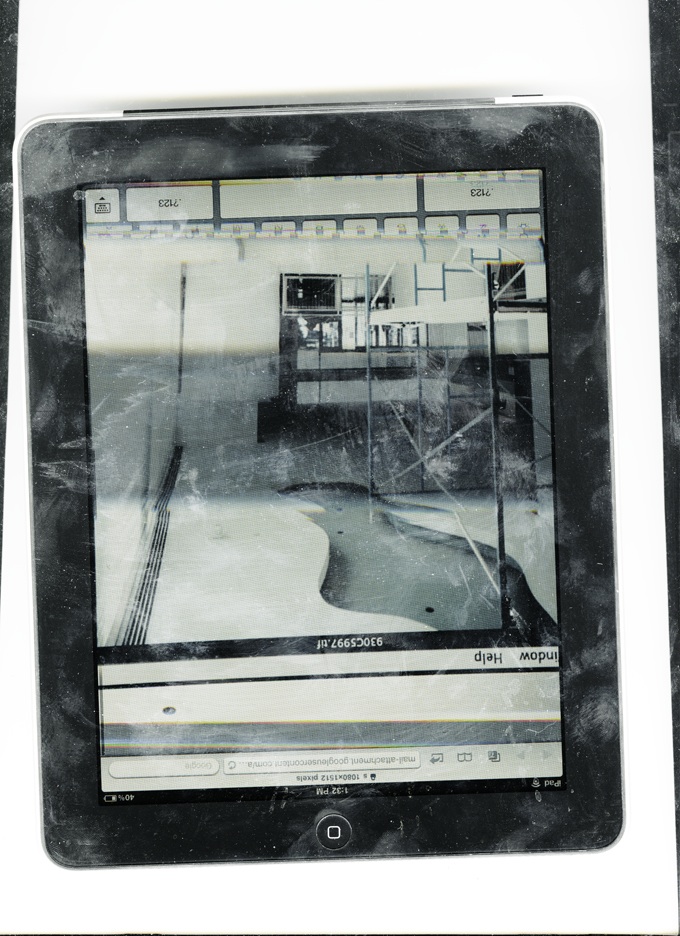
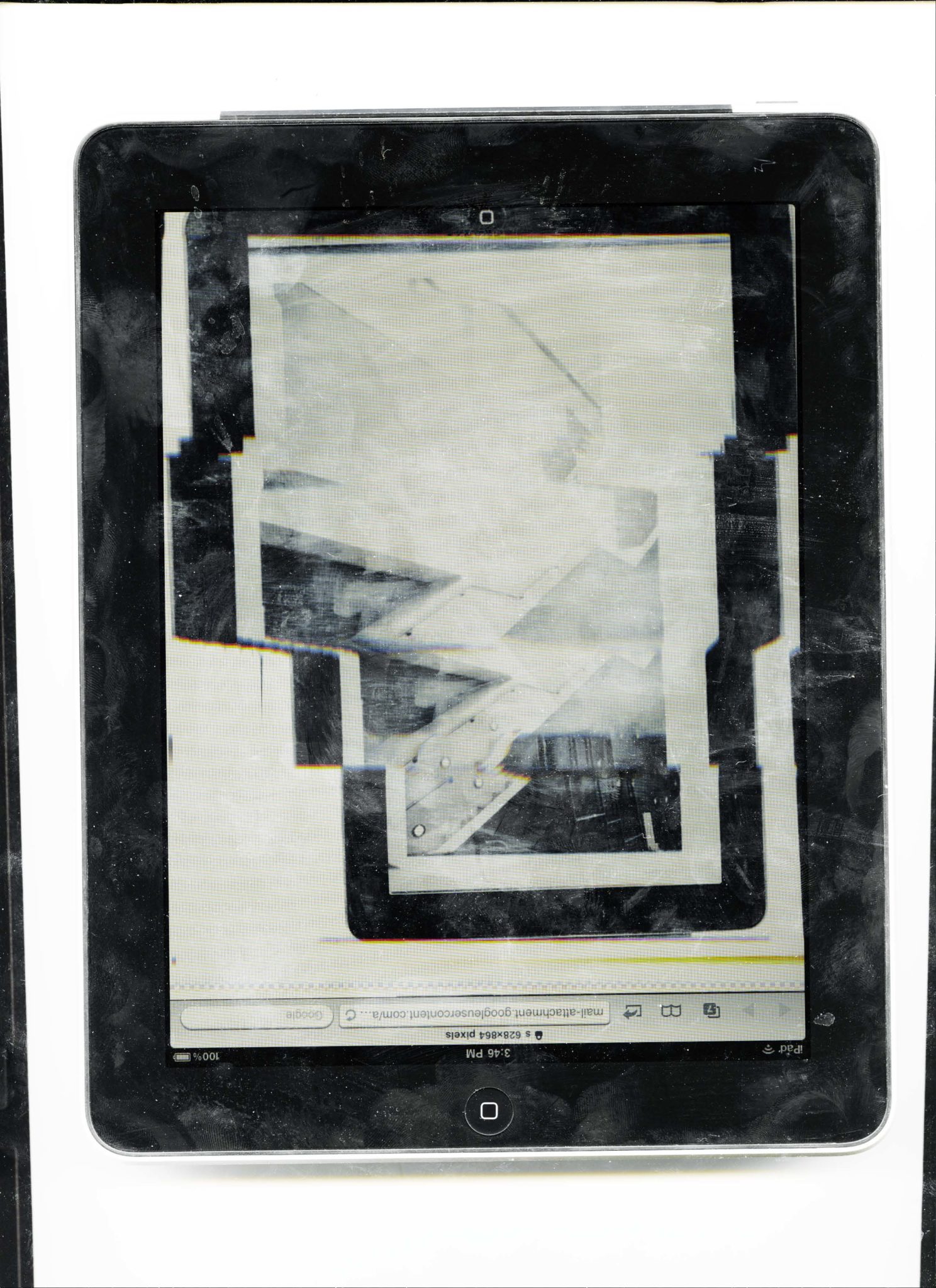
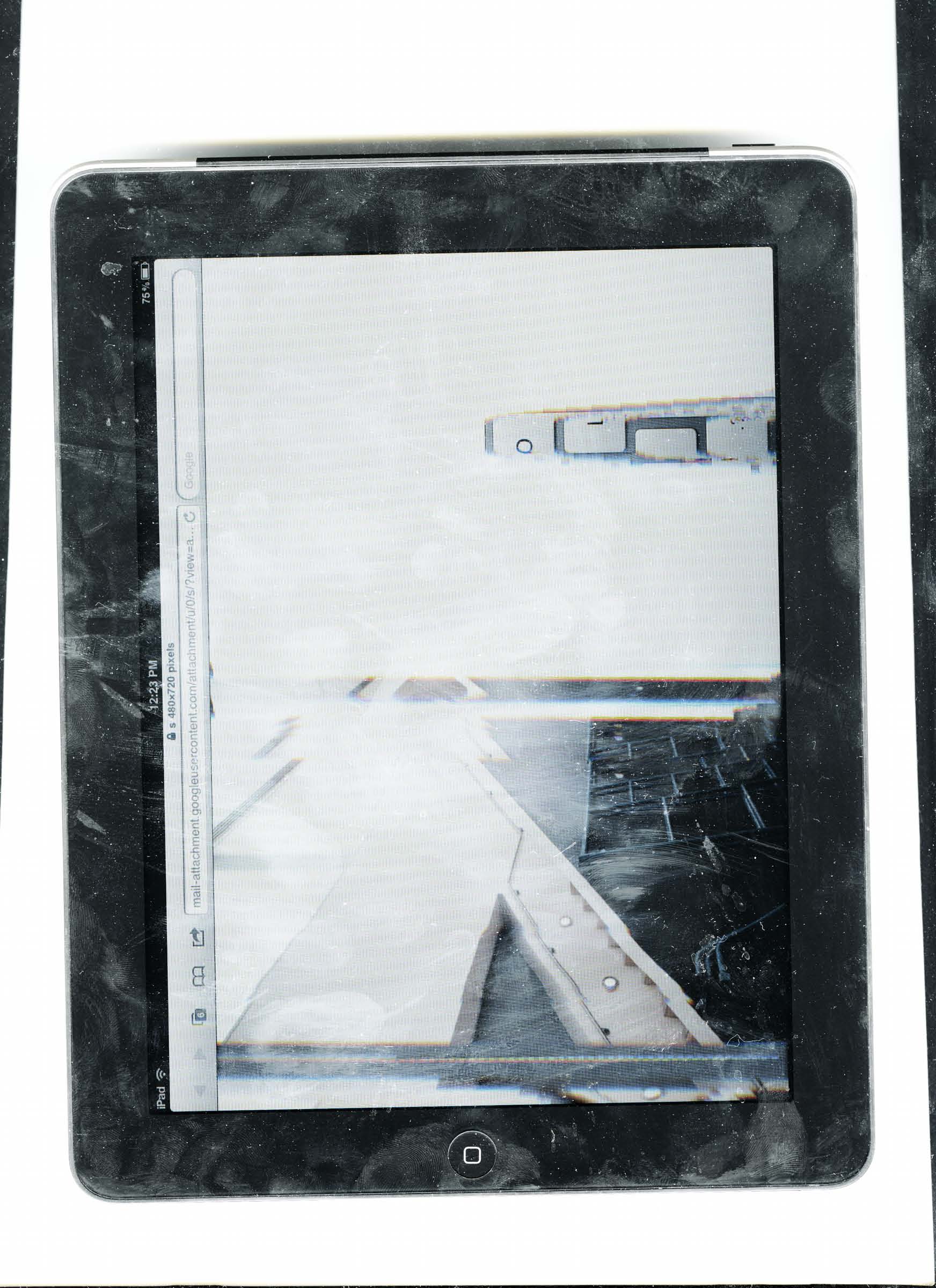
Andrea Longacre-White has created a photo project that won her a place in the ICP Triennial. She is a creative that has has many exhibitions, including the Tiny Vices Show. Her work has been featured in TimeOutNY and the NYTimes amongst others. While many of us shoot film and then scan it to digitize it, Andrea decided o digitize an already digital image. And she did this by scanning not a print out, but a digital screen. Her project involves scanning scenes that are displayed on an iPad–which in turn created visually interesting glitches.
Phoblographer: People choose to scan film all the time to digitize them. But scanning a digital image is something most people would say is impossible. Where did you get the thought to scan an iPad?
Andrea: When the iPad first came out I wanted it so badly, a super techno lust, though it took many months for me to get one. When I finally did, the use value had been built up in my mind which made it actually quite disappointing to realize the machine was really meant for consumption, not production.
I was like, now what do I do with this thing besides consume media?
I was in the process of making work for a show at West Street Gallery, and wanted to incorporate as source material the installation shots from past shows (trying to include, somehow, the history of a space in the work that would be shown in it). So I had the somewhat jokingly dumb idea of scanning the iPad while installation shots from different past shows from the gallery’s website were open in the internet browser window. The first time I scanned it, I had no idea that the two technologies would sort of talk to each other, one confusing the other and rendering the kind of glitches and in between spaces that are visible only through the scanning process. We can never see these in between spaces if we are looking at the iPad or going from page to page, its only through the scanner that this new strange space is revealed.
Please Support The Phoblographer
We love to bring you guys the latest and greatest news and gear related stuff. However, we can’t keep doing that unless we have your continued support. If you would like to purchase any of the items mentioned, please do so by clicking our links first and then purchasing the items as we then get a small portion of the sale to help run the website.
Also, please follow us on Facebook, Flickr and Twitter.
Get rid of the ads!
Did you enjoy reading this article as much as we enjoyed writing it? There's a way to support us and our reporting, getting ad-free navigation and more as a bonus. Subscribe to us for less than a coffee per month —just $3.99— or take advantage of our yearly subscription with a hefty discount for only $25.- An ad-free experience
- A free mystery box for Lightroom or Capture One
- All the books in our store
- 20% discount on Capture One
- 30% discount on Imalume Photo Theft Protection
- 20% off Herbs and Kettle Tea Company.
- 20% off your order from MPIX printing services.
- 5% off Viltrox Products via their eCommerce store.
- 10% off all film developing, printing and scanning services from Blue Moon Camera and Machine
- 15% off 7Artisans products: The lens and accessory maker is offering a sweet discount for Phoblographer's readers.
- 15% off a VSCO One subscription: Get a bunch of great tools with their all-in-one package.