

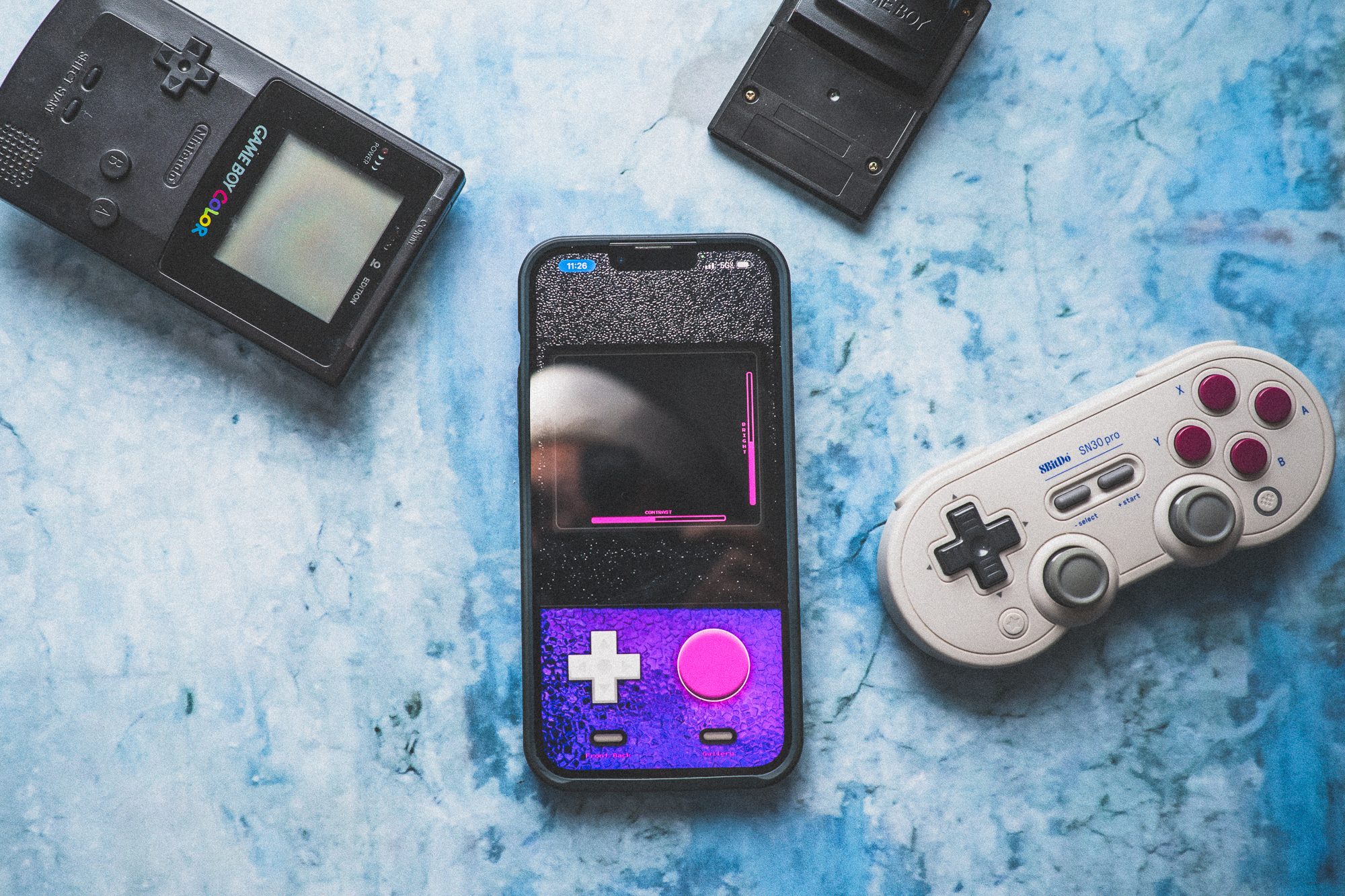
As an “Elder Millennial,” I have fond memories of some of the technology I grew up around. One of the biggest “wants” of my childhood was the Gameboy Camera module/game. Although in my childhood, owning a Game Boy Camera was more of a flex, as an adult I genuinely pine for the pixelated look but haven’t been able to justify hunting a working Gameboy and Gameboy Camera cartridge – that’s where Pixel 90s Retro Filter Cam (Pixel Cam from here on out) comes in. Pixel art filters are a dime-a-dozen, but Pixel Cam does things differently. Here’s how.
How Does the Pixel Cam Experience Compare to the Original (Game Boy Camera)
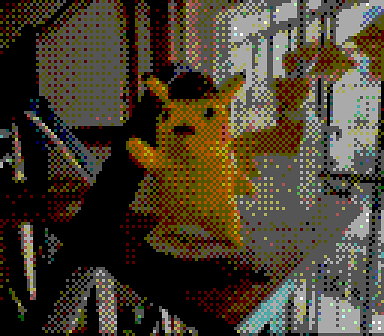
When I initially pitched this review, I wanted to be sure to compare the images from both the app and the original Game Boy Camera. As luck would have it, Editor in Chief, Chris Gampat, not only was onboard, but had a Game Boy and Gameboy Camera on had to lend me. In terms of image quality, you get the general gist, while not 100 percent accurate to the original’s tiny resolution (roughly a 2.7x bump over the Game Boy Camera) the resulting images definitely fit the vibe of the original. Making those images, however, is far more a product of the modern world than anything that the Game Boy could deliver. That’s not always a good thing either. While walking around it was far easier to discretely walk around snapping images with my phone – it’s a very common sight these days – than it was to bring the Game Boy and start making photographs, but what I lost was the intentional and haptic experience of bringing the Gameboy up to frame my image and use the D-pad and four-button layout to make the photograph. By comparison, using the Pixel Cam app is no different from using the iPhone’s native camera. It’s simple, stress-free, and even though it has a fun, splashy UI, a little bit mundane.
Pixel 90s Retro Filter Cam – More Than Just a Filter
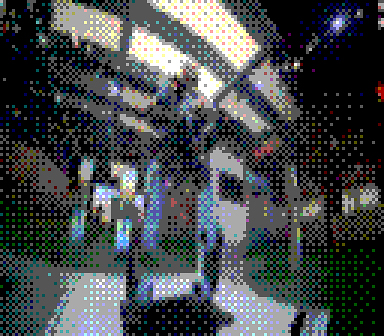
The Pixel Cam App was created by John Friday to bring back the 90s era lo-fi digital photography of the time. Long before there was a camera in everyone’s pocket, or before those pocket cameras sported 100-megapixel sensors, the cheapest, most portable photography solution was the Gameboy Camera. That camera produced grayscale images of a whopping 128×112 pixels – a pretty big deal for a “toy” in 1998. So, imagine my surprise when doing this review, I found out that the Pixel Camp doesn’t just slap a dithering filter over your images, but actually down samples your iPhone photos to a very close 384×336 pixel file. Another addition to the Gameboy Camera aesthetic is that the Pixel Cam app uses your phone’s full color sensor – meaning you’ll be able to compose in full color and not just the grayscale images of the original. I found that to be a nice touch as it made night-time snaps something far more recognizable than just a handful of white specs on the resulting frame.
Additionally, I found myself putting some of my saved camera images through the Pixel Cam as well. The ability to import previously captured images or even images taken with an entirely different camera is a nice touch that adds even more flexibility to the Pixel Cam app. A handful of these were taken recently while attending the New York International Auto Show on my Nikon Z7 II but given the subject matter and lens that was used, I thought adding the pixelated, Game Boy look would look cool for these.
Below are some images taken or processed with the Pixel Cam app:


For the sake of comparison, here are a handful of images taken with the Game Boy Camera:


Overall, I found that final images are better in some ways but largely match the look of the original in a far more accessible way.
Who is the Pixel 90s Retro Filter Cam for?
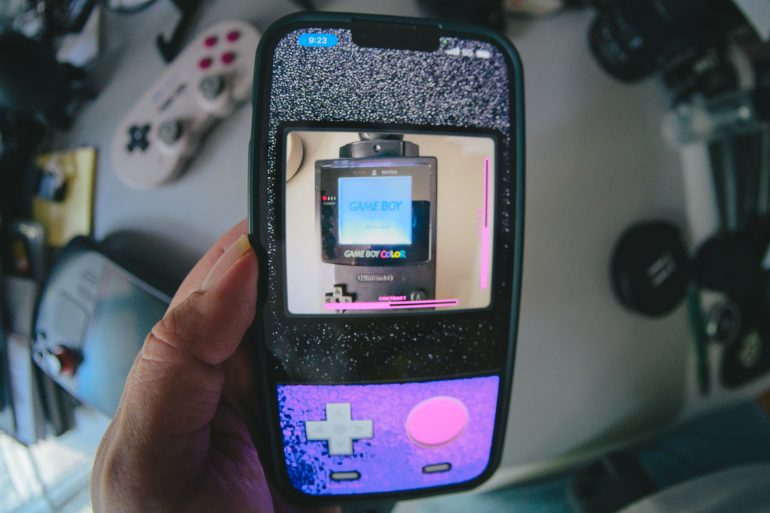
As I mentioned previously, this app is thankfully, more than just a filter. By going the extra mile, John Friday developed a true pixel art camera app that will help you flex some creative muscle to get the right composition and resulting image. The addition of a full color palette to build your compositions also will feel like an upgrade to many younger users of the app. For those that are interested in dipping their toes into true pixel art photography and might not see the value in seeking out and purchasing a working Gameboy and Gameboy Camera cartridge, the Pixel Cam app might be able to scratch the itch. Since it’s free for iOS, there’s really no reason not to give it a try. Now, where to find a Bluetooth Thermal Printer?
Get rid of the ads!
Did you enjoy reading this article as much as we enjoyed writing it? There's a way to support us and our reporting, getting ad-free navigation and more as a bonus. Subscribe to us for less than a coffee per month —just $3.99— or take advantage of our yearly subscription with a hefty discount for only $25.- An ad-free experience
- A free mystery box for Lightroom or Capture One
- All the books in our store
- 20% discount on Capture One
- 30% discount on Imalume Photo Theft Protection
- 20% off Herbs and Kettle Tea Company.
- 20% off your order from MPIX printing services.
- 5% off Viltrox Products via their eCommerce store.
- 10% off all film developing, printing and scanning services from Blue Moon Camera and Machine
- 15% off 7Artisans products: The lens and accessory maker is offering a sweet discount for Phoblographer's readers.
- 15% off a VSCO One subscription: Get a bunch of great tools with their all-in-one package.