


Among the most visually colorful memory cards I’ve ever seen or used are the OWC CF Express Ultra series. But aside from looks, how do they hold up in professional use-case scenarios? I tested them out at some high-profile sporting events in town to see if they were quick enough to keep up with fast-paced requirements in the field.
Atlas CF Express B Memory Cards
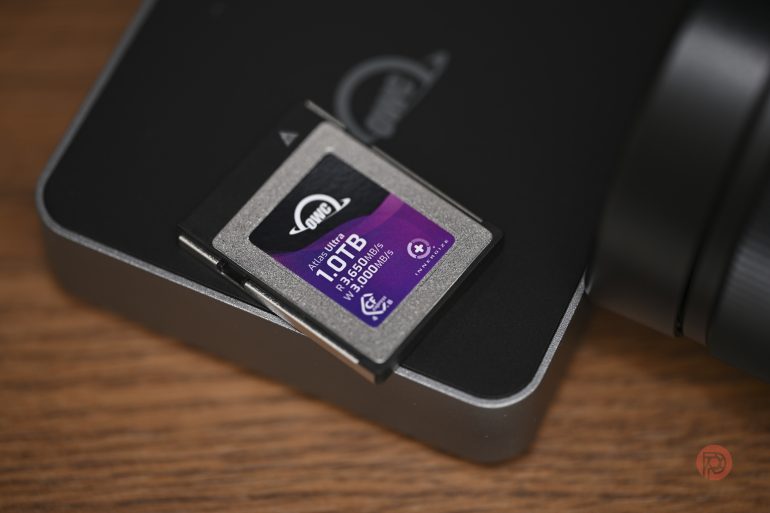
Editor in Chief Chris and I were both quite impressed to see that Other World Computing had launched a series of memory cards targeted at photographers and videographers. Having already tested various SD card brands, we decided the OWC CF Express cards deserved a test and reached out to the company to see if they could send us some for a review.
For those of you who aren’t familiar with OWC, they are a US-based company that sells a range of computing accessories (hard disks, RAM, replacement parts, etc) for Apple Mac and phone users. Their products are particularly invaluable for people using older Apple products, when they begin to start showing their age. Many’s the time OWC has saved me from having to chuck out a MacBook or an iMac thanks to an affordable RAM or SSD solution I’ve found in their stock, which has helped me extend the life of an Apple product I’d otherwise have to discard. We received the 512 GB Atlas Pro and the 1 TB Atlas Ultra CF Express B cards from OWC, both rated as CF Express 4.0
I Inadvertently Took A Gamble On Them

Okay, it was still Day 1 of the Dubai Duty Free Tennis Tournament, but I did something that, in hindsight, was risky and careless of me. After formatting the Atlas Pro card in my Nikon Z8 and running a few basic burst tests, I left straight for the tennis stadium. It was a packed day and I was rushing, which is why it was only after I’d arrived there that I realised two things. One, I hadn’t packed my usual CF Express memory card, and two, I didn’t even have a backup SD card on me. The entire shoot now rested on the unknown reliability of the OWC CF Express Atlas Pro card, which was still new. Given that my other camera at hand was the Nikon Zf, which doesn’t use CF Express cards, it meant I was potentially limited to shooting slower bursts to cover the event on the Zf, in the unfortunate event that the Atlas cards didn’t work out as expected (or worse, got corrupted).

There was some trepidation when I stepped onto the court sidelines, but that quickly passed after I did some burst shots of the players warming up. I could immediately fire the shutter after each burst, indicating that the cards were being written to exceptionally quickly. There was no lag to the shots, even though I was shooting 48 megapixel JPEG files at 30 frames per second. Since it was still the warmup, I quickly swapped the file settings to RAW and let out another few bursts. No noticeable difference, which was a supreme relief. Serves, forehands, volley,s and smashes – paired with the fast autofocus of the Nikon Z8, the Atlas Pro lapped them all up without a hint of fatigue. I can’t remember one instance where I felt like the buffer was struggling to keep up with my shutter-happy fingers (such was the quality of the action on court)
Pro Cards Need Pro Card Readers
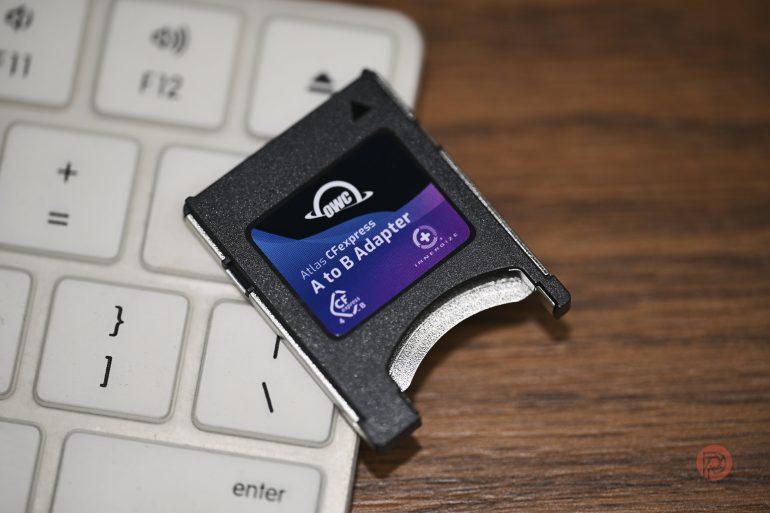
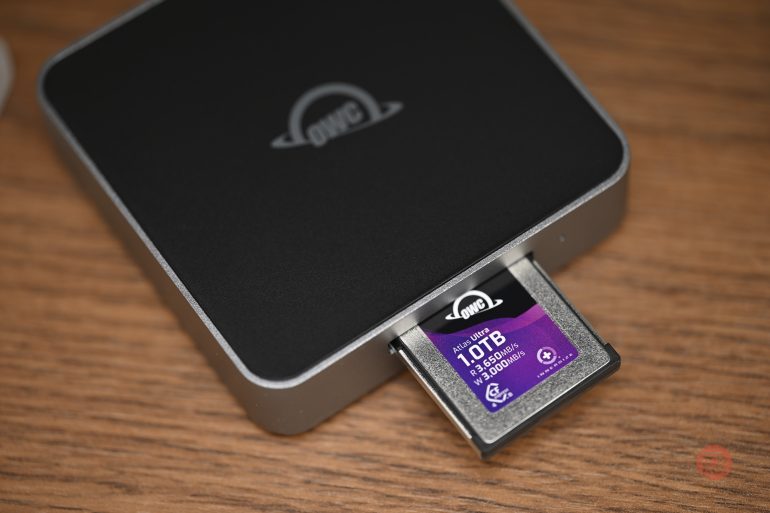
I already have a CF Express B card reader, but the nice folks at OWC were kind enough to ship over their Type B 4.0 reader. What I immensely enjoyed about this reader is that it includes a built-in CF Express A-to-B adapter. I haven’t yet come across another reader that provides this as an added bonus. Now, if you’re someone who uses Sony cameras (maybe for videography) and Nikon pro bodies too, you need to carry just this one reader. Sure, readers don’t take up much space in your bag, but an additional reader means an additional port on your laptop or desktop is occupied. Kudos to OWC for this innovation. Just like the cards themselves, the readers were also really fast at transferring thousands of images to my MacBook Pro. When you’re rushing to file images after every few games, speed counts, not just in seconds back in the press room, but also in milliseconds while you continue to click.
Atlas Ultra – The Big Brother
Aside from the exterior color differences, there is one major difference between the OWC Atlas Pro and the Atlas Ultra. The latter has a sunstained write speed of almost twice that of the Pro. Rated at 1500MB/s vs 800MB/s, the Atlas Ultra. I could easily capture NEF raw file bursts at up to 20 fps continuously for 10 to 12 seconds (more if needed) as racehorses approached the finish line at the Dubai Racing Carnival. Now, it’s not every day that sports photographers shoot raw, but it’s reassuring to know that cards like the Atlas Ultra can easily meet such demands when pushed to the limit.

Overall, the experience with both cards was quite nice. They performed just as expected, if not better. I can definitely count on them for future assignments. They even have CF Express A and SD cards in their lineup, if your camera uses these memory types.
Images shot using this card can be seen below


Get rid of the ads!
Did you enjoy reading this article as much as we enjoyed writing it? There's a way to support us and our reporting, getting ad-free navigation and more as a bonus. Subscribe to us for less than a coffee per month —just $3.99— or take advantage of our yearly subscription with a hefty discount for only $25.- An ad-free experience
- A free mystery box for Lightroom or Capture One
- All the books in our store
- 20% discount on Capture One
- 30% discount on Imalume Photo Theft Protection
- 20% off Herbs and Kettle Tea Company.
- 20% off your order from MPIX printing services.
- 5% off Viltrox Products via their eCommerce store.
- 10% off all film developing, printing and scanning services from Blue Moon Camera and Machine
- 15% off 7Artisans products: The lens and accessory maker is offering a sweet discount for Phoblographer's readers.