

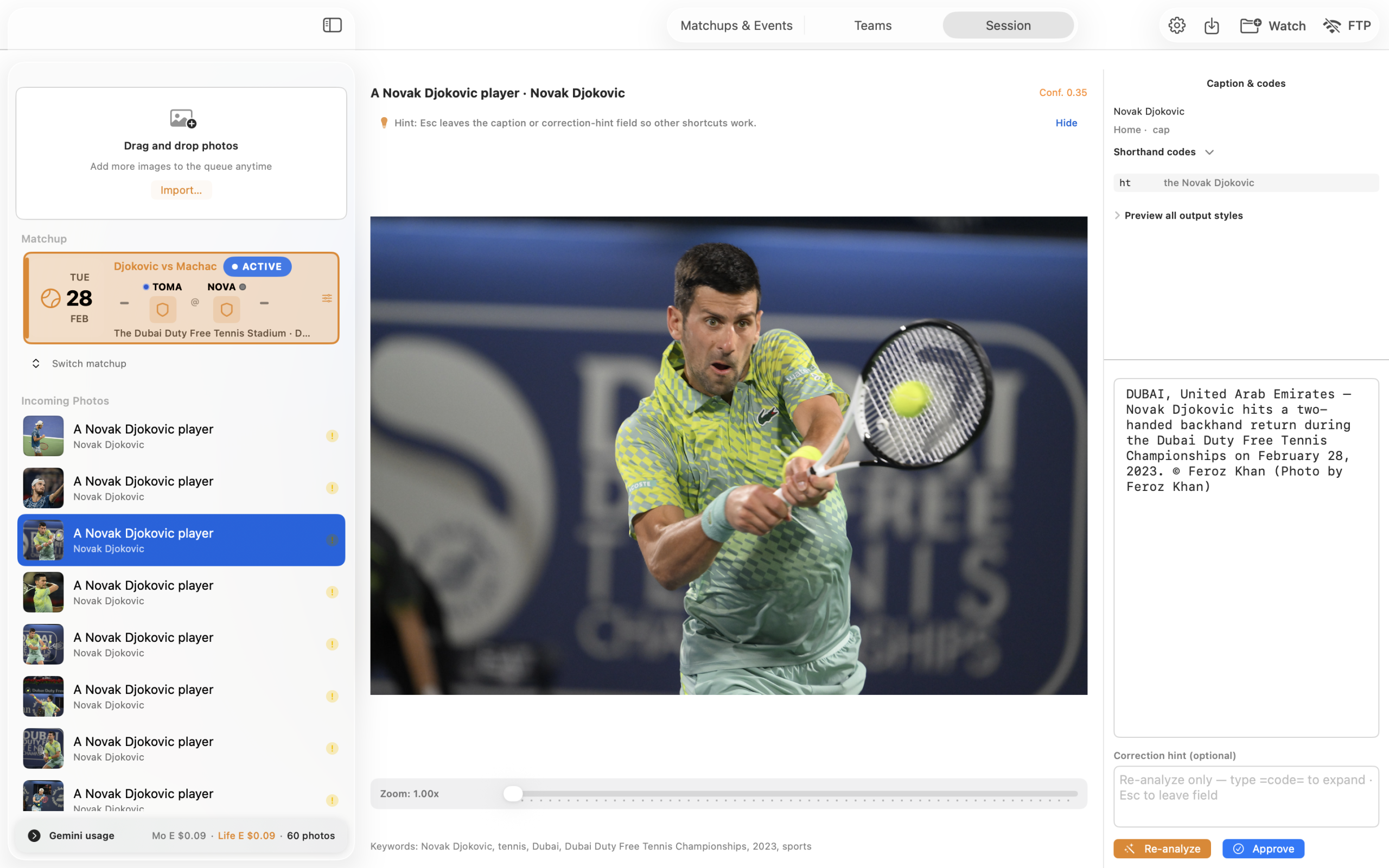
Good photojournalists get out there in the field, grab great photos, and send them ASAP to news editors. But what about when you’re also responsible for adding captions and keywords to the images? Plus having to accurately headline many images before uploading them to stock sites. That’s where Caption Caddie aims to alleviate your headaches, using AI-enabled tools to swiftly caption your photos.
A Genuinely Good Use Of AI
Caption Caddie isn’t really taking away anyone’s livelihood with what it does. It’s a good tool for working photojournalists to quickly caption their images in order to send them across to their news editors.
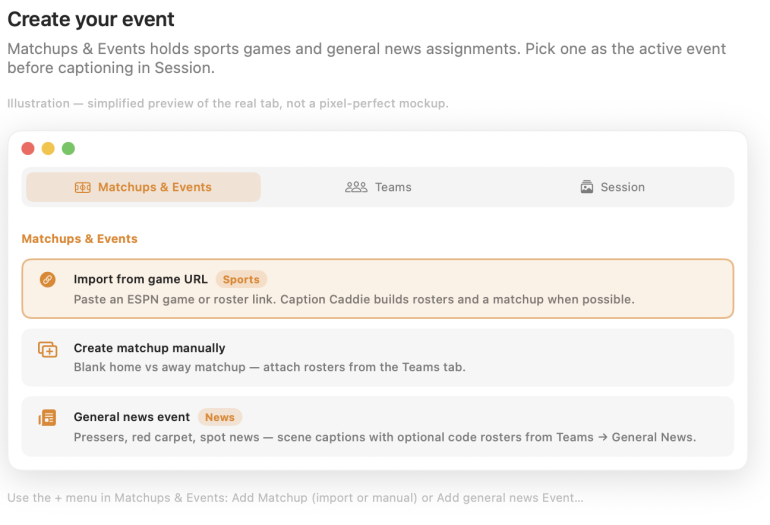
As soon as you launch it, you’ll be quite impressed with how well thought out the software is. Built with sports photographers like me in mind, it can also be used for news events. It’s important to set up the “session” first, so that the AI isn’t searching too far and wide for captions. First you’ll need to register for a Google Gemini AI API key. For Caption Caddie to work on your photos, it’s necessary to setup the details of what the AI has to be limited to. There are essentially 4 ways to do this.
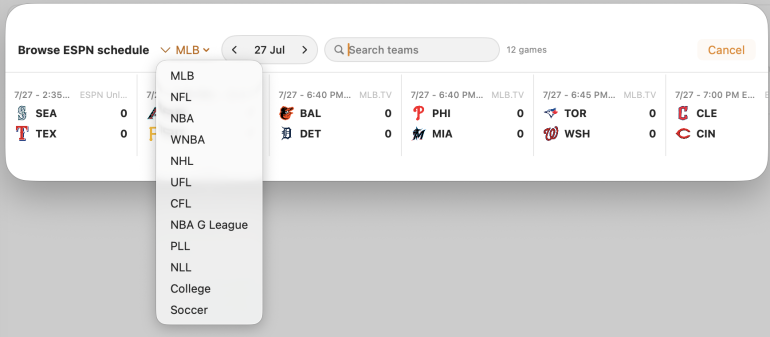
The first would be to browse ESPN’s schedule (embedded within the app) and choose the sport from the dropdown list. Once you choose the date of the match, it shows up the different matches listed.
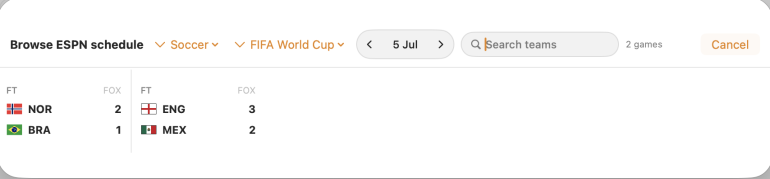
Option two is to use a URL from a sports site like ESPN which helps Caption Caddie identify squads and coaches pertaining to the match. Once this is done, you’ll see something like what I did when I chose the Seattle Mariners vs Texas Rangers MLB game for the 27th of Jul
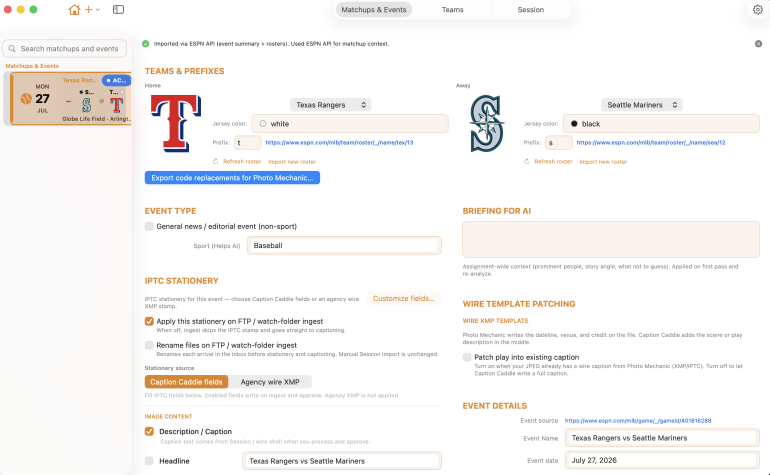
The multiple configurable fields in here are impressive and what professional photographers shooting such an event would need for sure
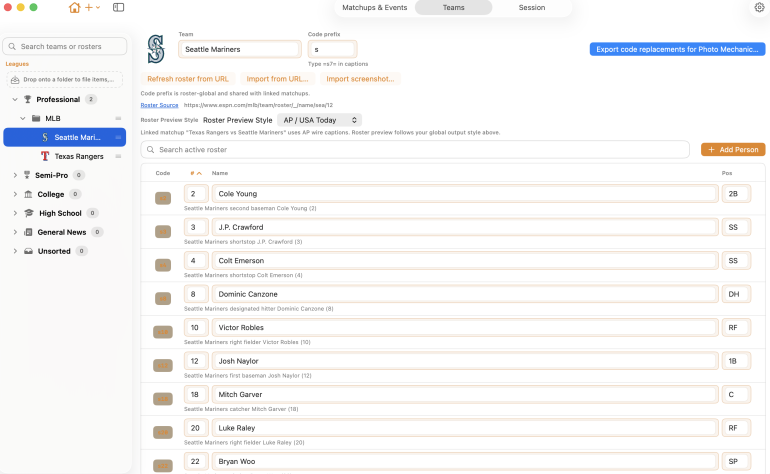
Preparation really helps Caption Caddie’s AI narrow down what it needs to look at for captioning, and helps generate results really fast.
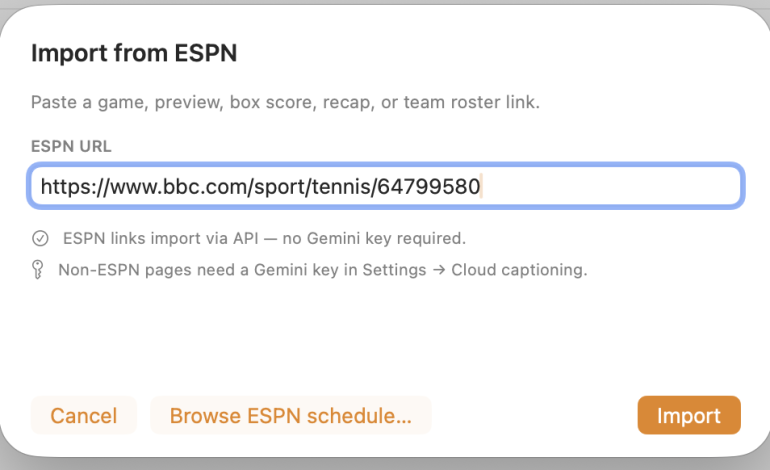
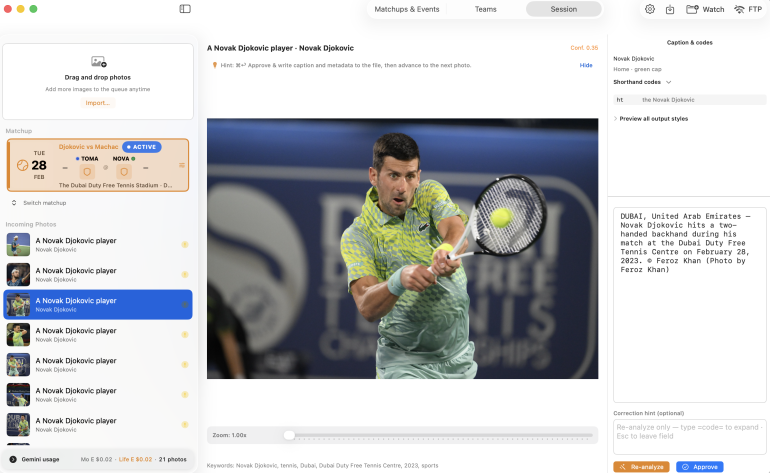
I don’t live in the USA and because it’s summer here now, there are no international sporting events ongoing. But I do have a sizable body of sports work under my belt from the last decade and a half. I picked up photos from a past Dubai Tennis Open game and located the related BBC Sport URL.
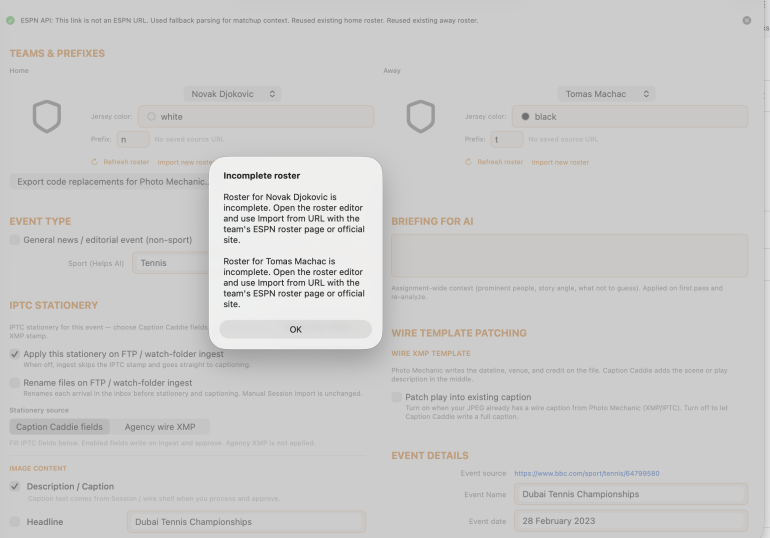
Caption Caddie appears to always be looking for rosters and teams, but in this case I had chosen a singles tennis match. The message that popped up was the same even when I used the Reuters link for the same match. I still loaded 10 photos in there
Wow This Is Fast
In about a jaw-dropping 2 seconds, all 10 images were captioned, for just USD 0.01 (yes, 1 cent). Caption Caddie hadn’t just rightly identified the players in the caption for each photo, it also accurately noted what the players were doing.
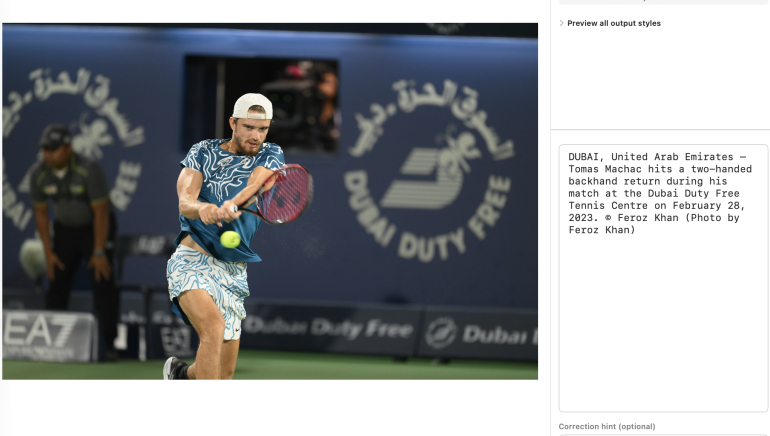
I didn’t expect this level of accuracy and speed for the captioning. While the captioning was a near perfect job, for some reason it had incorrectly identified both players as being on “team Novak Djokovic”. Since that information wasn’t making its way to the news captions I could ignore it.

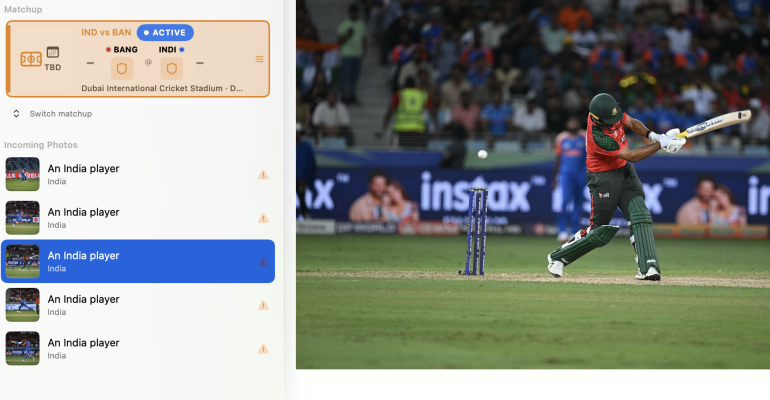
For the next round I took the URL for the India vs Bangladesh Asia Cup T20 game from last year. A whole minute passed. Then it threw an error saying that this ESPN API wasn’t supported yet. I loaded 12 images anyway.
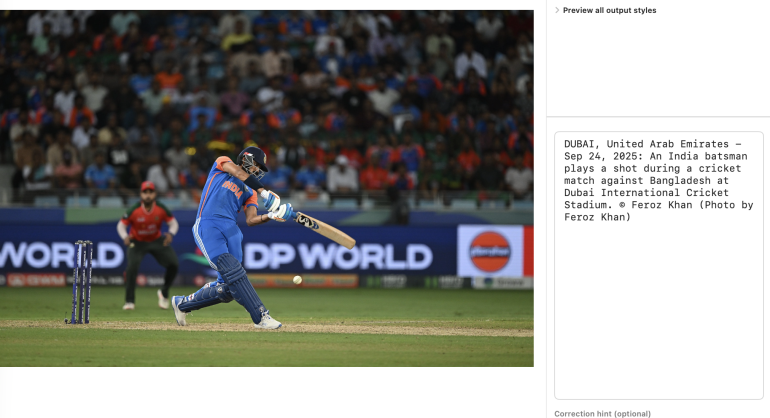
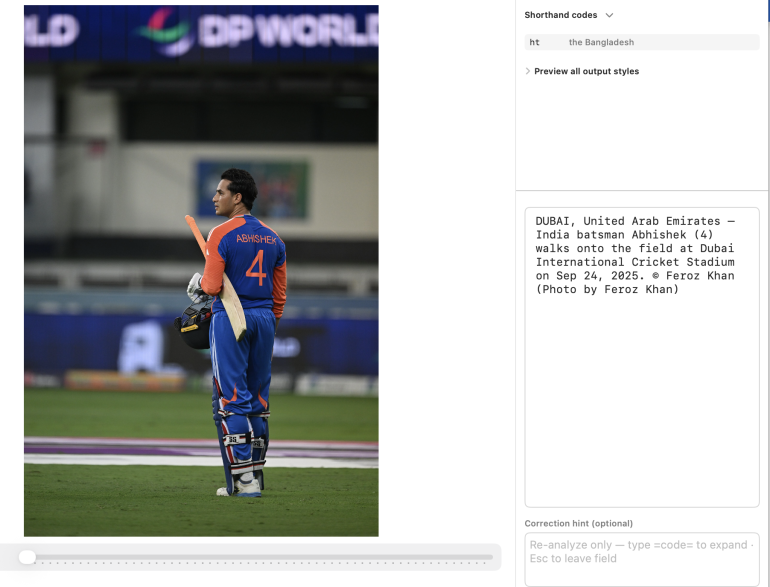
Where the jersey number or name wasn’t visible, Caption Caddie just used generic terms like “India batsman”, but where even a hint of the name or number could be seen, it did well.
Conclusion
There are a few quirks that need ironing out. Like the lumping of players on different sides into the same teams, despite me manually updating the jersey colors. I also would like it to include game scores, as this is something I always include in captions. The AI wasn’t picking this from the URL text.
In terms of speed and pricing (I spent 8 cents for 50 photos), it’s hard to beat what Caption Caddie does now. It’s definitely worth a try if you shoot a lot of images with tight deadlines and invaluable if you’re a professional sports photographer based in the USA. I hope they expand to non-sporting events and websites beyond ESPN to generate more detailed captions
Images seen here are screenshots from the Caption Caddie app. We received a free version of the software for use, but paid for our Gemini credits.
Get rid of the ads!
Did you enjoy reading this article as much as we enjoyed writing it? There's a way to support us and our reporting, getting ad-free navigation and more as a bonus. Subscribe to us for less than a coffee per month —just $3.99— or take advantage of our yearly subscription with a hefty discount for only $25.- An ad-free experience
- A free mystery box for Lightroom or Capture One
- All the books in our store
- 20% discount on Capture One
- 30% discount on Imalume Photo Theft Protection
- 20% off Herbs and Kettle Tea Company.
- 20% off your order from MPIX printing services.
- 5% off Viltrox Products via their eCommerce store.
- 10% off all film developing, printing and scanning services from Blue Moon Camera and Machine
- 15% off 7Artisans products: The lens and accessory maker is offering a sweet discount for Phoblographer's readers.
- 15% off a VSCO One subscription: Get a bunch of great tools with their all-in-one package.