

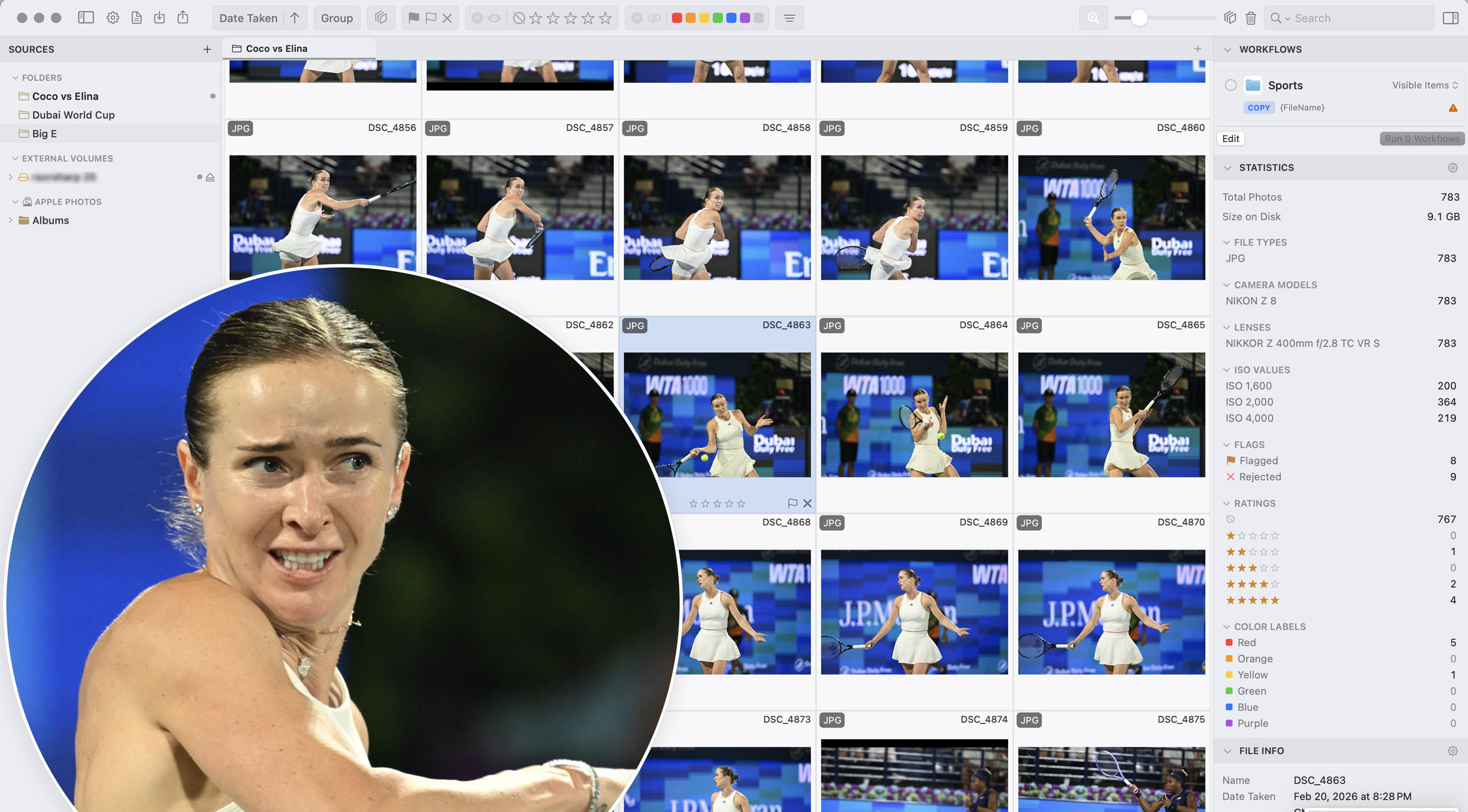
It doesn’t matter how fast your Mac system might be today, Adobe Lightroom Classic still finds endless ways to slow down its performance. And the most mind-numbingly irritating part of that slowdown always seems to occur when you want to whittle down the files in a massive album, the submission deadline for which is right around the corner. Giving you a solution and saving you hours of your precious time in a month, is the new PhotoCuller software.
Culling Photos Is a Headache
If you’re a good professional photographer, you won’t hate post-processing your images. That’s because you’d fall into one of two categories. Either you’re great at getting what you want in-camera (or very close to it) so you’ll need minimal editing later on, or you know exactly what way you want to edit later and accordingly, shoot onsite. When you fall into one of these categories, editing isn’t a chore, it’s part of your vision and your signature style. But even if you’re talented enough to be good at this, chances are that you spend a lot of time sifting through your images from a shoot, to find the best ones to work on. And it’s this selection process that can end up souring your mood while you edit. Going through hundreds, if not thousands, of images from a shoot, to find the best 50 or so ones that the client has agreed to pay for, or to find a handful to quickly send over to your assigning editor for a news article, can be nerve-wracking. It’s an even slower task if you’re someone who won’t trust AI-powered software to cull for you, whether those concerns are ethically inclined or otherwise.
I’ve been there before. You sit down after importing your photos into Lightroom. You wait for previews to build. Trying to scroll between burst shots, and there’s that tiny delay at first, which adds up to a massive delay, every single time. It doesn’t feel like much at first, until you realize you’ve just spent forty minutes picking fifty photos.
PhotoCuller Feels Your Pain
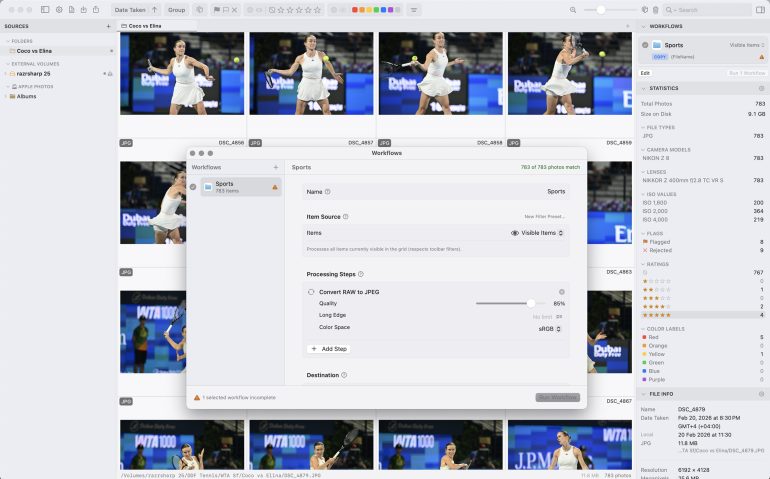
Right from the moment you load your images into PhotoCuller, you start to notice something. The lag that you’ve been accustomed to in Adobe Lightroom Classic (for the most part of the last decade) seems to be nowhere. Moving between images is instant. Think of the time you drove a 1.4-liter sedan for years, and then decided to upgrade to a 3 or 4-liter beast. Yea, you know what the startup of that car sounds like and how you can whizz away at traffic lights. PhotoCuller feels like that. No loading wheel when you’re scrolling through thumbnails. It felt almost unreal seeing the exact same system I use Lightroom on, not stuttering when it came to rendering previews, even for RAW files from the Nikon Z8. When using Lightroom, your brain tends to acclimatize itself to expecting pauses and delays. Running PhotoCuller, it had to rewire itself to the unexpected speed.
When you start a new batch of images, a clean grid with grouped logically greets your surprised smile. And the smart part is that it automatically organizes similar burst shots together. If you’ve shot a tennis player serving eight times in two seconds, PhotoCuller stacks those frames. You’re not hunting through a timeline trying to remember which one had the racquet in the right position.
Subtle Features Lead To Big Time Savings
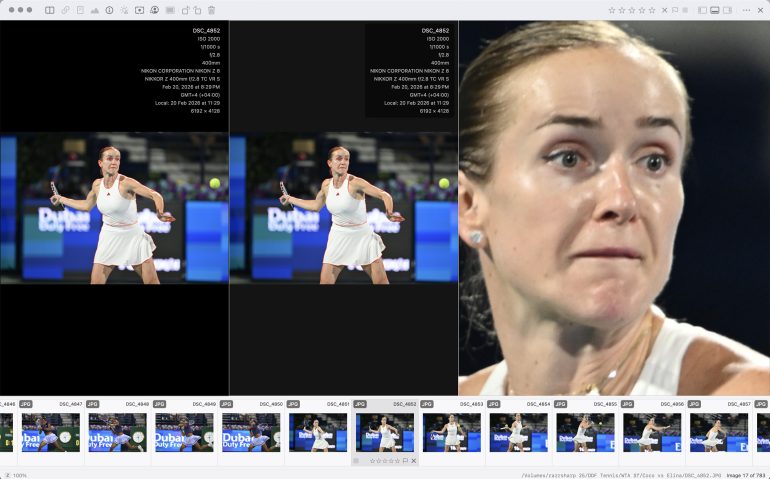
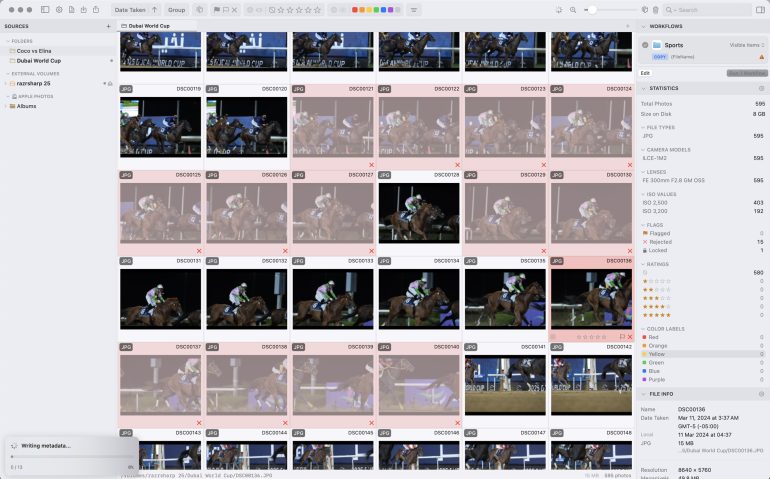
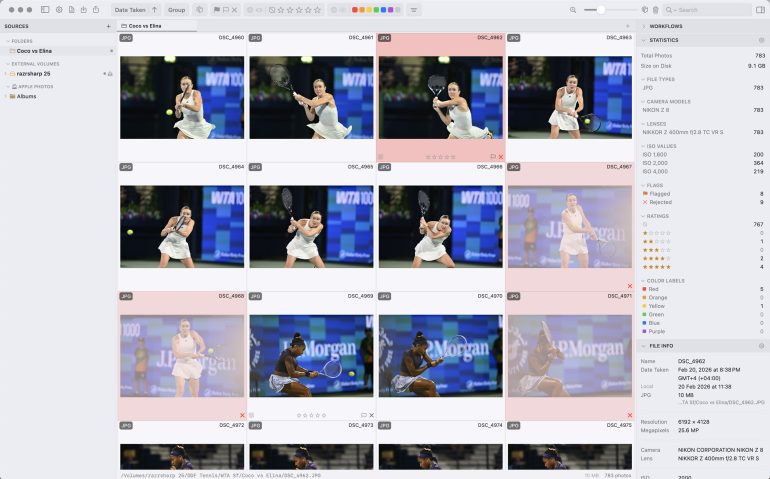
Culling should be about speed, and the ability to make a ‘yes’, ‘no’ or ‘maybe’ decision without hesitation. It’s only human to ponder over an image and choose which category it would fall it, but you don’t want to be slowed down because the software takes eons to load your previews for you. The rating system in PhotoCuller is rather straightforward. Star ratings for keepers; a single click to banish the rejects. Here’s something I really like – rejected images dim visibly in real time, so you can see your selections at a glance. That might seem like a small detail, but when you’re processing 1500 or more images from a sports event or a wedding, visual clarity matters. The other major time saver comes to the surface when you want to compare similar images. If you shoot at anything more than 15fps, this is bound to happen with you. Let’s say you have a dozen shots of a player in a very similar pose from a tense moment. In Lightroom it’s a lot of back and forth to find the best image from this lot; in PhotoCuller you just evaluate them together in the same view and pick your favorite a lot quicker. Speed matters on the ground and PhotoCuller helps bring that same principle to your editing workflow now.
It’s distraction free, and you find yourself getting done with this task quickly enough to start working on the edits of the keepers. In Lightroom you can be overwhelmed with all the panels and tools, as you try and pick keepers from a large stack of images. PhotoCuller is free of all such visual diversions.
This Feature Is A Standout

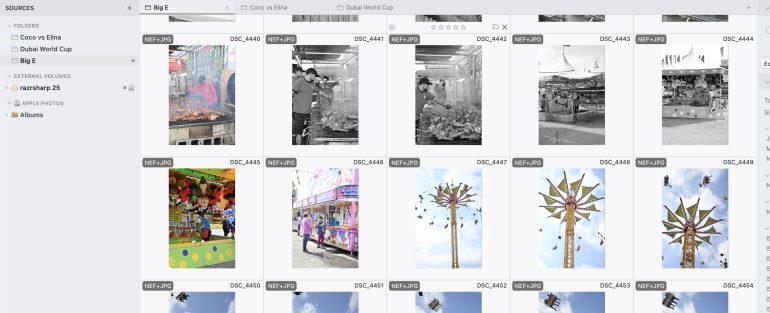
One of my favorite features of this is the support for network drives, something that I haven’t seen yet in Lightroom. Here’s where PhotoCuller separates itself from competitors that want to own your entire workflow. If you store images on a shared network drive, PhotoCuller works without complaining. Apple Photos integration is also part of the latest version, and so is XMP sidecar support. Your ratings and edits stay compatible across Lightroom, Capture One, or any other app that reads standard metadata.
The time you can save over weeks and months is bound to help you do more productive things. A good photographer needs to focus on what matters most to them, producing the best results out of their best images. And finding the best images from a bunch of great ones shouldn’t be a slow and mundane task that ends up affecting your mood while you edit. PhotoCuller helps you do just that, while keeping the rejections and selections all within your control entirely. I know there are many of you out there who will fight the urge to give that task to an AI-enabled tool and that’s fair. AI still can’t select and cull the way you would, and I can say this with conviction, having used such culling software for over 2 years now.
Worth A Try If You Shoot Many Images
If your current culling process feels slow or frustrating, PhotoCuller solves that specific problem better than Lightroom does. It’s not overly flashy and that’s great if it keeps saving you time. It just gets you to your selected images faster and sometimes, that’s exactly what you need. Every minute saved during culling is best spent elsewhere. Here’s hoping they bring out a Windows OS version too in the near future.
We tested PhotoCuller version 1.5.9 and were given a license key for usage. You can buy a license for a one-time fee of USD 39.
Get rid of the ads!
Did you enjoy reading this article as much as we enjoyed writing it? There's a way to support us and our reporting, getting ad-free navigation and more as a bonus. Subscribe to us for less than a coffee per month —just $3.99— or take advantage of our yearly subscription with a hefty discount for only $25.- An ad-free experience
- A free mystery box for Lightroom or Capture One
- All the books in our store
- 20% discount on Capture One
- 30% discount on Imalume Photo Theft Protection
- 20% off Herbs and Kettle Tea Company.
- 20% off your order from MPIX printing services.
- 5% off Viltrox Products via their eCommerce store.
- 10% off all film developing, printing and scanning services from Blue Moon Camera and Machine
- 15% off 7Artisans products: The lens and accessory maker is offering a sweet discount for Phoblographer's readers.