


Last Updated on 11/24/2024 by Chris Gampat
I have been waiting for a full-frame Nikon retro-style digital camera for over a decade. The Nikon DL cancellation broke my heart, and I was quite upset when the Nikon Zfc was released as an APS-C camera. Once I began hearing news about the impending release of the Nikon Zf, I knew it would probably be my next camera. What I wasn’t prepared for was the awesome processor and the all-new features it included in there. I pre-ordered it as soon as it was announced here in Dubai, and it’s been my primary body since then. I’ve been using it for ten months now with a great liking for its features and results. Here are some of the top things I love about it and a few things where I feel it could do with improvement.
Things I Love About The Nikon Zf
Here are several things that I love about the Nikon Zf that makes it especially great for the price point!
The Design and Styling
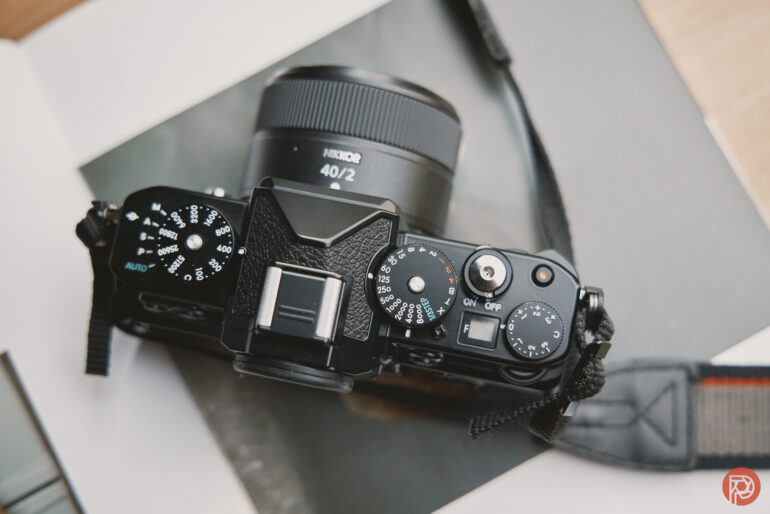
My love for the visual appeal of the Nikon Zf stems from my childhood. I learned my photography on my grandfather’s Nikon FM2, and the design of this modern marvel clearly comes from that camera. It’s not just the dials on the top or the abundance of leather; it’s also in the shape of this camera. It’s also quite a boon to have the slightly raised grip on the Nikon Zf as compared to the flat front of the FM2, but this isn’t a run-and-gun type of camera. Everything on this body is intended to make you fall in love with not just the results but also the process of immersing yourself in the frame mentally and emotionally. And a good part of that romance comes from embracing the design. Plus, it’s also a head-turner and a great conversation starter at parties.
The Autofocus Technology
I’ll be the first to admit that I was only expecting a retro-designed Nikon Z6 II. Nikon proved me and countless others wrong when they leveled up the appeal of Nikon Zf with their latest Expeed 7 processor. I was super pleased they didn’t stuff it with 2 Expeed 6 processors like they did with the Z6 II and Z7 II. The autofocus tracking was so much more snappy than what I’d seen on my Z6 series bodies, akin to what the Z8 and Z9 offer.


It was no slouch at sporting events either. I used it at the Dubai Tennis Championships earlier this year and was super pleased with the results. The images above were all shot with the F-mount Nikkor 200-400 f4 VR II. I have no doubts it would have given me even sharper results if I’d used a native Z-mount Nikon lens. Eye tracking was a breeze, even with the players moving around a lot
The Colors


Of all the digital cameras I’ve used in my lifetime, the Nikon Zf has produced the most true-to-life results, in-camera using the Standard profile, that I’ve seen. In so many instances, I rarely need to make any adjustments to pop out the colors in the image. Skintones, skies, and flora all look in the LCD and in image viewing software exactly as I expect to, and often exactly as my eyes saw them. For the times that I want to play around a bit, I use our presets made for Lightroom Classic, Lightroom Mobile, and Capture One.
The Black And White Switch


I used to envy Olympus PEN-F users for being able to switch to monochrome mode without fiddling around in the menu settings. With the Nikon Zf having a similar mechanism via a dedicated Black & White switch, I am now able to swiftly swap between color and monochrome while keeping my eye attached to the viewfinder. And what a glorious mode this is, enabling me to see and shoot without distractions.
The Deep Tone monochrome mode is my favorite. The black-and-white shots that come out of this setting are so pleasing to the eye. I often just shoot in JPEG with this mode, knowing I’d hardly have to make any major corrections later on.
What Could Be Better
I’m certain that other photographers won’t care much about some of these observations. For me though, these could really improve the whole experience with my Nikon Zf
Auto ISO Setup

This isn’t a complaint about the Auto ISO mode, but rather with how it’s implemented. Currently, the only way to set the camera to Auto ISO mode seems to be via the menu settings or via the i-menu. I tend to adjust ISO values only using the dial on top, but I sometimes need to switch to auto ISO quickly when shooting in varying outdoor lighting conditions. Currently, the C marking on the ISO dial isn’t customizable. If Nikon could provide an option to configure the C setting to work as an Auto ISO in a future firmware update, it would greatly help. All I’d need to do then is turn the ISO dial on the Nikon Zf to this setting to switch to Auto ISO.
Auto Zoom Into Eyes When Using Manual Lenses

The new feature of enabling eye tracking when manual lenses are connected is a very welcome on the Nikon Zf. I would love to see an option where the display automatically zooms into the eyes when the focus ring of a manual lens is turned. If there is a person in the frame and the photographer is manually adjusting focus, there is no doubt that they are attempting to get the focus on the subject’s eyes.
Automatically zooming in (with the zoom percentage being a configurable setting) would reduce the time needed to focus and save time. Currently, when a manual lens is connected, I have to press the magnify button to zoom in on the eyes in order to confirm focus. I do this sometimes despite the focus peaking, just to double-check. The camera doesn’t always have to behave this way, only when it detects eyes in the frame when used in human subject tracking mode.
Sensor Shield
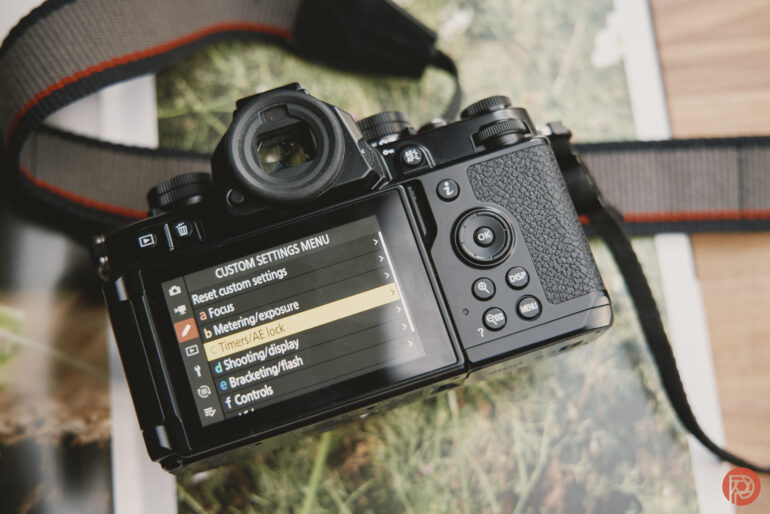
This would be really useful when swapping lenses outdoors, especially with all the dust and haze here, but alas, it’s not something a firmware update can do…..or can it?
Overall, it’s been an amazing experience so far. With Nikon consistently pushing out firmware updates for its Z line, I’m excited to see what else comes to the Nikon Zf this way. Even as it currently is, it’s still a spectacular camera for the price.
Get rid of the ads!
Did you enjoy reading this article as much as we enjoyed writing it? There's a way to support us and our reporting, getting ad-free navigation and more as a bonus. Subscribe to us for less than a coffee per month —just $3.99— or take advantage of our yearly subscription with a hefty discount for only $25.- An ad-free experience
- A free mystery box for Lightroom or Capture One
- All the books in our store
- 20% discount on Capture One
- 30% discount on Imalume Photo Theft Protection
- 20% off Herbs and Kettle Tea Company.
- 20% off your order from MPIX printing services.
- 5% off Viltrox Products via their eCommerce store.
- 10% off all film developing, printing and scanning services from Blue Moon Camera and Machine
- 15% off 7Artisans products: The lens and accessory maker is offering a sweet discount for Phoblographer's readers.