

One of the biggest concerns any photographer faces is how they can edit their photos to the best of their abilities. While there is Photoshop and Lightroom as two critical options for photographers to edit, let us tell you about a few more to make your life easy.
Darktable
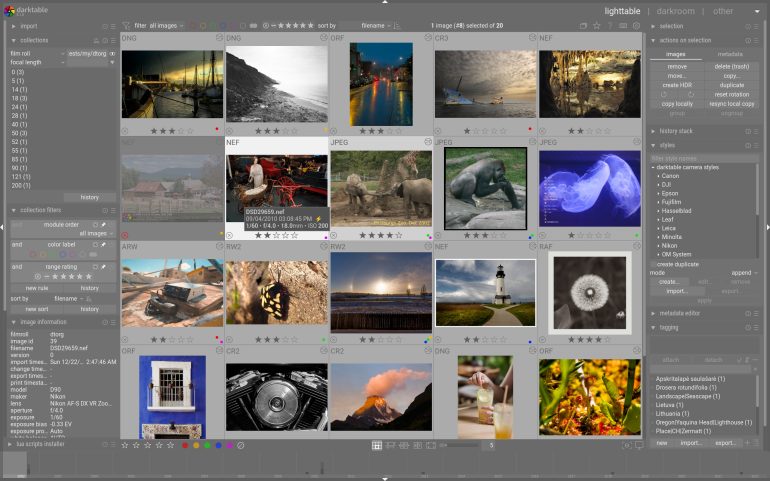
Darktable is one of the free options for those who want a replacement for Lightroom. The RAW development feature is for your bigger files and there is a system for exposure, color, masking, and detail work. Since it is an open-source platform, you can run it on Windows, Mac, and Linux software. It has multiple options for cropping, exposure, white balance, tone mapping, sharpening and more.
RawTherapee
Another open-source RAW file editor is RawTherapee; it’s one can use this for its color science and highlight recovery. Some photographers use the platform when they have to edit images with tricky exposure situations. It is capable for anyone willing to dig into its tone curve and color tools.
Capture One

Capture One is one of our favorite platforms. It is a direct competitor to Lightroom and is designed for professional photographers, including those who shoot fashion and studio work. In fact, the tethering support is useful for those shooting in the studio, including commercial photographers. For more details, do have a look at our website.
GIMP
GIMP (GNU Image Manipulation Program) is a free alternative to Photoshop. It offers layers, masks, cloning, healing, custom brushes, and scripting support, and it has been around for over a decade. The interface is sort of similar to Photoshop’s layout, and it allows one to work with the pixel levels.
Photopea
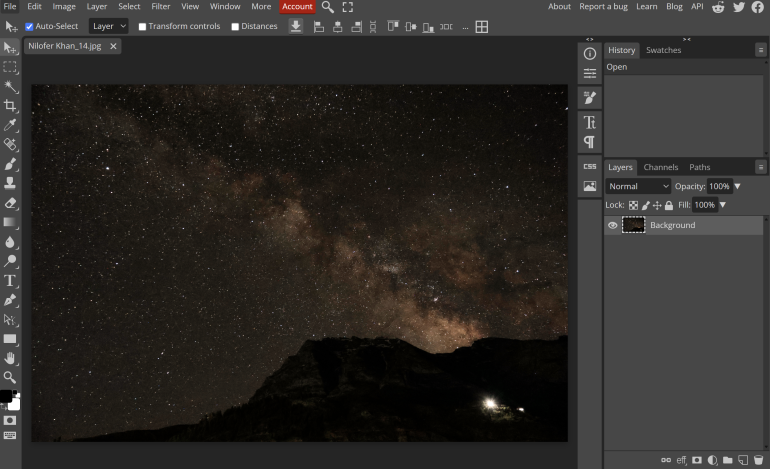
An online version of Photoshop more or less, Photopea offers similar editing interfaces and tools for a lot of photographers. This is also free, which means students and artists can rely on it. You can also open RAW on a browser, including a .PSD files directly. For anyone who needs Photoshop-level editing occasionally rather than constantly, this platform does it all.
Affinity Photo

Affinity Photo offers a one-time purchase (no subscription) with modes such as layers, masking, frequency separation, RAW support. It can open a RAW file, and it has tone mapping, panorama stitching, and focus stacking built-in. The app is available for phones and iPads as well, especially for those who travel a lot. Moreover, you can work with layers with blend modes, layer masks and clipping masks, and frequency separation for skin retouching, amongst other things.
Snapseed
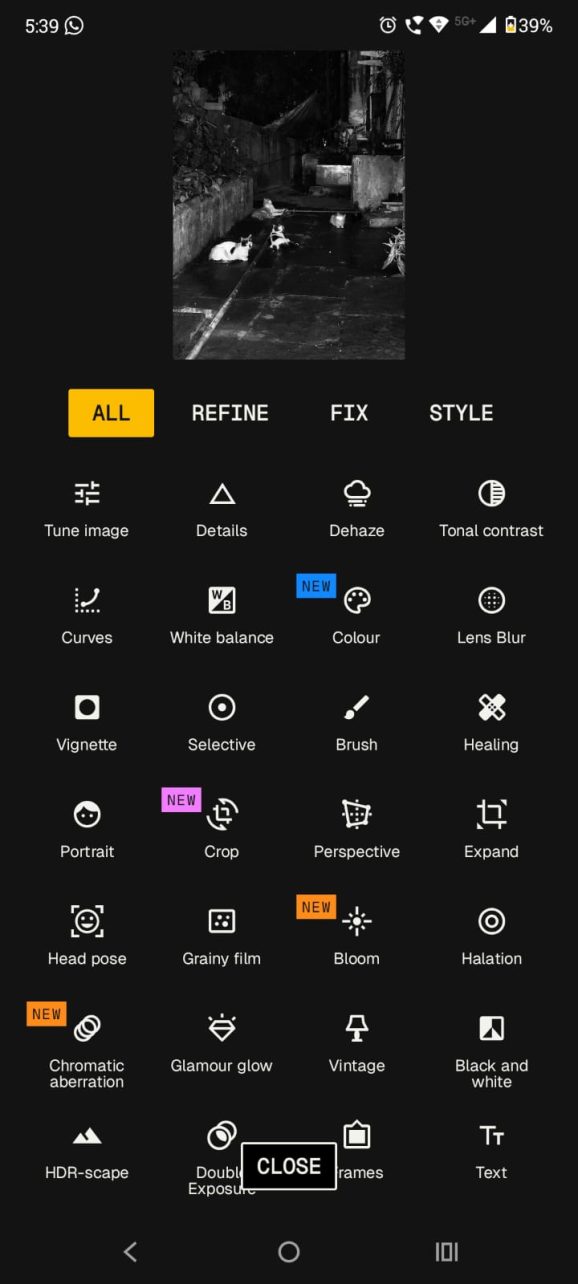
For the longest time, I have used Snapseed to edit my photos. The app has filter modes such as Vintage, Drama, Noir (black and white), and Grainy Film. It can be downloaded and used on your phone without paying a subscription fee. You can add texture, frames, as well as tools such as Double Exposure, Tonal Contrast, Vignetting as well. It is a go-to option for those who shoot on their phones.
Each of these tools is helpful for many young photographers who want to edit and learn more, and do not have the means to pay for a subscription. They are close to Lightroom in many ways, but will require some time for one to get used to the interface. So, pick the tool that you like and ensure that you get a chance to explore as much as you want.
Get rid of the ads!
Did you enjoy reading this article as much as we enjoyed writing it? There's a way to support us and our reporting, getting ad-free navigation and more as a bonus. Subscribe to us for less than a coffee per month —just $3.99— or take advantage of our yearly subscription with a hefty discount for only $25.- An ad-free experience
- A free mystery box for Lightroom or Capture One
- All the books in our store
- 20% discount on Capture One
- 30% discount on Imalume Photo Theft Protection
- 20% off Herbs and Kettle Tea Company.
- 20% off your order from MPIX printing services.
- 5% off Viltrox Products via their eCommerce store.
- 10% off all film developing, printing and scanning services from Blue Moon Camera and Machine
- 15% off 7Artisans products: The lens and accessory maker is offering a sweet discount for Phoblographer's readers.
- 15% off a VSCO One subscription: Get a bunch of great tools with their all-in-one package.