

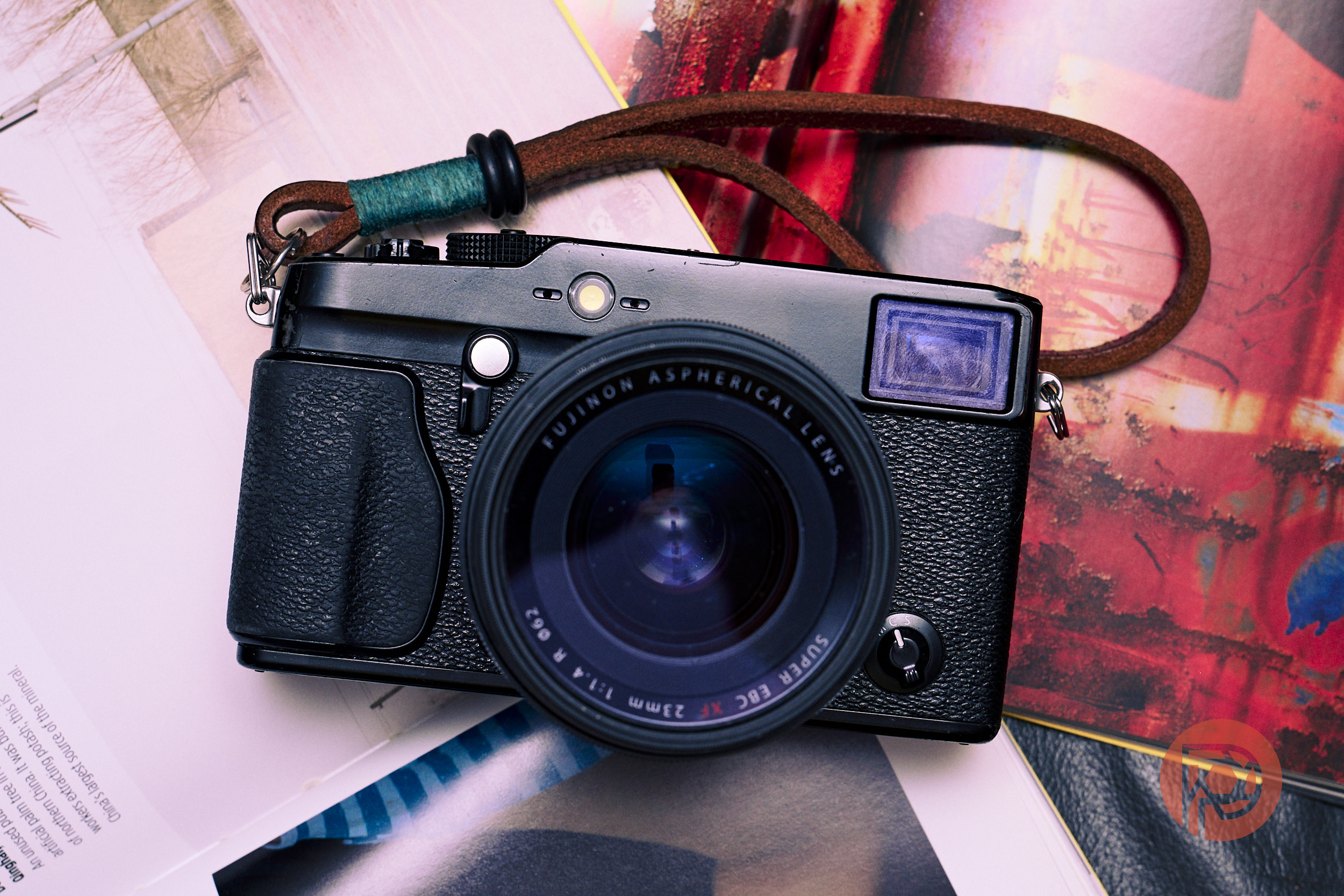
Fujifilm cameras have largely become universally known for their “film simulation recipes,” presets that you can apply to their base color palettes to build an “authentic” film-like look to your JPEG files. While there might be something of a cult following for anything that’s labeled “Classic Chrome,” the truth is that if you are a photographer who photographs people of color (POC) you have likely experienced weird hues of skin tones. That’s why we searched for and tested three popular Film Recipes and tried our hand at creating our own.
History
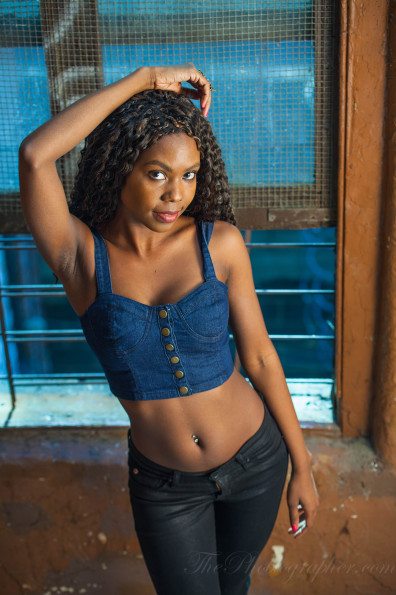
There’s a long and complex relationship with the Photography Industry and People of Color – especially around how images turn out by default. This isn’t new to modern photography – we’ve previously talked about how analog film could render melanated skin tones incorrectly at best and unflatteringly at worst – and which ones are best for photographing people of color. In digital photography, this issue presents itself in the “color science” that your camera manufacturer chooses to implement. While many apologists will say, “you can always fix it in post,” that’s not necessarily accessible to every photographer. LUTs and in the case of Fujifilm cameras, Film Simulation Recipes, have helped to give photographers more control over the results that come straight out of the camera – it’s one of the biggest reasons why I stuck with Fujifilm cameras for as long as I did.
Reggie’s Portra by Reggie Ballesteros
The name Reggie Ballesteros is one of the most recognizable within the Fujifilm camera community. Ballesteros is a Pilipino photographer who’s built a prolific body of work all captured on his Fujifilm cameras. One of the reasons Ballesteros has amassed the following he has is for the attention he’s paid to creating presets and film recipes that are intended to work with POC and their various skin tones. Reggie’s Portra was created by tweaking Fuji X Weekly’s Kodak Portra 400 film simulation.
Below are some samples taken with the Fujifilm X-Pro 3:


When researching film simulations for this article, Reggie’s Portra was by far the most recommended film simulation for photographing people of color by a mile. One of the reasons that it is so highly recommended is for the way it controls the orange hues while still being able to be applied while shooting with your camera’s Auto White Balance turned on. The resulting images are typically clean, bright, and with very little grain. I found that it works best in brighter, cooler (light temperature) conditions. One of the downsides of this film simulation recipe is the very thing that makes it so flexible – the colors can feel muted or flat. If you’re looking for more character in your final image, you may find yourself a bit underwhelmed.
Vibrant Arizona by Fuji X Weekly
If you’re looking for something with more warmth in your image, Vibrant Arizona by Fuji X Weekly is right up your alley. Vibrant Arizona makes every image you make feel like summer. The tones are all very warm and “sunny” while keeping things extremely low contrast. This could be especially useful for head shots or any other kind of portrait where the goal is to provide the softest, most flattering image.
Some samples taken using the Vibrant Arizona film simulation can be found here:


In real world use, I found that this film simulation is best applied with staged portraits with controlled lighting versus documentary-style photography. While testing the film simulation recipes in this article, I shot a community service event for my church in mixed, natural lighting conditions. On a very overcast day, Vibrant Arizona skewed too far into yellow hues. While it wasn’t exactly unflattering on dark skin tones, it did leave me feeling like the world was experiencing a weird jaundice tint. That said, using Vibrant Arizona on a subject lit with my Flashpoint XPLOR 100 resulted in one of my favorite pictures of my wife.
Reggie’s Superia by Reggie Ballesteros
If you’re like me and enjoy high contrast images and photographing in every condition imaginable, this is the one you should take note of. Reggie’s Superia is the perfect complement for Reggie’s Portra – acting as the Yang to Reggie’s Portra’s Ying. Like Reggie’s Portra, Reggie’s Superia was developed with the intention of being used on subjects with melenated skin, except this simulation leans a lot more into the “film” look. Reggie’s Superia’s biggest defining trait is the grit that’s added to the film simulation (as compared to Reggie’s Portra).
Reggie’s Superia was a ton of fun to shoot with:


Having shot each of these film simulations for just under a month, I found myself consistently gravitating toward Reggie’s Superia because of the character it gave my images. The final images were often closest to what I had “seen” before putting the viewfinder to my face.
CINELAND – a Reminder to Experiment for Yourself
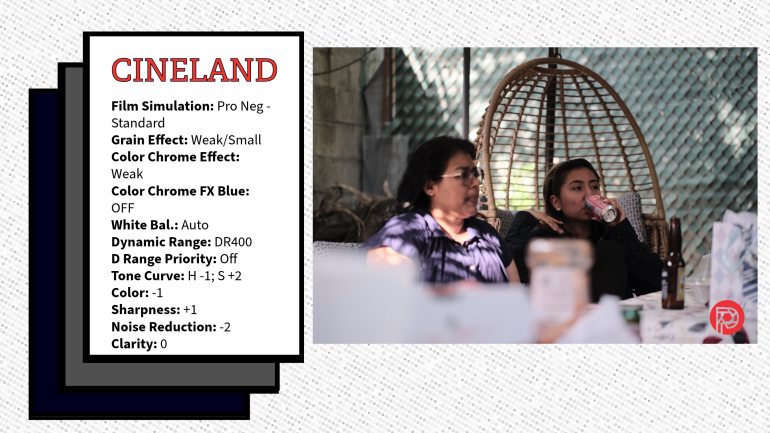
While each of the film simulation recipes above are worth checking out, it’s imperative to never forget to experiment for yourself. As photographers, experimentation is the backbone to our creative processes. The “CINELAND” preset you see featured here was created back when we reviewed the Fuji X Recipe app and I’ve spent the time since refining it further so that it fit with my vision for my photography.
Like Ballesteros, being a POC myself, and intentionally seeking other POC to photograph, I wanted to create something that would be both flattering to my subjects and flexible. CINELAND was created as a kind of faux cine-log look for my X-Pro 3. I never quite got there, but I’ll continue to refine this look:


Get rid of the ads!
Did you enjoy reading this article as much as we enjoyed writing it? There's a way to support us and our reporting, getting ad-free navigation and more as a bonus. Subscribe to us for less than a coffee per month —just $3.99— or take advantage of our yearly subscription with a hefty discount for only $25.- An ad-free experience
- A free mystery box for Lightroom or Capture One
- All the books in our store
- 20% discount on Capture One
- 30% discount on Imalume Photo Theft Protection
- 20% off Herbs and Kettle Tea Company.
- 20% off your order from MPIX printing services.
- 5% off Viltrox Products via their eCommerce store.
- 10% off all film developing, printing and scanning services from Blue Moon Camera and Machine
- 15% off 7Artisans products: The lens and accessory maker is offering a sweet discount for Phoblographer's readers.