

Last Updated on 03/22/2011 by Mike Pouliot
A while back, I posted a photograph on Flickr which lead to a discussion on the settings I used to create that particular image. I started listing away the basic exposure values (aperture, shutter,etc.) and then I got into custom function settings. As soon as “custom functions” entered the conversation, a barrage of questions quickly followed. What are custom functions? How do I access them? Where can I find more information on custom functions? Sadly, I was not surprised to hear that so many people are not using these fantastic, and somewhat hidden, settings as manufacturers love to bury them in a sea of menus. Let’s take a trip to the mystical world of custom functions.
First off, I’m a Canon shooter so the following will benefit you the most if you use Canon DSLRs
What Are Custom Functions
Custom functions are special settings that allow the photographer to personalize specific features of the camera to better fit their shooting style or needs. Many of these custom functions are features that you may not use frequently (i.e. mirror lockup) but they can be extremely helpful in certain shooting situations.
How to Access Custom Functions
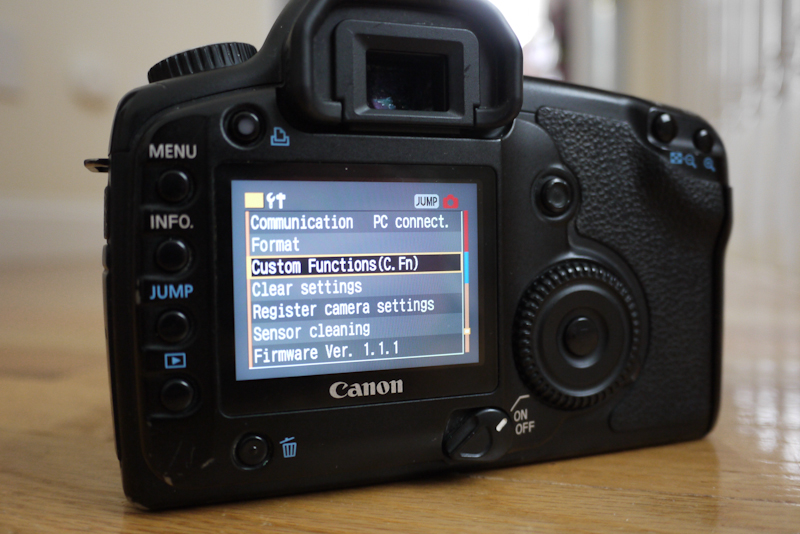
So, how do you get to these functions? Well, it’s slightly different on each camera but the first thing to do is pull up your main menu. From there, cycle down (or over for some users) to the settings menu (or tab) which is usually yellow/orange in color.

From there you should see an option for “Custom Functions”. Click on that selection. You are now in custom functions.
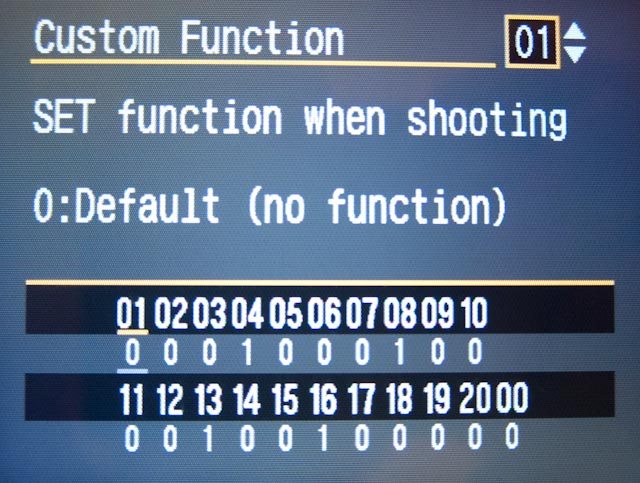
It’s here where things get messy. You really need your camera’s manual to truly know what each custom function does as not all cameras offer the same custom functions. Unfortunately, the manuals that I’ve seen do a less than adequate job when describing what each custom function actually does so I’ve decided to make a list of my most used Custom Functions along with a brief description of what they actually do.
My Favorite Custom Functions
Please note that all of the custom functions below were taken from a Canon 5D
Shutter/AE Lock Button: I prefer to use setting #1 (AE lock/AF) for this custom function. This setting allows you to press the * button on the back of the camera to auto focus and then press the shutter button halfway to lock exposure. Being able to focus and meter in different areas is extremely important to me. Yes, you CAN do this with the default settings but once you press the * key to lock exposure, you’re stuck with that value until you switch shooting modes or the camera times out…usually 10 seconds or so. Using option #1 allows you to change your meter value as many times as you want, you simply hold the shutter button down halfway to acquire a new exposure lock value.
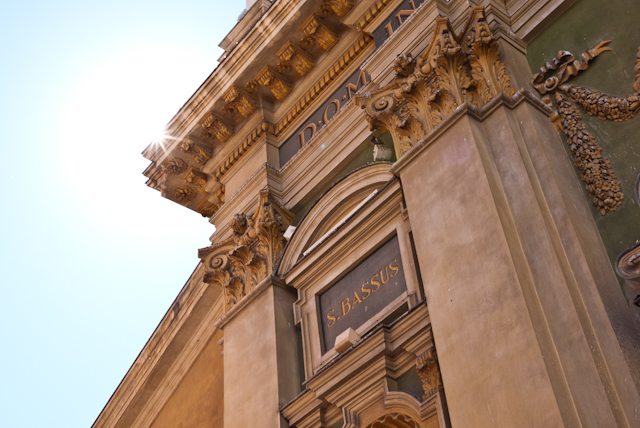
Take the shot below for instance. I was able to set my exposure so the building would not be darkened by the blazing sun, then I focused on a section of the building very close to the sun to draw the viewers attention upwards.
Mirror Lockup: If you are taking any long exposure or even macro shots which require your camera to be as stable as possible, you should use mirror lockup. Mirror lockup allows you to lift and lock the mirror in a separate action from firing the shutter. Press the shutter button once and the mirror is lifted and locked. Press the shutter button again and the shutter opens and closes. Keeping these actions separate reduces the changes of the mirror causing unwanted camera shake. One note about mirror lockup…you should REALLY use a remote shutter release
AF Point Selection Method: If you like to select your AF point manually instead of doing the whole focus and reframe technique, then this custom function will be of interest to you. On the 5D, option #1 allows you to quickly use the multi-controller (a.k.a. the joystick) to select the desired AF point. This actually works quite well and I’ve become pretty good at quickly changing the AF points even with the camera to my eye. Option #2 lets you use the large scroll wheel on the back of the camera to cycle through the AF points. This can be a fast way to move through the various AF points but I think option #1 is a more intuitive and accurate method for quickly selecting your desired AF point.
Final Thoughts…
Many of these custom functions may not be useful to you all of time but it’s good to know that they are there when you need them. Personally, I use the AEL/AFL and the AF Point Selection functions all of the time but I only use mirror lockup when shooting at night on a tripod (something I do frequently). Like on most new DSLRs, my 5D has a “Custom” setting on the mode dial which allows you to configure and save camera settings to your liking. I use the Custom mode as my night shooting setup. In the custom mode, I have my regular custom functions along with mirror lockup. Now, all I have to do when I’m done shooting is switch from “C” (custom) to any of the other shooing modes (Manual, Shutter Priority, etc.). This prevents me from having to dig through custom functions each time I go out shooting.
If you haven’t checked out your camera’s custom functions, I suggest you take a look. These functions are easy to setup and can save you quite a bit of time and frustration when shooting. There may be other custom functions available on the newer bodies so feel free to list any that you have found useful.
Please Support The Phoblographer
We love to bring you guys the latest and greatest news and gear related stuff. However, we can’t keep doing that unless we have your continued support. If you would like to purchase any of the items mentioned, please do so by clicking our links first and then purchasing the items as we then get a small portion of the sale to help run the website.